Time
SHOT DELAYReduces delay generated by normal shots, helping your next turn arrive sooner.
 Official WhitepaperCryptoBound NFT Game
This page mirrors the official CryptoBound GitBook whitepaper inside the game website, keeping the complete sections, gameplay explanations, economy details, tokenomics, rules, tutorials and original media in one polished gaming interface.
All original whitepaper sections are included below, with the same screenshots and GIFs from the GitBook source.
Introducing our new HTML5 multiplayer NFT project, where you can compete with your "NFT Characters." You can acquire and collect unique NFTs and use them to participate in various game modes, including open battles (1v1 PvP), matches against bots, betting with other users for USDT rewards, team battles, and more. We will have several maps and NFT characters available for purchase in our store. The game will launch in BETA mode, with one open server for everyone, another server for 1v1 PvP, 10 NFT characters, and 15 different maps. Each NFT character has its own unique stats; the more powerful your NFT, the more resilient it will be in battle. As long as you have an NFT equipped, you will fight against real people in NORMAL MODE. There is also a BOT mode where you can fight and practice against a computer.
We've been working on this project for approximately 12 months, developing the updates that will launch the BETA version. We'll be working full-time to improve certain aspects and make the necessary server upgrades. We'll also be conducting surveys to find out what improvements or implementations you find helpful, and all of this feedback will be added to the project roadmap on our official website.
Dice Roll PvP is a multiplayer, player-funded CBT competition available exclusively on Server 3 (Bettings) from the Dice Battle button beside Crystal Mines. A room supports 2 to 4 players; everyone wagers the same amount, receives an independently generated server roll, and the highest final total wins the player pool.
Dice PvP follows the same principal limits as Crystal Mines PvP: wagers currently range from 1,000 to 1,000,000 CBT per player, with a configured daily wagering limit of 10,000,000 CBT per user.
A 5% Economy FIX per player is allocated to the CryptoBound economy. The remaining 95% of every participant's wager forms the winner's prize.
While the room is still waiting, the creator may use Cancel & Refund All. This cancels the complete room and atomically returns the full reserved wager to every participant. Cancellation is disabled after the duel starts.
Before a duel is published, the backend creates a cryptographically random server seed and exposes its SHA-256 commitment. Roll values are deterministically derived from that hidden seed together with the match, player, variant and tie-round identifiers. The original seed is revealed after settlement, allowing the commitment and results to be independently checked.
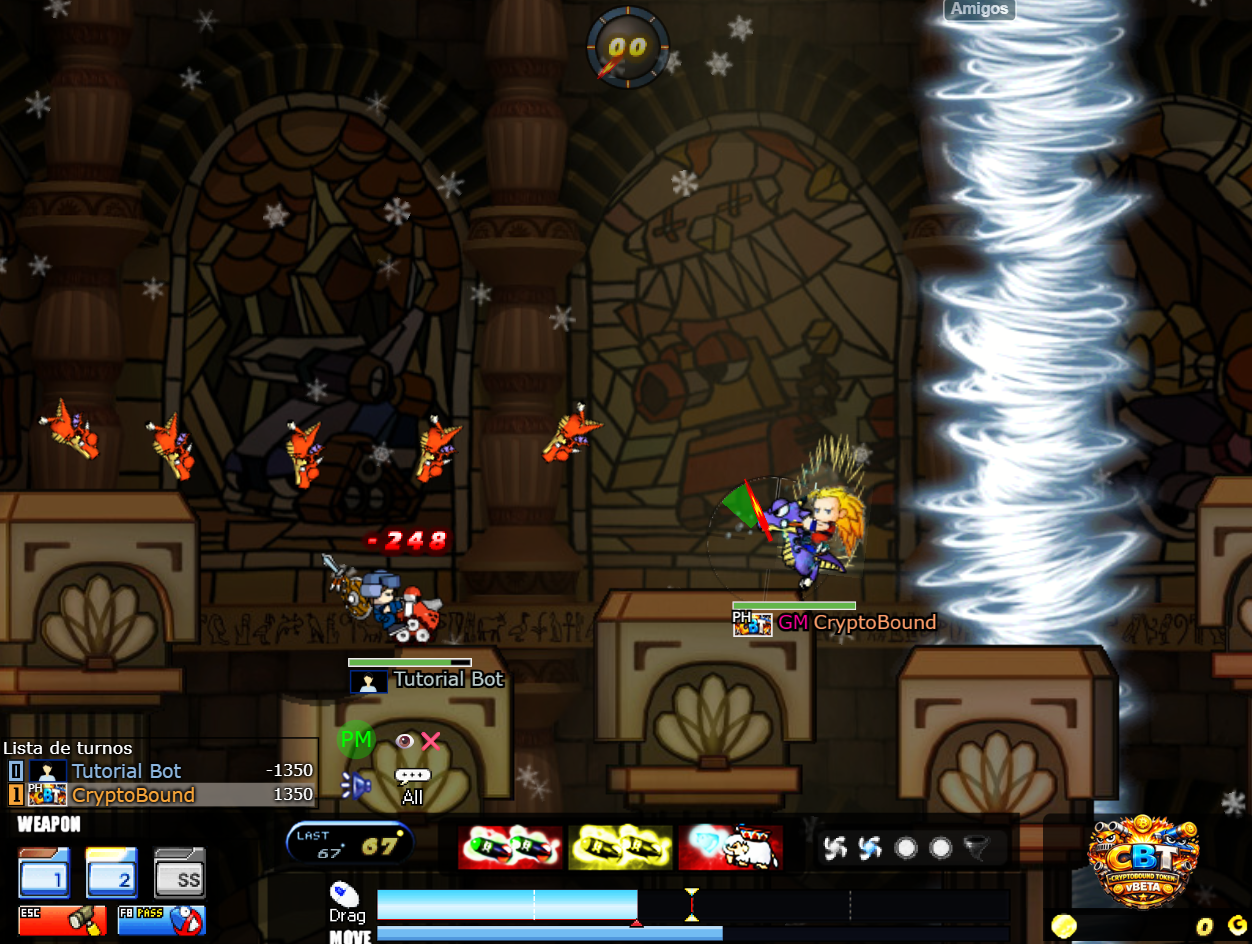
Below is a basic explanation of how to do it... When you create your account, the game automatically places you in a TEST MODE NFT so you can create a game room in any game mode available in the BETA version (Normal Mode, Bot Mode, Same Mode). When you create this room, you will appear in it with your NFT character. If you chose BOT mode (the most recommended for learning and practicing), you will appear in the room. You must choose the BOT you will play with using the [+] button that appears next to you. Then select the BOT and you will be ready to play with it by pressing the START button. When you start the game with this BOT, you must begin fighting with it using your Powers. The player who wins the match will receive a component called EXP (Experience). With this, you can see your position in the TOP Ranking. If you have more EXP, you can level up and have a better position in the TOP player ranking, trying to reach first place, since there will be interesting benefits for the top players and players with higher levels.
Mentioning also that when the Game Token is implemented you will win these Tokens in special events and tournaments that take place.
The game controls are easy to use...
When you enter the game for the first time in the game you have by default the shooting mode with the Mouse.
Once you are in the middle of the game you must press the left mouse click without releasing it and drag the power bar until you decide to shoot, then release the left mouse click.
If you find it complicated, in the image below you have a sample of how to do it.
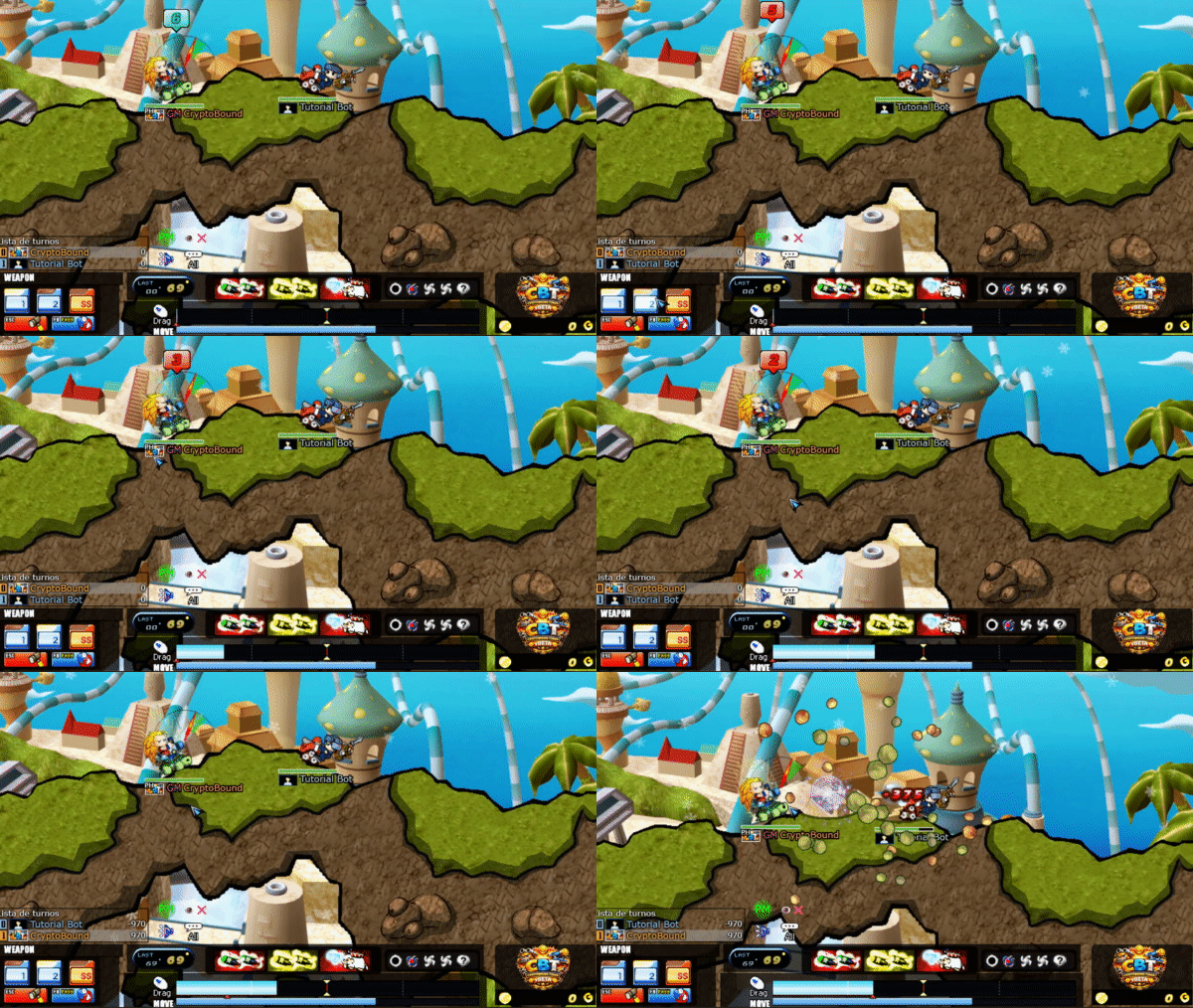
To walk to the right you just have to press the button: [ARROW→] or [D Key].
To walk to the left you just have to press the button: [ARROW←] or [A key].
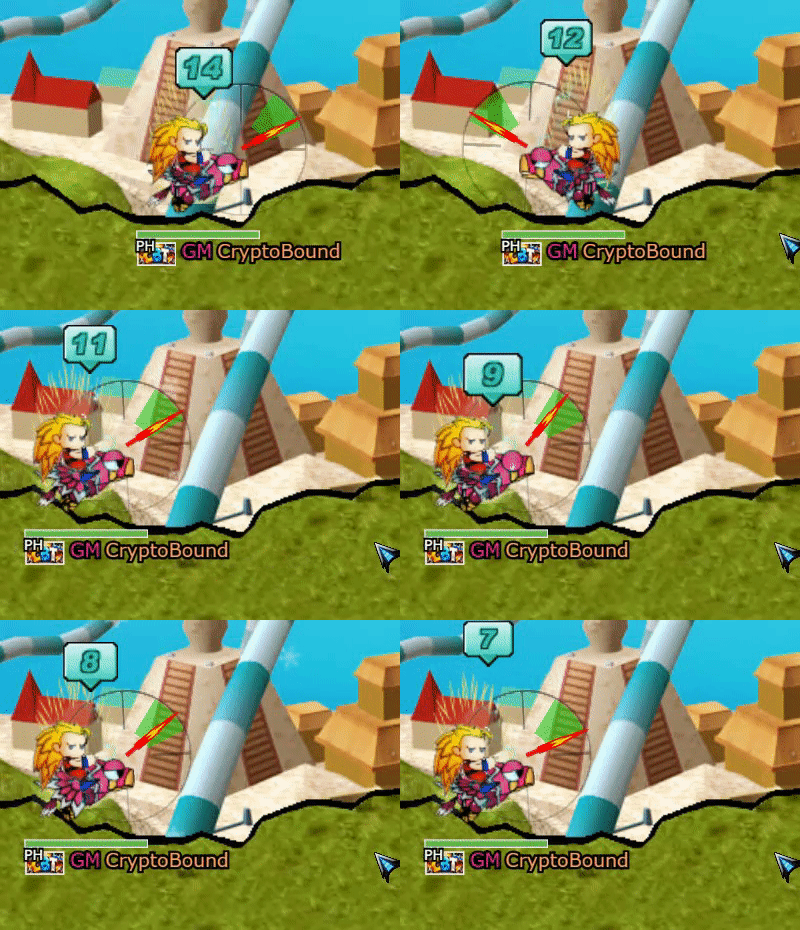
To move your shooting angle you just have to press the keys:
[ARROW "↑" / Or Key "W"] Raise.
[ARROW "↓" / Or Key "S"] Go down.
Example:
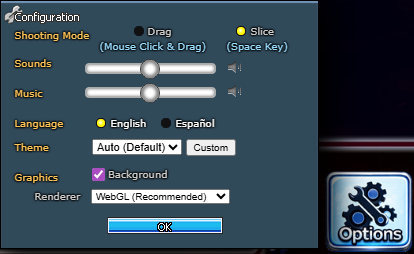
As mentioned above, by default the game shoots with the mouse, but in case this seems complicated or you don't like it, you can change the control to shoot with the SPACE key in game settings in this way.
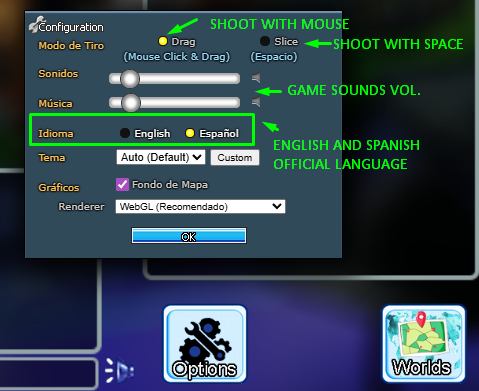
Correct way to do it, you can also do other additional settings.
Thor progression is now fully connected to combat. The satellite displayed above the battlefield maintains a server-authoritative charge value, converts that charge into a visible level, and applies the resulting level bonus to every Thor satellite projectile.
| Charge | Thor level | Satellite damage |
|---|---|---|
| 0–299 | Lv. 1 | Base damage |
| 300–899 | Lv. 2 | +10% |
| 900–1,799 | Lv. 3 | +20% |
| 1,800–3,199 | Lv. 4 | +30% |
| 3,200–5,999 | Lv. 5 | +40% |
| 6,000+ | Lv. 6 | +50% |
Thor is primarily associated with ThunderTotem/Aduka and may also react to supported projectile and weather conditions. When activated, the satellite aims from its safe sky position toward the impact area and launches a dedicated Thor projectile. The projectile creates the ADUKA1_THOR explosion and terrain interaction; its real damage now scales with the level shown above the satellite.
The five circular icons beside the item bar are the match weather queue. The second slot from the left is the active weather; the icons to its right are the upcoming weather steps. After every completed turn, the queue advances one position.
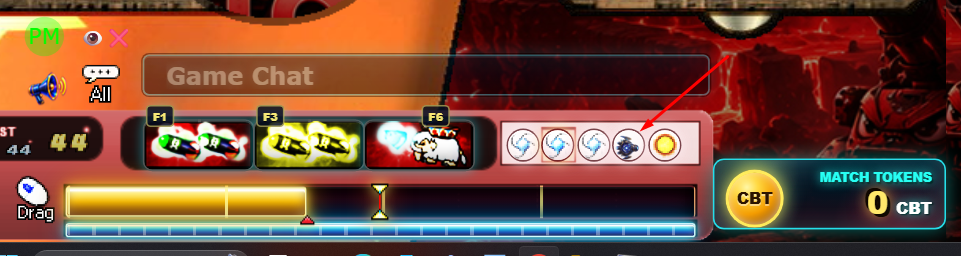
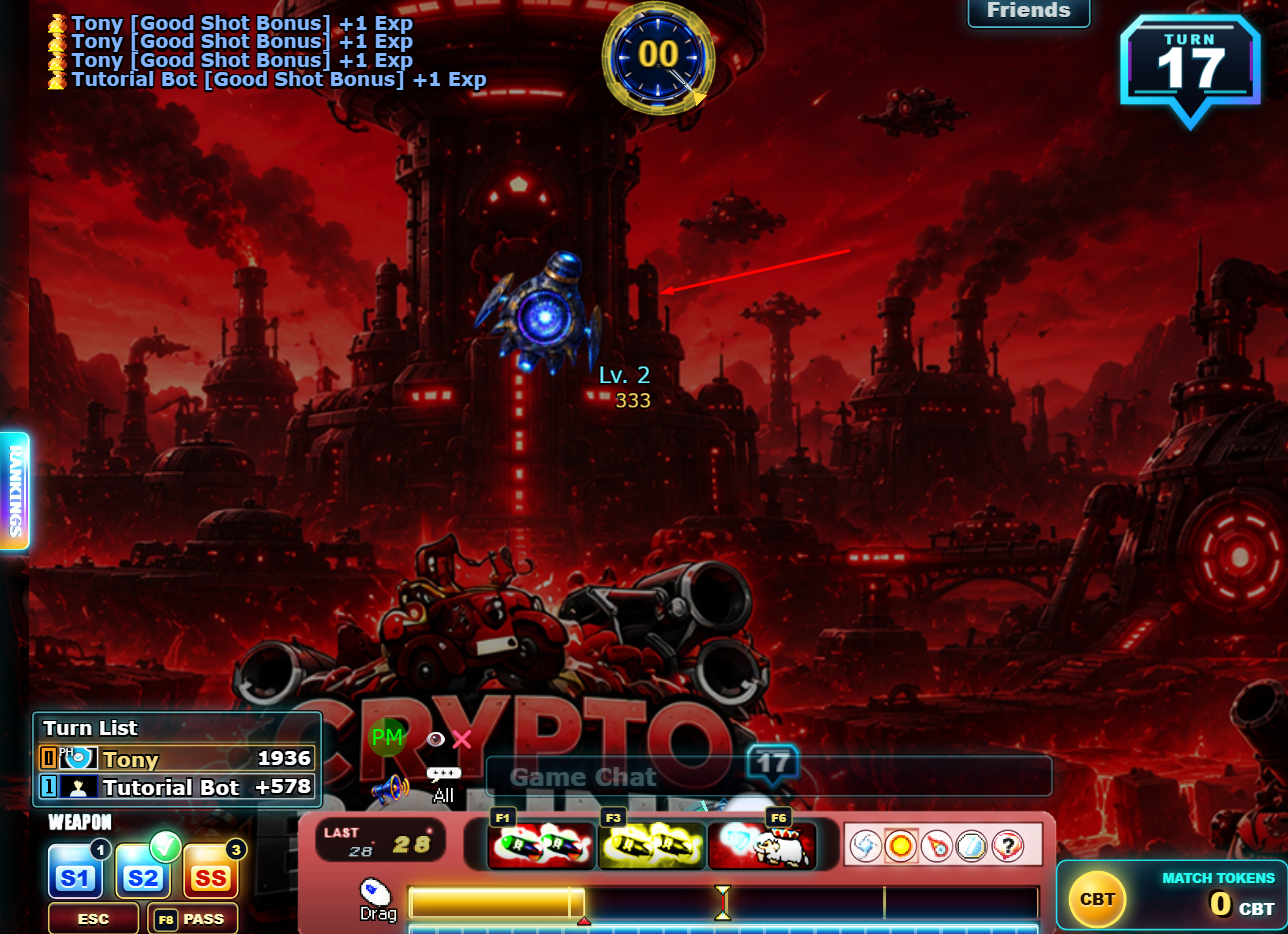
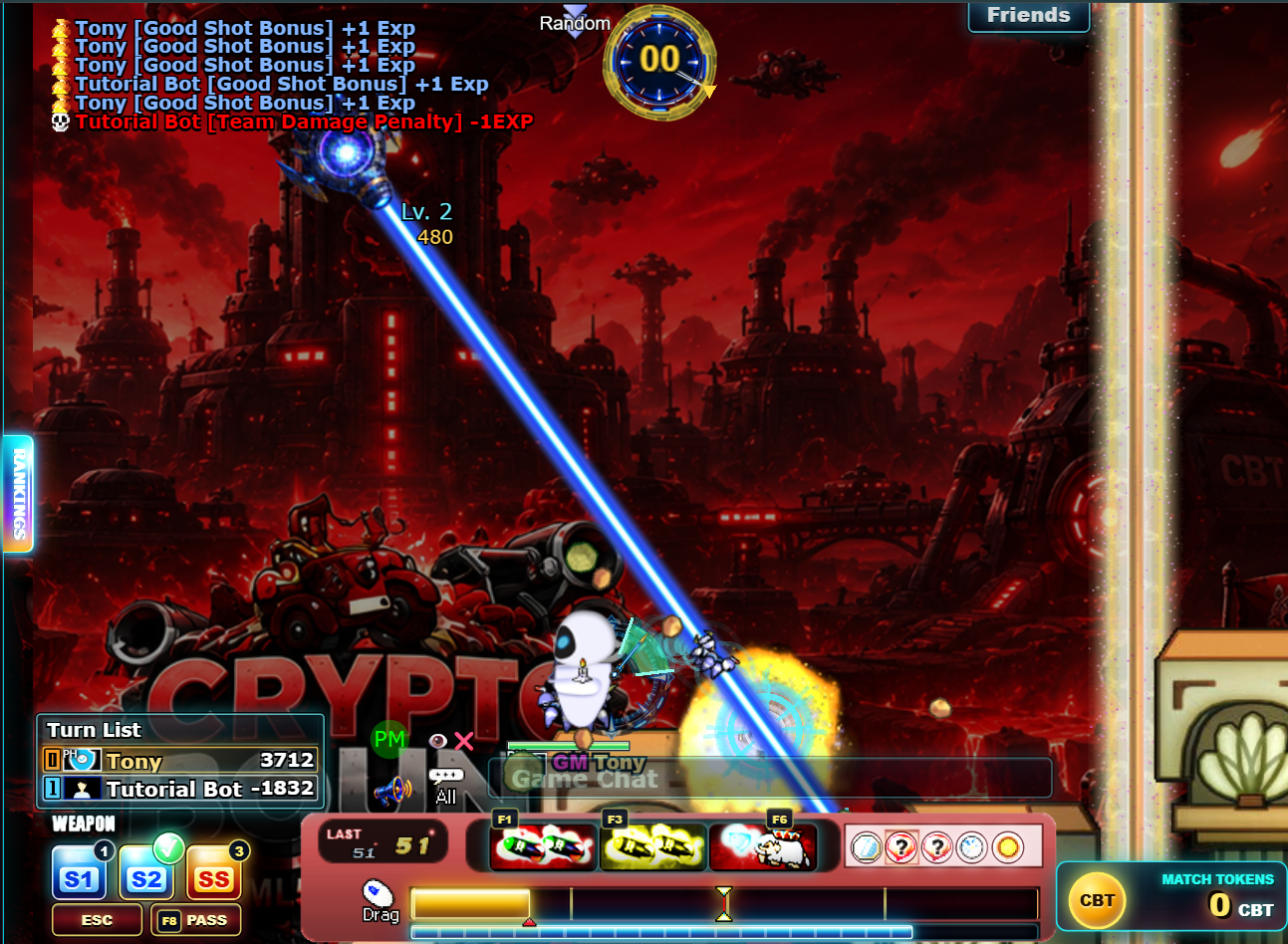
Match-only progression: Thor charge and level reset when a new match begins. They are tactical battle progression, not permanent account or NFT levels.
The Weekly Ranking is a recurring competitive leaderboard based on the EXP accumulated during the active weekly cycle. Its three leading players hold visible crown badges beside their ranking positions, giving the community a live view of who currently controls each podium place.
Crowns belong to the position, not permanently to a player. Whenever the Weekly Ranking is updated, the badges follow the current standings automatically. A player who moves from third to fourth place immediately loses the Bronze Crown, while the new third-place player receives it on the leaderboard.
| Weekly Position | Leaderboard Badge | Automatic Avatar Reward |
|---|---|---|
| Top 1 |  Gold Crown Gold Crown | Avatar ID 8316 |
| Top 2 |  Silver Crown Silver Crown | Avatar ID 8215 |
| Top 3 |  Bronze Crown Bronze Crown | Avatar ID 8284 |
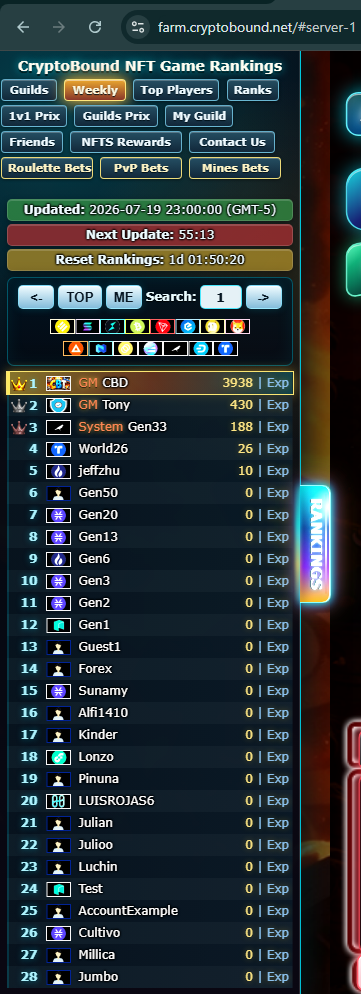
One minute before the scheduled weekly reset, the server takes the final award snapshot of positions 1, 2 and 3 and assigns the avatar rewards. The podium also shares the available sink-funded competitive CBT reserve at 50% / 30% / 20%. This reserve comes only from real CBT store sinks, is capped at 1,000,000 CBT per week and can be zero; it is not a guaranteed emission.
This system turns the Weekly Ranking podium into an active competition: crowns can change owners throughout the week, but the exclusive avatar rewards are decided by the final standings captured immediately before reset.
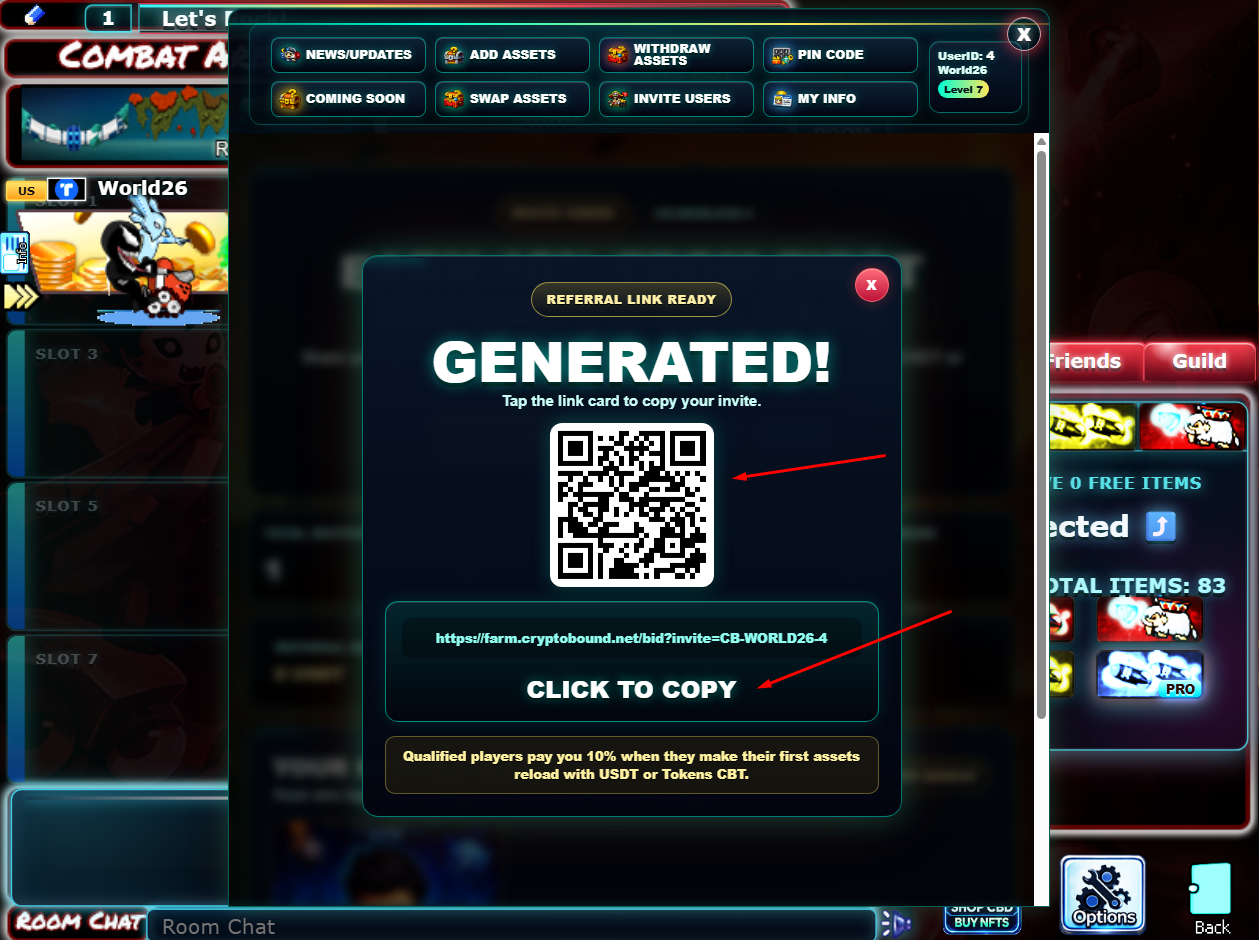
The CryptoBound Referral System is designed to reward players who bring real new warriors into the game. Every player can generate a personal referral link and share it with friends. When a qualified invited player makes their first verified reload with USDT or Tokens CBT, a 10% referral bonus in the same asset is reserved for the inviter, subject to the monthly acquisition budget. It is released only after a 7-day maturation period and at least 3 completed games by the invited player.
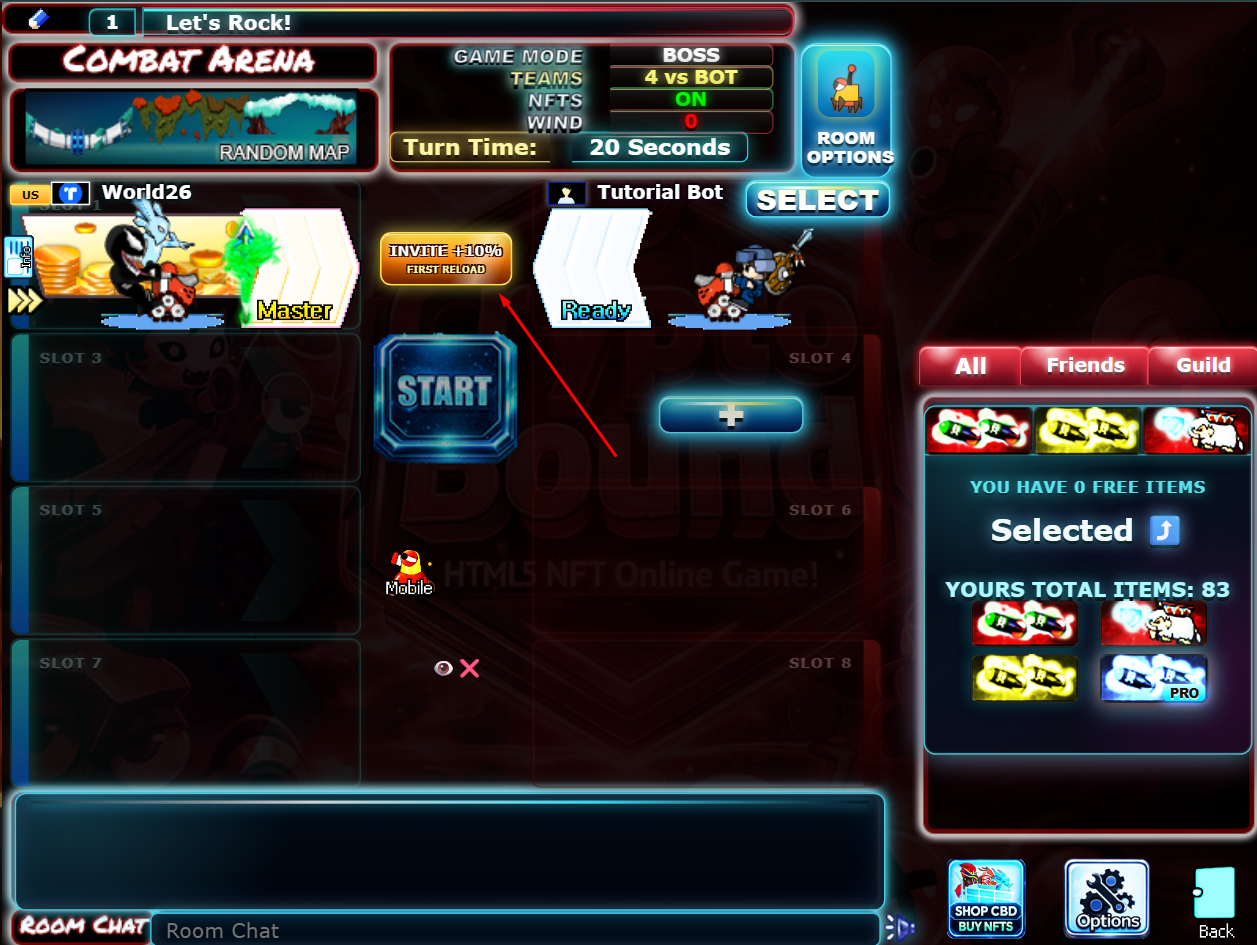
CB-WORLD26-4. The code is used in the invite URL and can be copied, shared, or scanned as a QR code.The referral entry point appears inside the room interface as the Invite +10% button. This makes the feature visible while players are already preparing to play with friends.
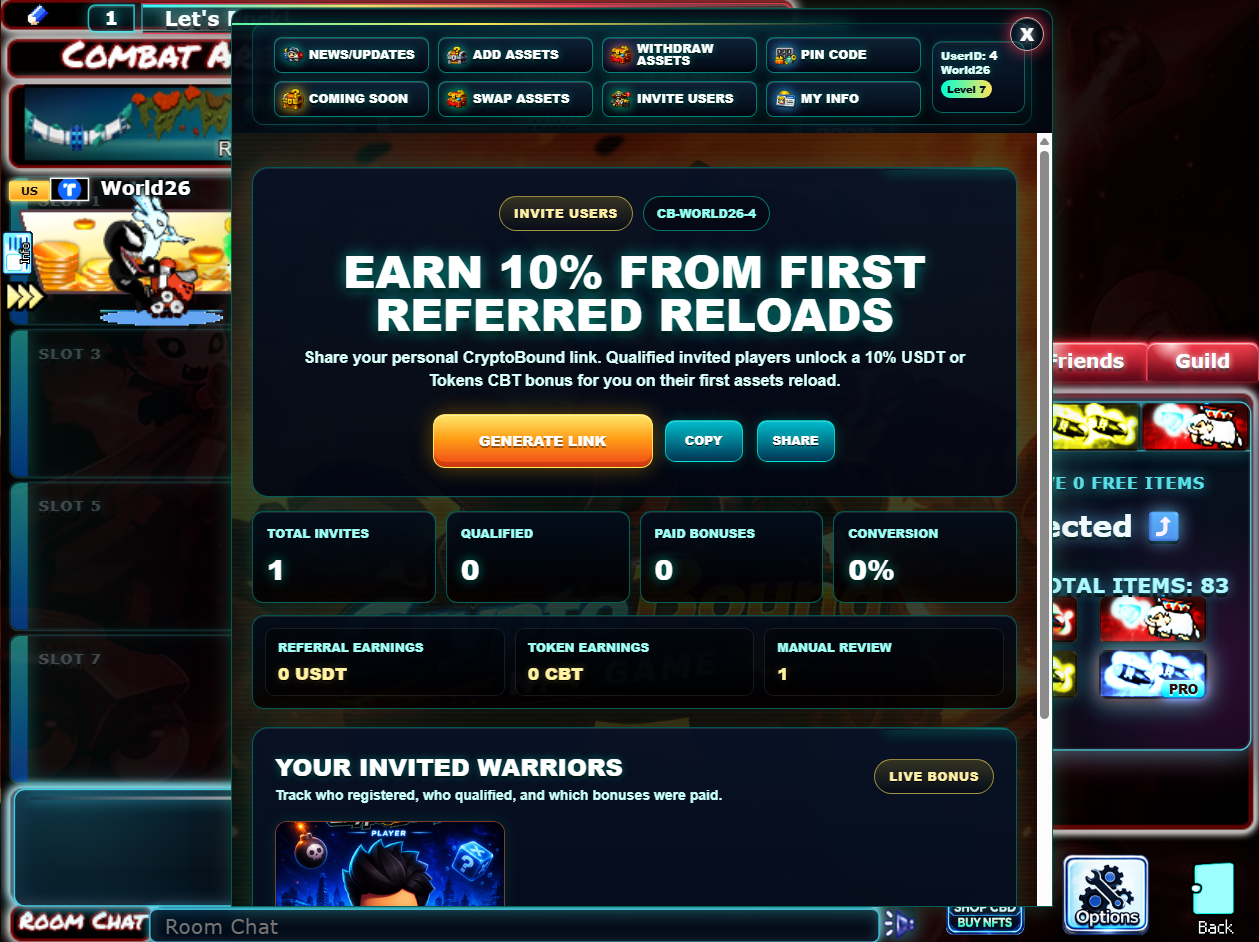
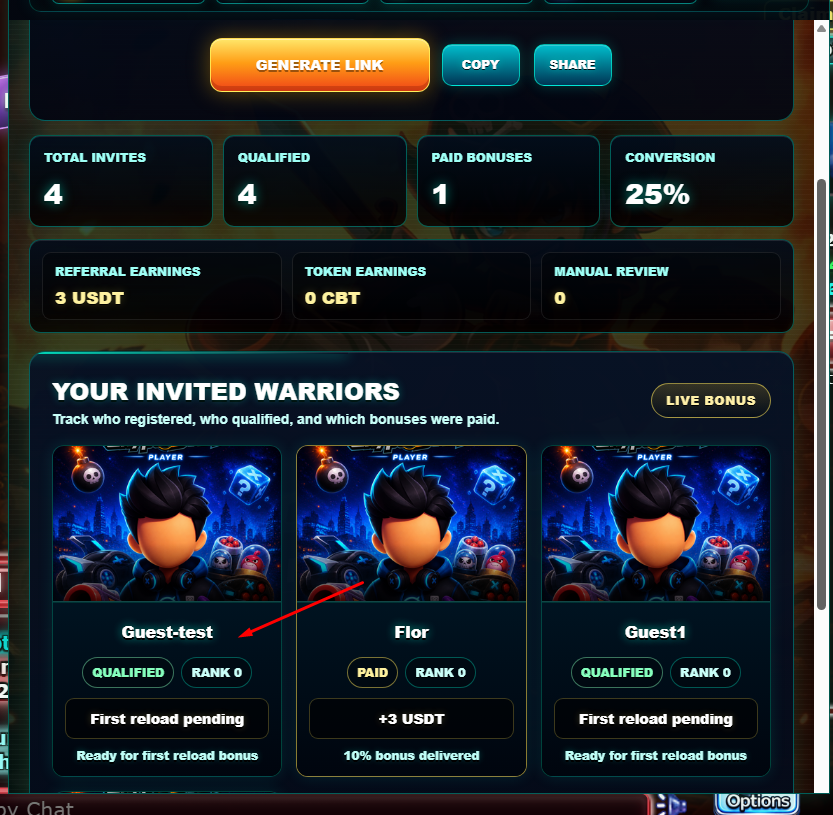
When the player opens the referral panel, CryptoBound displays the personal invite code, main invite button, copy and share actions, and live performance statistics. The dashboard tracks how many players were invited, how many are qualified, how many bonuses were paid, and how much has been earned.
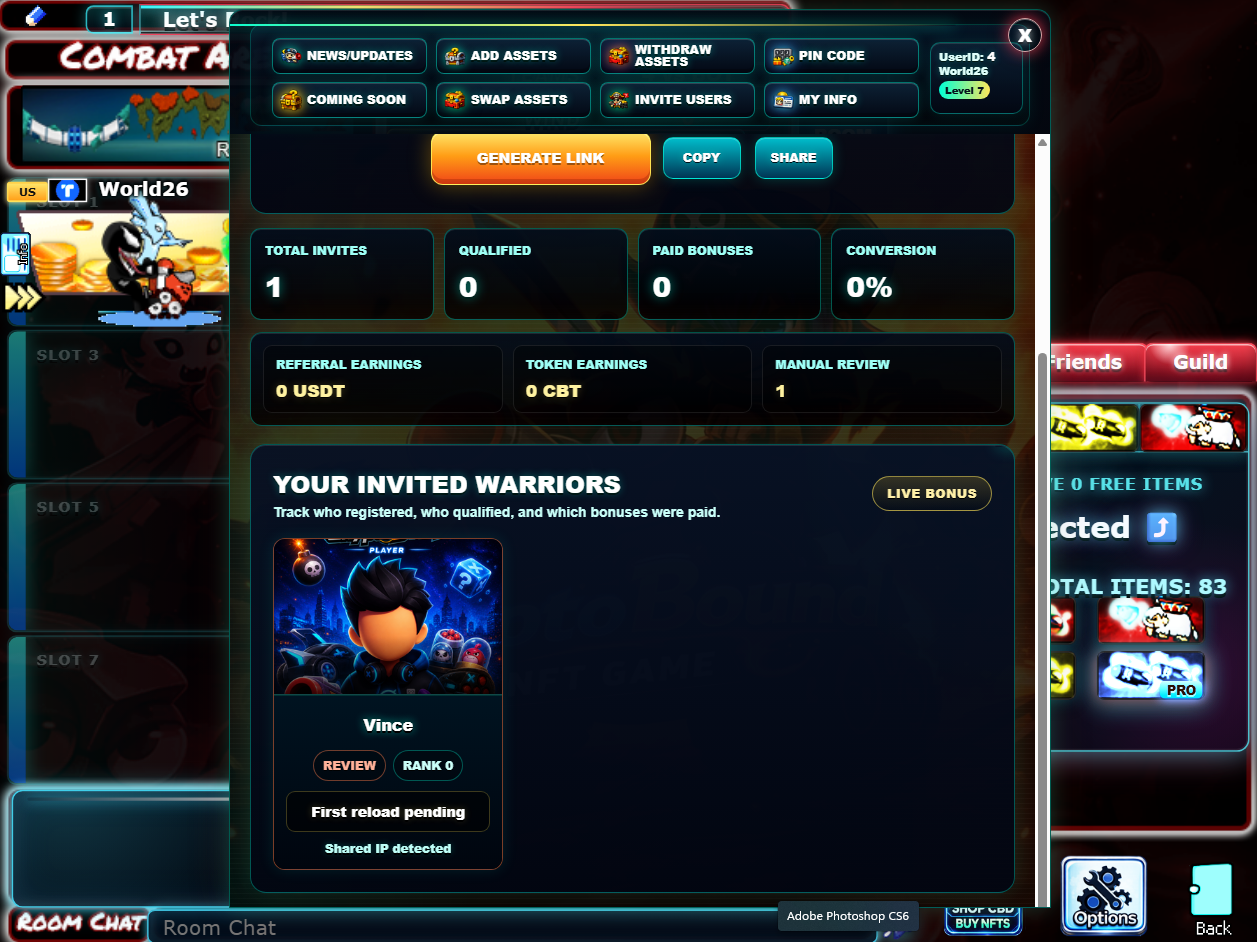
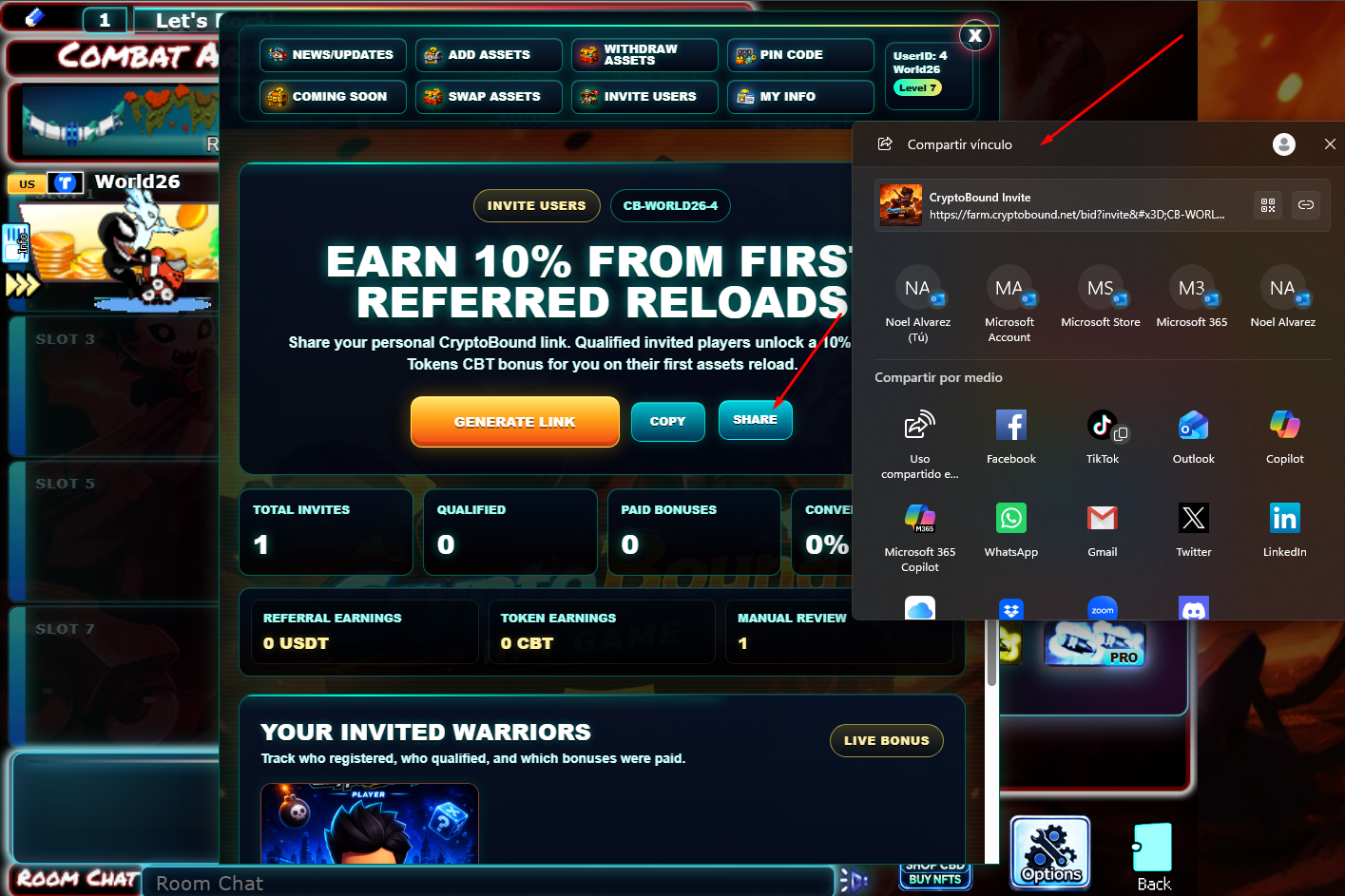
The invite can be shared directly through the browser's native share menu, copied as a direct URL, or presented as a QR code. This allows players to send the invitation through social apps, email, chat, or any community channel.
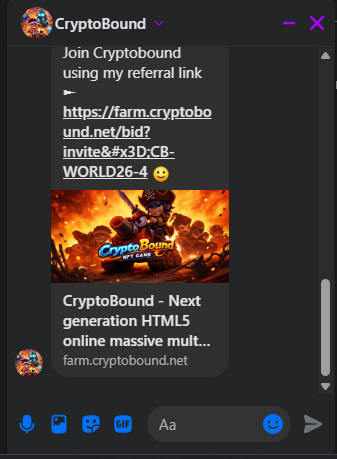
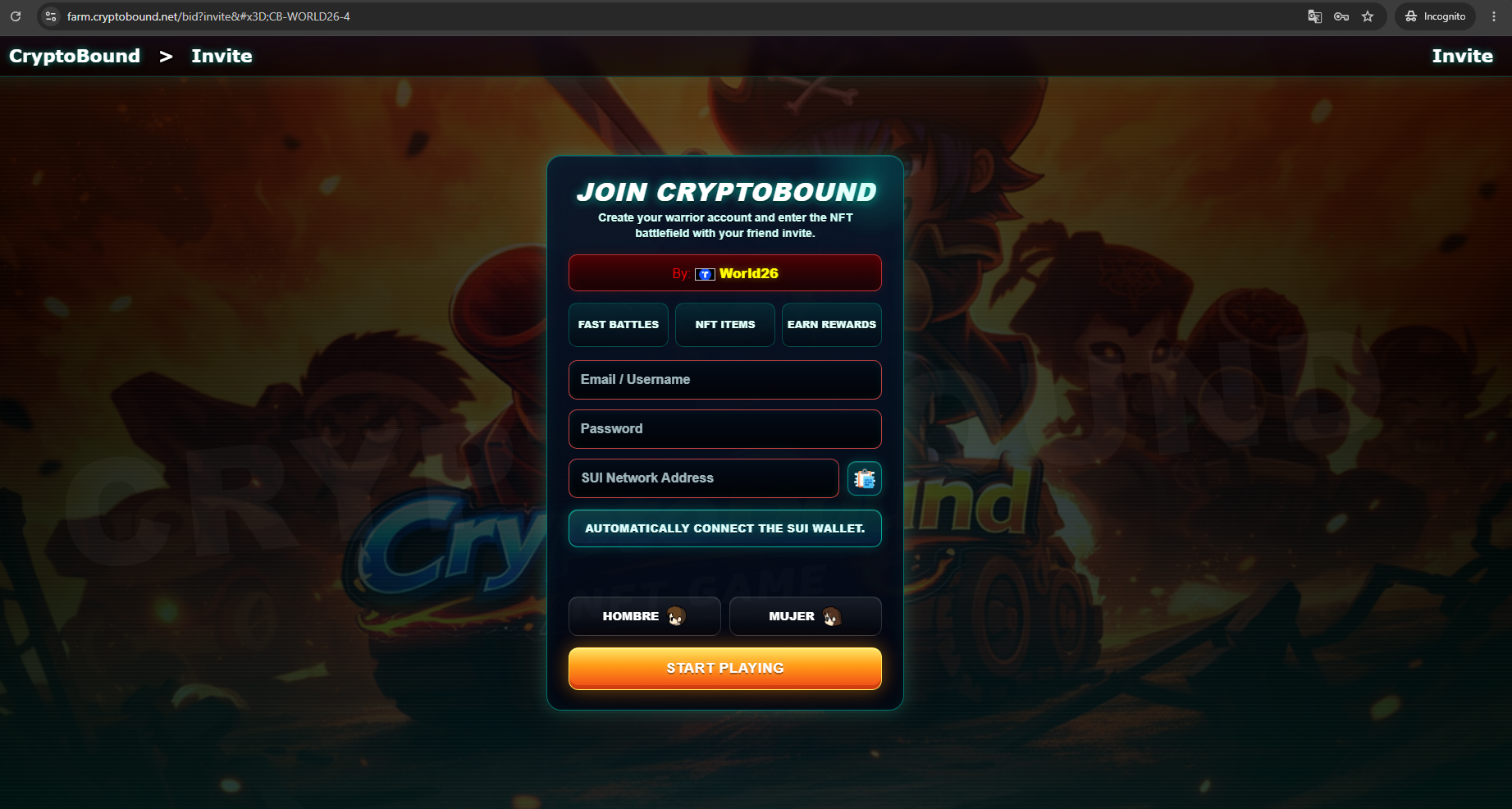
The invite link opens a dedicated registration page. The form asks the new player for a username, password, SUI wallet address, and character gender. This page is designed to make it clear that the new player is joining through a friend invite.
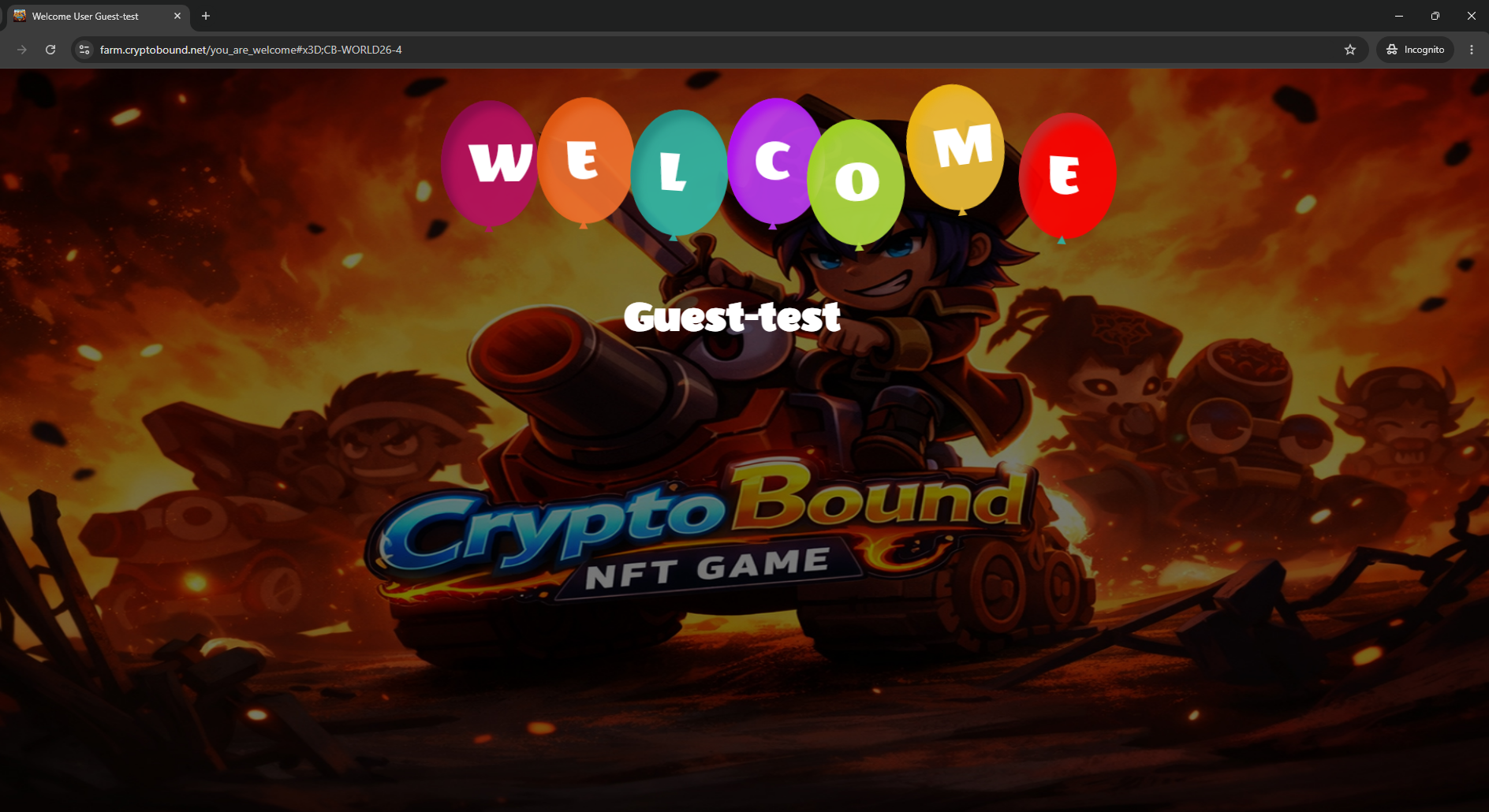
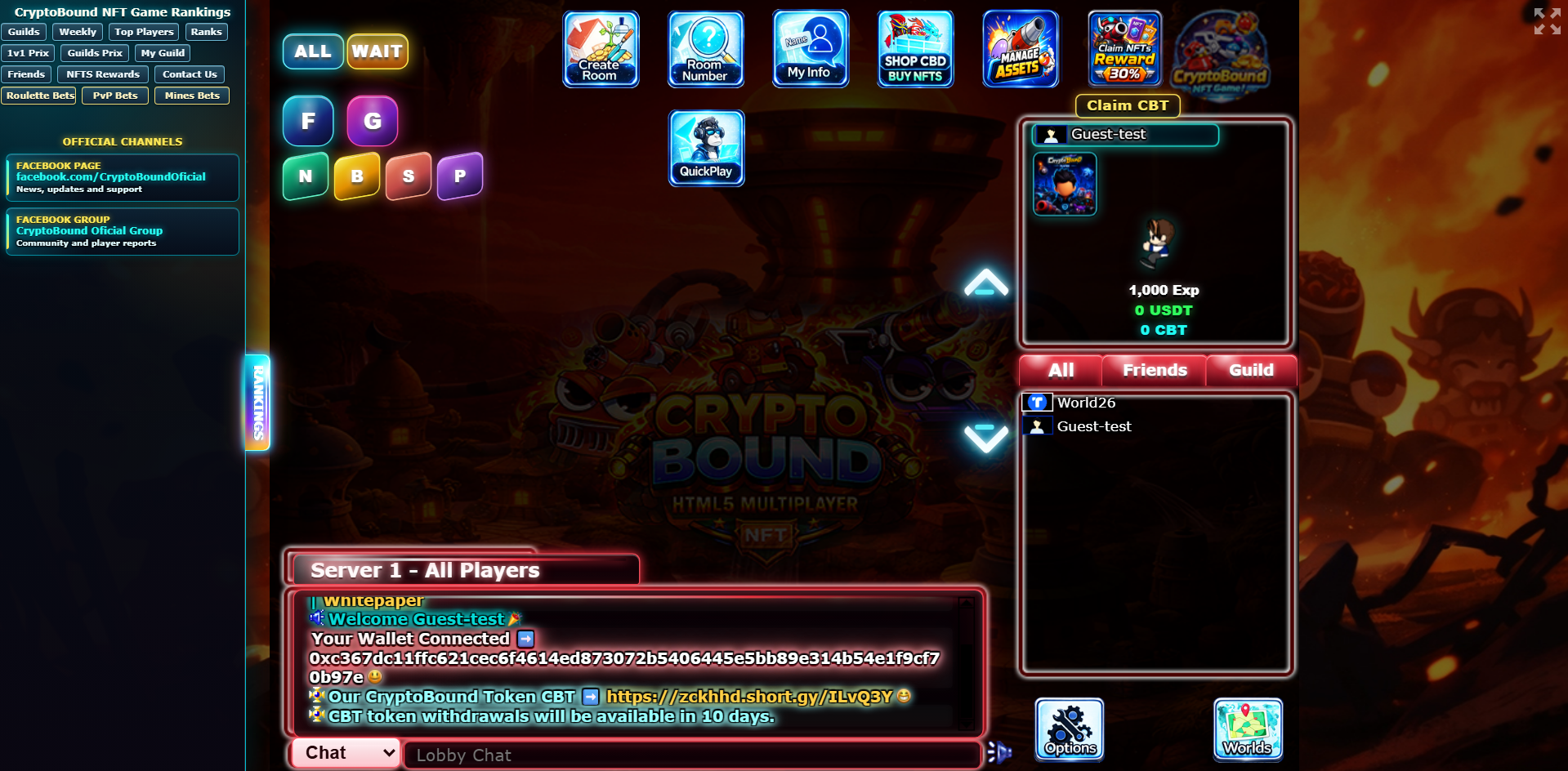
Qualified referrals are eligible for the first reload bonus. If the monthly budget is available, the first verified reload reserves the reward as pending. Pending and paid rewards both consume the monthly budget. The worker releases the reward after 7 days and 3 completed games; if the budget is exhausted, the referral is recorded as budget closed instead of creating unbacked currency.
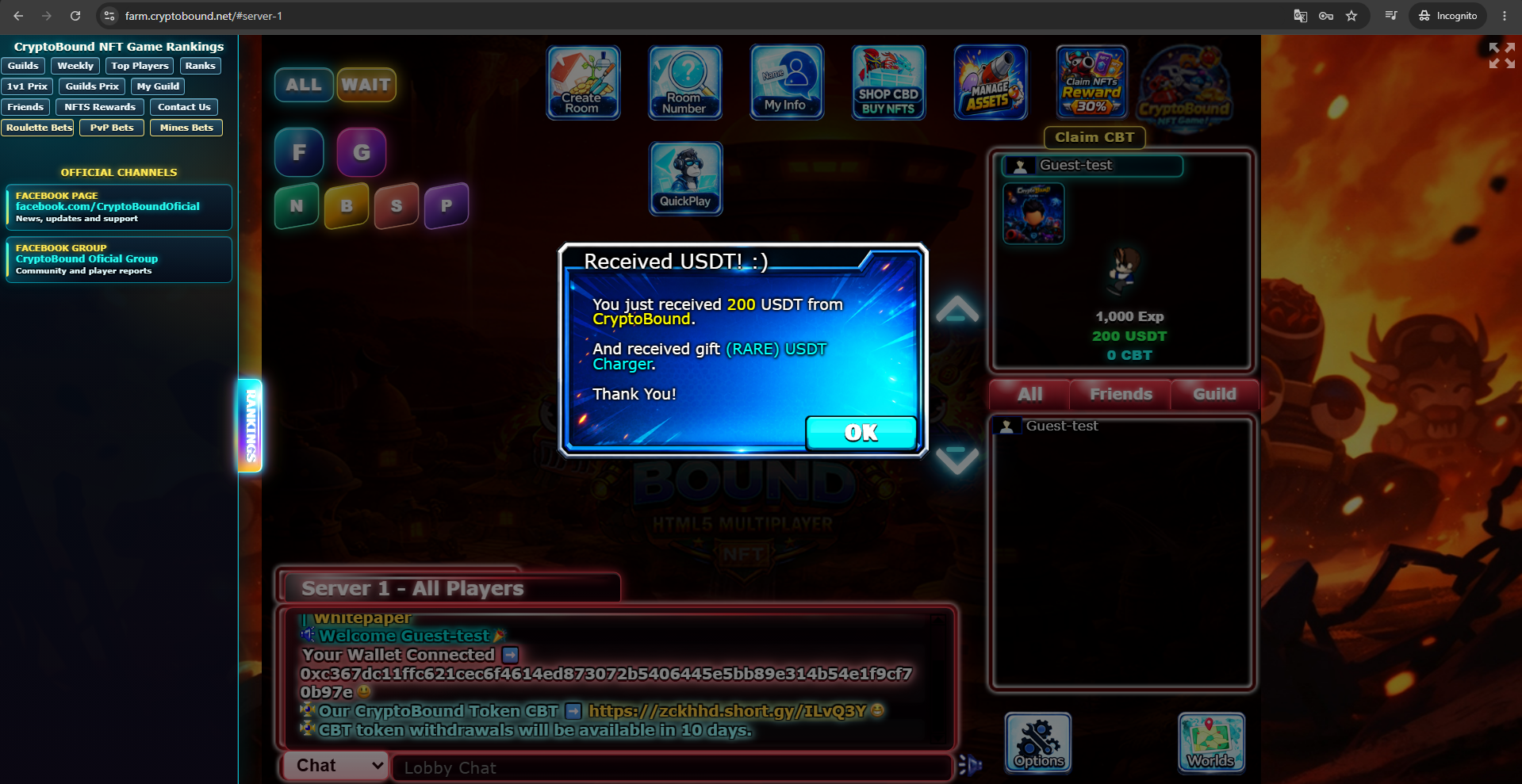
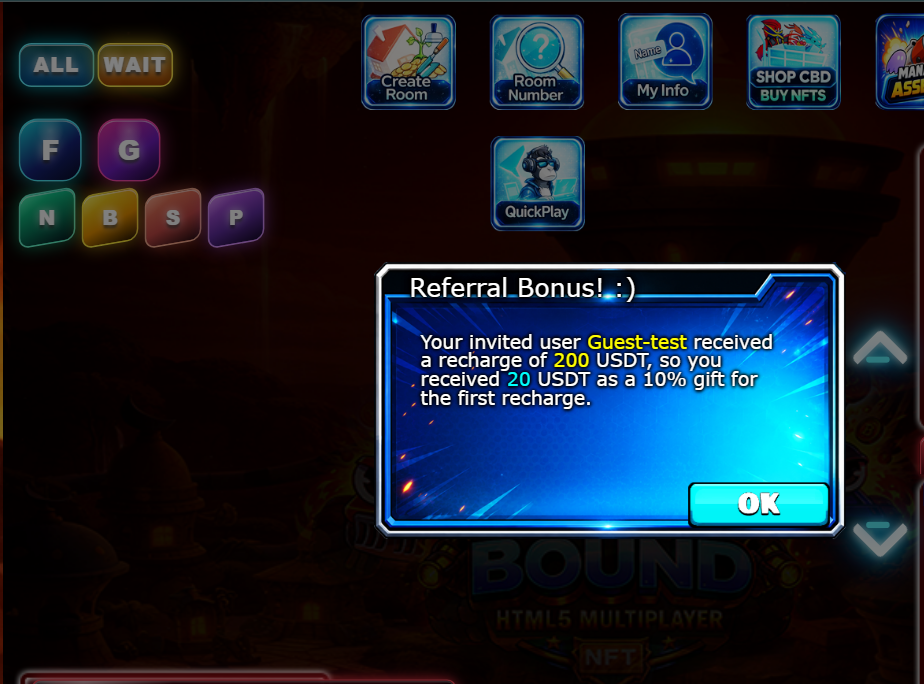
Example: if an invited player makes an eligible first verified reload of 200 USDT while the USDT referral budget is available, 20 USDT is reserved for the inviter and is credited only after maturation and activity checks. This is an eligibility example, not an unconditional promise.
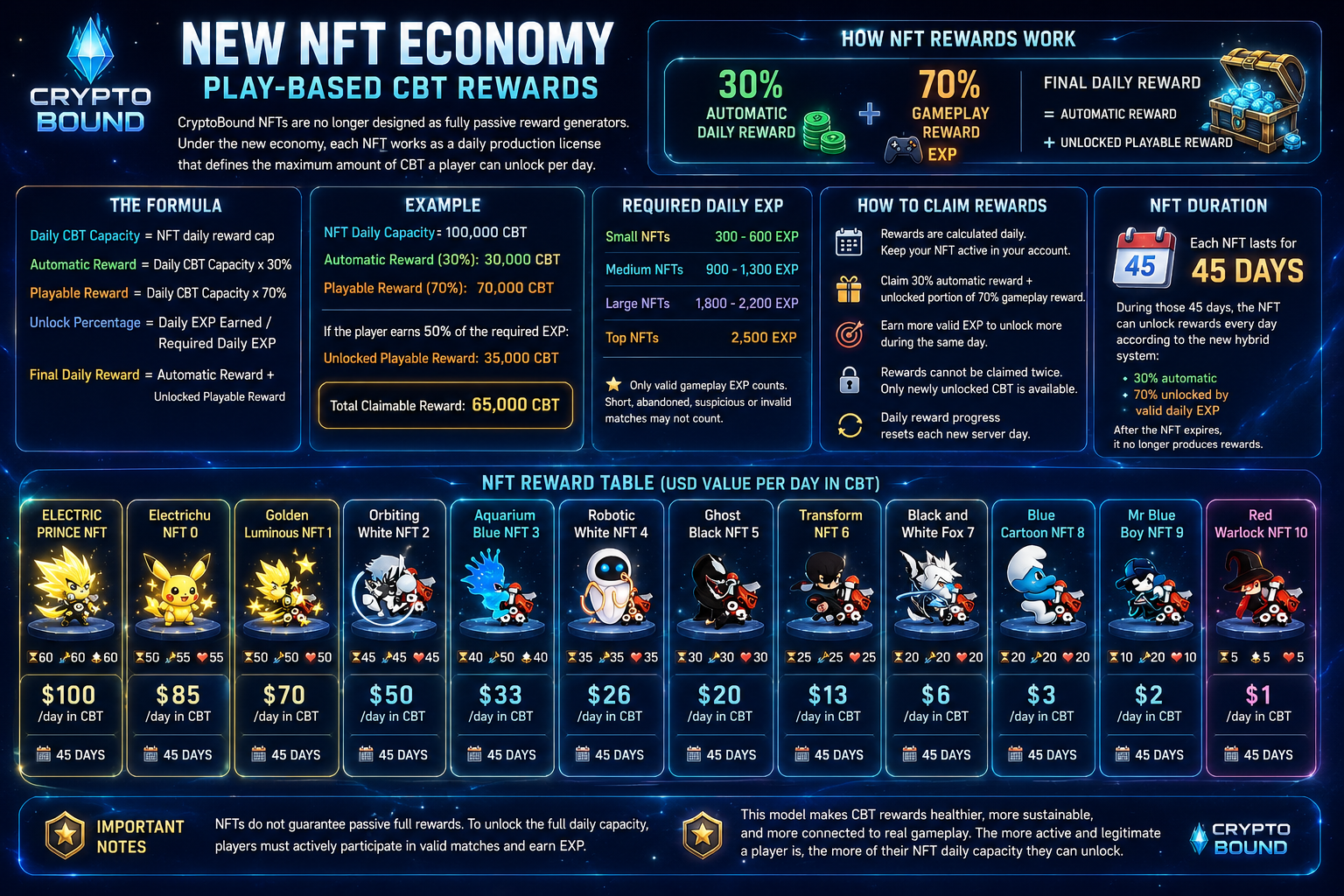
CryptoBound NFTs are no longer designed as fully passive reward generators. Under the new economy, each NFT works as a daily production license that defines the maximum amount of CBT a player can unlock per day.
This system is designed to reduce passive farming, protect the CBT economy, reward active players, and make NFT ownership feel connected to real gameplay.
Each NFT has a daily CBT reward capacity. That capacity is divided into four activity levels:
10% Activity-Qualified Base Reward
This portion becomes claimable once every 24 hours only after at least one valid human match that day. Merely owning the NFT is not enough.
70% Gameplay Reward
This portion unlocks progressively through valid completed matches and daily EXP.
10% Loyalty Reward
This portion unlocks after at least three valid matches and 50% of the NFT tier's daily EXP target.
10% Competitive Reward
This portion requires 100% of the daily EXP target and at least one valid human-match victory.
Current economy fee: NFT rewards use a 5% economy fee before the final CBT is credited to the player. This fee is recorded by the game ledger: 50% is assigned to burn accounting and 50% is assigned to treasury accounting for economy support.
Adaptive daily guardrail: NFT emissions are no longer allowed to use the previous fixed 25,000,000 CBT ceiling. The absolute ceiling is now 5,000,000 CBT, but the actual daily pool is normally lower: it is bounded by a 250,000 CBT bootstrap allowance, 75% of the trailing seven-day average CBT shop sinks and 1% of verified market liquidity converted to CBT. A stale oracle still pauses payouts.
The formula is:
If a player plays matches and obtains all the CBT Tokens available for that NFT, they have unlocked 100% of the playable reward. Consequently, they will no longer earn additional tokens for that day; they must wait until the following day to obtain more CBT Tokens.
Example:
NFT Daily Capacity: 100,000 CBT. Base: 10,000 after a valid human match. Gameplay: up to 70,000 proportional to EXP. Loyalty: 10,000 after three valid matches and 50% EXP. Competition: 10,000 after full EXP and a human victory. Entering or abandoning a room never guarantees a reward.
With the current 5% economy fee, a fully unlocked 100,000 CBT gross day would credit up to 95,000 CBT net. Full unlocking requires the base, gameplay, loyalty and competitive conditions; capacity is not guaranteed to be available when the adaptive global pool is exhausted.
Only valid gameplay CBT counts toward NFT reward progress. Matches that are too short, abandoned, suspicious, or invalid may not count toward NFT reward unlocking.
NFT rewards are calculated daily.
Players must enter the game and keep their NFT active in their account. The system checks available NFT rewards automatically and pays only the amount currently unlocked.
Players can claim:
Rewards cannot be claimed twice. Once a reward portion has already been claimed for the day, only newly unlocked CBT becomes available.
The 10% base claim uses a 24-hour cooldown and requires human activity. The other portions are paid progressively after valid matches as long as the NFT has capacity and the adaptive pool is available.
Daily reward progress resets each new server day.
Each NFT lasts for 45 days.
During those 45 days, the NFT can unlock rewards every day according to the new hybrid system:
10% human-activity base + 70% gameplay + 10% loyalty + 10% competition, all subject to the economy fee and adaptive emission guardrails.
After the NFT expires, its production and competitive stats stop, but the item remains permanently owned as a collectible and can be renewed.
The exact CBT amount changes with accepted CryptoBound oracle updates. The oracle refreshes every 5 minutes, uses a 12-sample TWAP, requires at least $1,000 liquidity, rejects price steps above 20%, and blocks protected economy actions after one hour without a valid update. The values below represent each NFT’s reward-capacity target in USD value per day.
NFT shop prices use a 50-day sustainability basis plus the configured shop buffer, while the reward license lasts 45 days. The difference is a protection margin, not guaranteed profit.
The gameplay portion uses these daily EXP requirements by NFT reward tier: $1–$2/day requires 300 EXP; above $2 through $6 requires 450; above $6 through $13 requires 600; above $13 through $26 requires 900; above $26 through $50 requires 1,300; above $50 through $70 requires 1,800; above $70 through $85 requires 2,200; and the $100 tier requires 2,500 EXP.
EXP unlock formula: daily unlock percentage = eligible EXP earned during the current server day ÷ required daily EXP, capped at 100%. Bot EXP counts at 35% and can provide at most 25% of the daily target. A bot match cannot unlock the 10% base or 10% competitive portions. For example, 1,250 of 2,500 EXP unlocks half of the 70% gameplay portion.
Multiple-NFT protection: at most three active NFTs can produce per account. The equipped NFT receives 100% of its capacity, the second receives 50%, the third receives 25%, and additional NFTs remain collectibles without producing until moved into an earning position.
EXP is not spent or removed. The reward system only reads valid daily EXP as proof of gameplay. That same EXP continues to count normally toward the player's level and progression; using it to unlock NFT reward capacity does not reduce the player's EXP balance.
A match must grant positive EXP and pass validation. Human matches require at least 45 seconds and two turns; bot matches require a result and at least 10 seconds. Free kills, leaving the room and other invalid states do not unlock NFT CBT. If the oracle is stale, valid EXP is preserved but CBT payout waits for a valid oracle update.
| NFT | Daily Capacity | Duration |
|---|---|---|
| ELECTRIC PRINCE NFT | $100/day in CBT | 45 days until expiration. |
| Electrichu NFT 0 | $85/day in CBT | 45 days until expiration. |
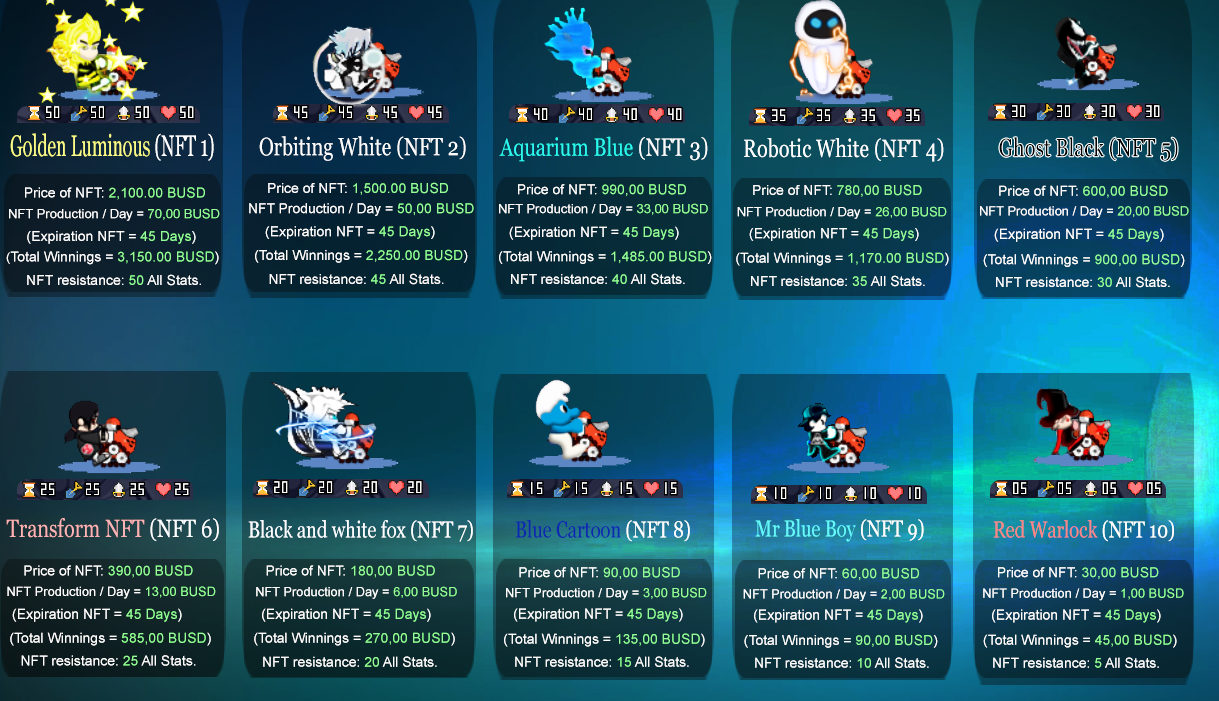
| Golden Luminous NFT 1 | $70/day in CBT | 45 days until expiration. |
| Orbiting White NFT 2 | $50/day in CBT | 45 days until expiration. |
| Aquarium Blue NFT 3 | $33/day in CBT | 45 days until expiration. |
| Robotic White NFT 4 | $26/day in CBT | 45 days until expiration. |
| Ghost Black NFT 5 | $20/day in CBT | 45 days until expiration. |
| Transform NFT 6 | $13/day in CBT | 45 days until expiration. |
| Black and White Fox 7 | $6/day in CBT | 45 days until expiration. |
| Blue Cartoon NFT 8 | $3/day in CBT | 45 days until expiration. |
| Mr Blue Boy NFT 9 | $2/day in CBT | 45 days until expiration. |
| Red Warlock NFT 10 | $1/day in CBT | 45 days until expiration. |
NFTs do not guarantee passive full rewards. To unlock the full daily capacity, players must actively participate in valid matches and earn CBT Tokens.
This model makes CBT rewards healthier, more sustainable, and more connected to real gameplay. The more active and legitimate a player is, the more of their NFT daily capacity they can unlock.
No fixed ROI is guaranteed. NFT capacity is a gameplay limit, not a promise of profit. Actual net CBT depends on valid gameplay, current oracle pricing, economy fees, daily pool availability, and the player's use of CBT inside the game.
After acquiring this NFT, it's time to claim rewards from this character. Make the most of it and become the best!
CBT earned from NFTs can be used inside the CryptoBound economy for NFT purchases, components, Ex-Items, AI bot credits, mobile powers, limited mobiles, events, and other utility systems. CBT can also be swapped through the official swap system when the scheduled CBT window is open and the oracle price is fresh.
This game mode consists in that you will only play with a programmed character, that is, a BOT, you will not be able to interact with him and he will not use game strategies against you, he will play in a programmed way.
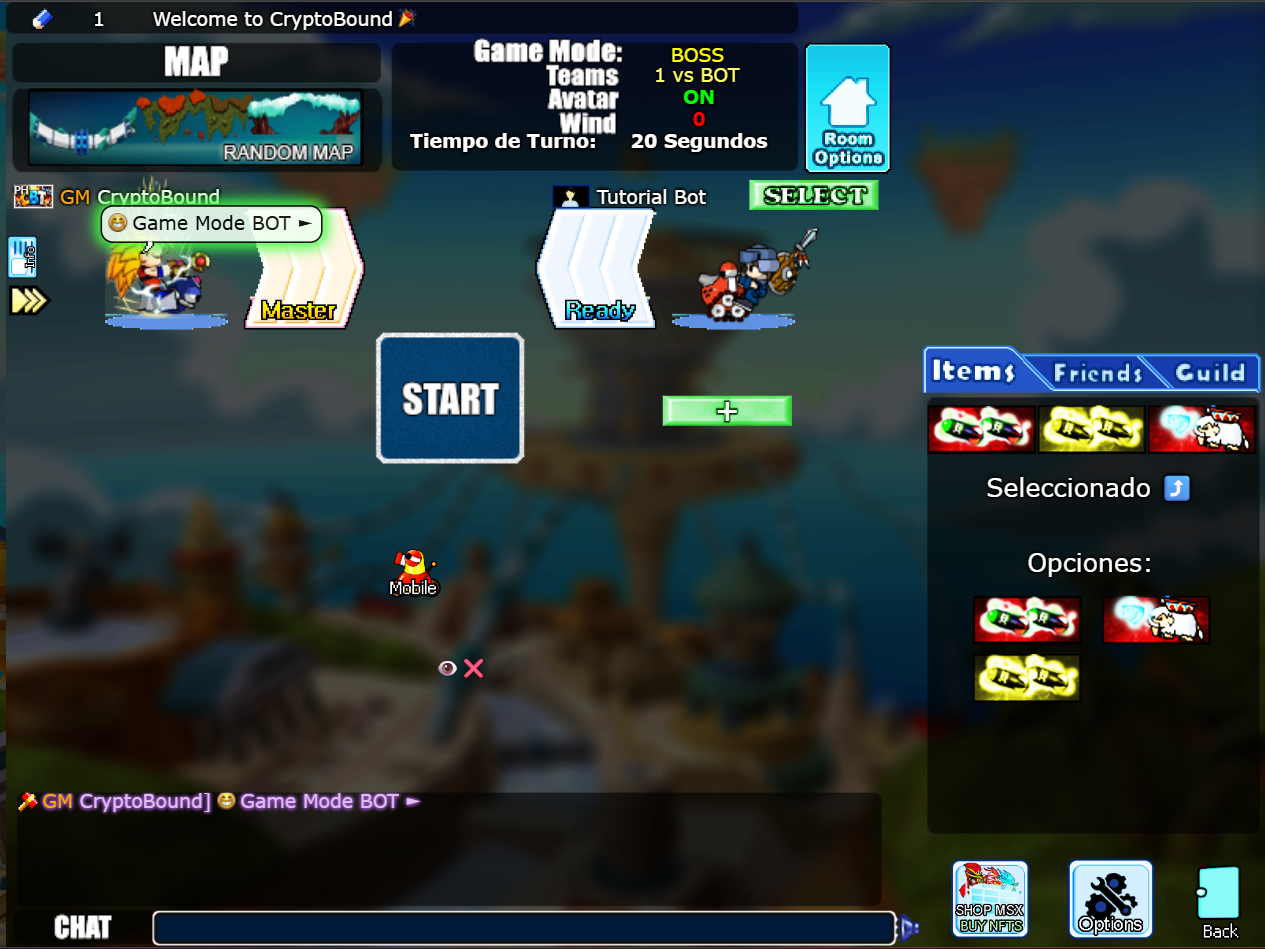
I'll explain why this mode is important for beginner players.
Before playing with other people in NORMAL, PVP, or BET mode, you should know this. 💅
This game mode is important because you're playing against a programmed computer, so you won't lose experience, you're not betting anything, you're just practicing to become much better in other games with other real players, and even when you're more specialized in the gameplay you can enter the betting server and bet like a PRO.
Yes, you can team up with your friends to defeat the bots and gain experience. In beta mode, you can only select 2 bots. In future updates, we will add more bots with different powers and characteristics.
You can play 1 vs BOT 🤖 2 vs BOT 🤖 3 vs BOT 🤖 4 vs BOT 🤖 It will be more fun to defeat them with your friends!😁
CryptoBound room bots include an AI assistant. When a bot is added to a room, or a player enters a room that already contains one, the bot introduces itself and explains how to use its AI.
To activate a conversation, mention the bot by name and write your question. For example: LogicCore, help me or Tutorial Bot, what can you do?. The bot greets and introduces itself only when a new conversation begins. After its first answer, you can continue asking questions naturally without repeating its name each time.
Continuous conversation: the bot remembers the most recent exchanges in the current room so follow-up questions retain context. It answers directly instead of greeting or introducing itself again. The session remains active while you keep talking and closes automatically after 30 minutes of inactivity.
The assistants can explain CryptoBound rules, room modes, aiming, wind, events, NFTs, CBT and gameplay strategy. They can also answer questions unrelated to the game, solve and explain mathematical problems, compare options, summarize text, translate, help with study or technology topics, generate ideas and answer general-knowledge questions.
Example questions: “LogicCore, solve 25 × 18”, “compare these two options”, “summarize this idea”, “translate this sentence”, or “explain BOSS mode”.
Each player receives 5 free AI replies per day. When the daily replies are used, additional AI credit packages can be purchased in the CryptoBound shop with CBT. Paid credits remain available until they are used.
To stop an activated AI conversation in the current room, type /stop_ia in chat. The bots will stop answering that player and the conversation memory is cleared. To begin a new clean conversation, mention the bot by name again, for example: LogicCore, help me.
AI assistants never need a password, private key or seed phrase. Players must never share those details. AI answers are brief in room chat and may be limited for safety, privacy, current-information accuracy and responsible financial, medical or legal guidance.
In this normal game mode you can create a free room where you can play with other users and their NFT characters and thus you can choose if you want to play as a team with other NFT's or play 1 vs 1 (PVP or VS).
In this room you can also chat with other users who have their NFT who enter your room or you enter theirs, you can make friends and socialize with everyone who is inside it.
You can also add friends, talk to them privately, invite them to a room, among other things.
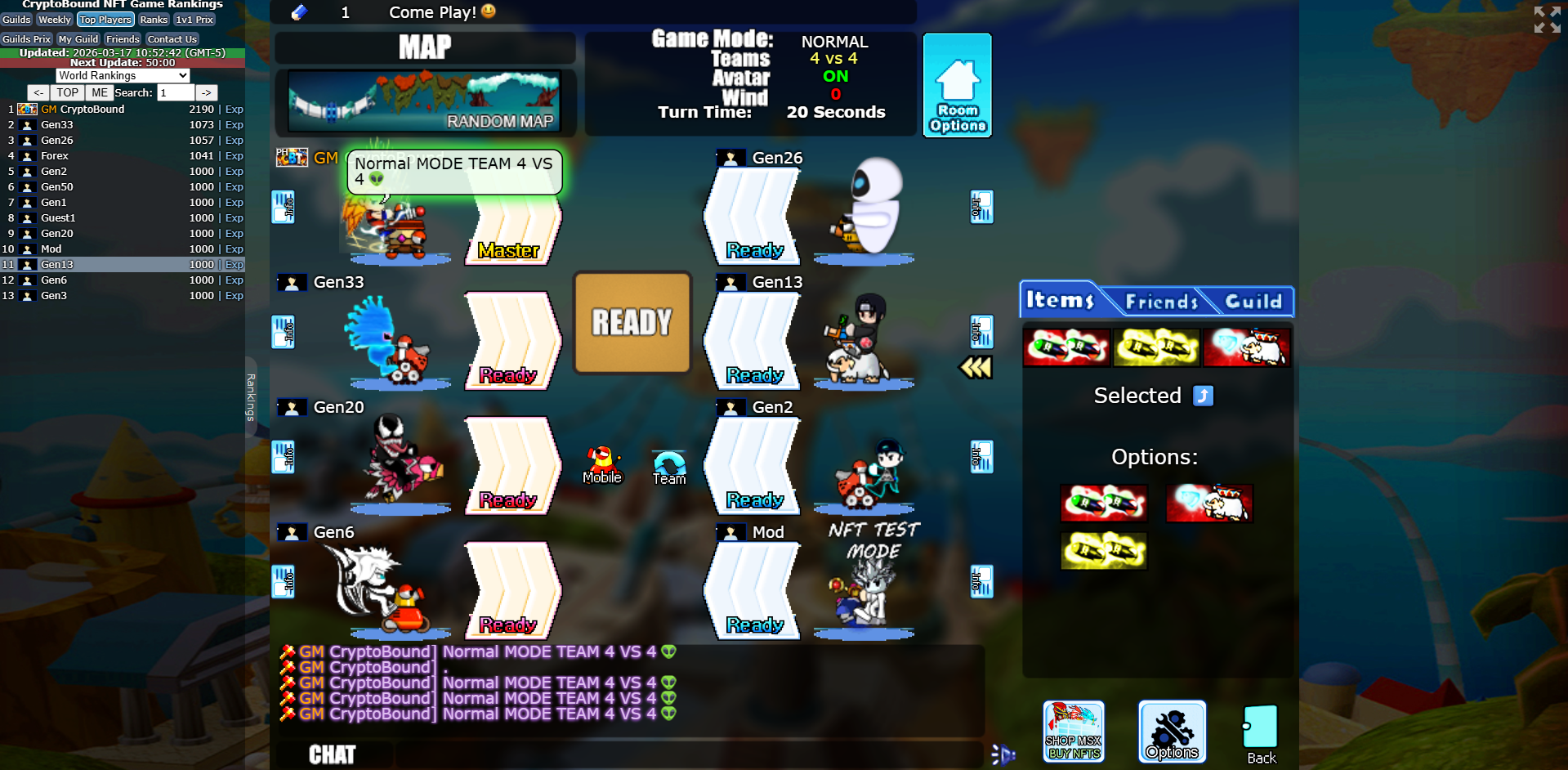
In Normal mode you can create teams of 4v4, 3v3, 2v2 and 1v1 (PVP) players. You can talk to them via chat while inside the room and also when the match starts. Team communication is important to be able to put together a strategy and defeat the opposing team as a group!
A list of turns is displayed, indicating when it is your turn to shoot.
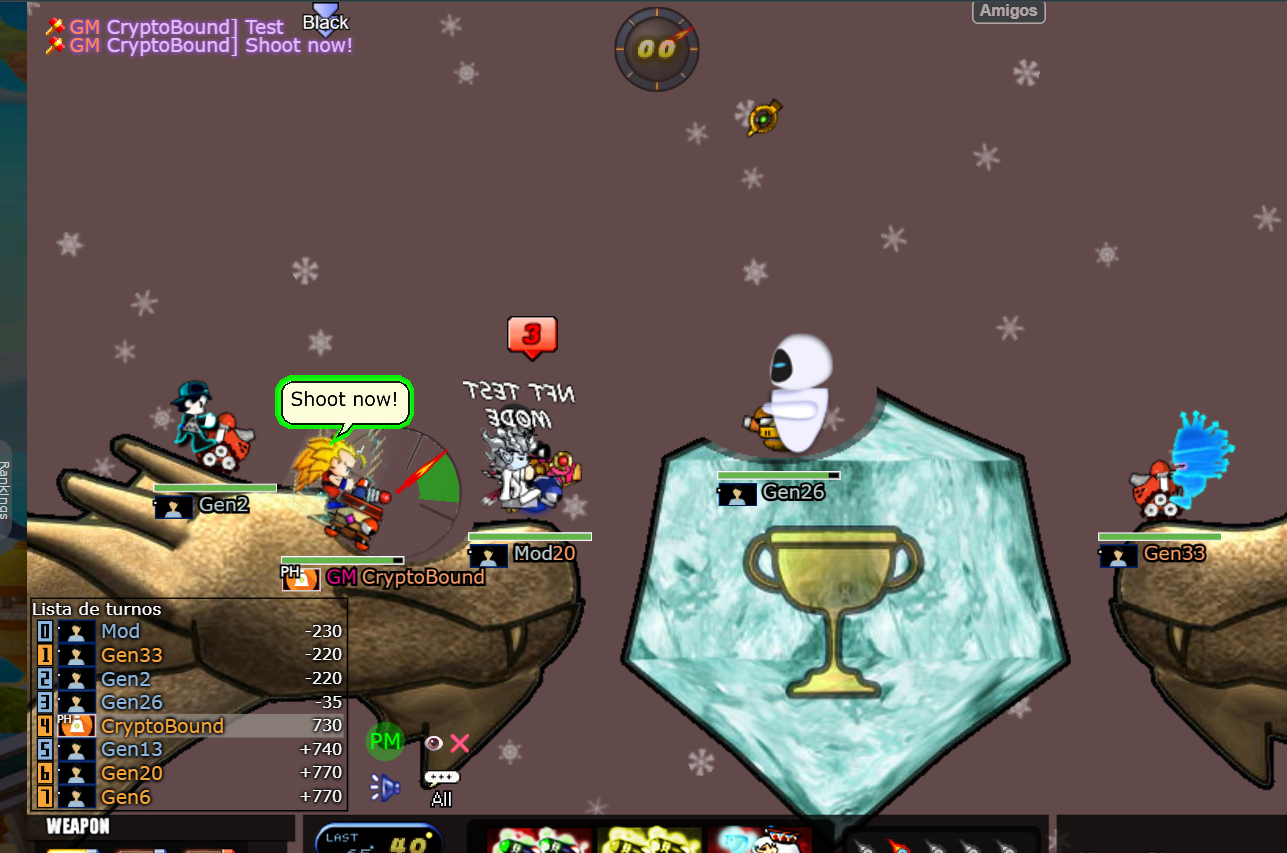
Gain more experience by playing as a team
Become the best player with the best NFTs and become a betting pro after practicing in this mode with your friends!
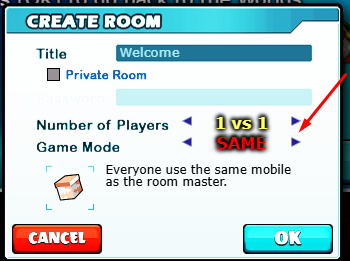
This game mode is that all players entering a room will have the same shots/bullets as the owner of the room.
No player will be able to change their mobile or Vehicle; everyone will have the same one as the room master.
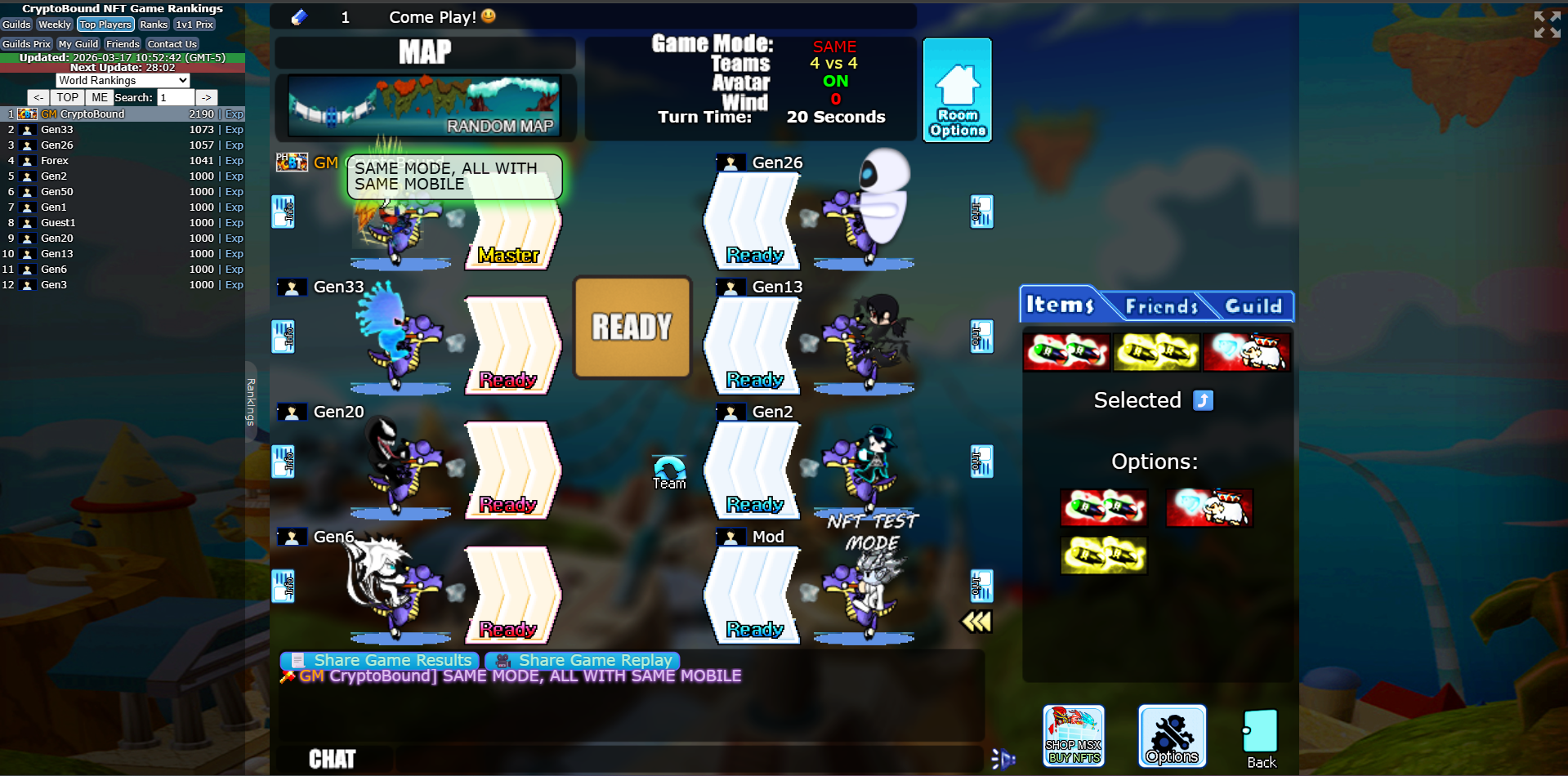
This mode is exciting to play because it becomes a very even match where both teams have the same vehicle; the team with the best strategy or the most powerful NFTs wins.
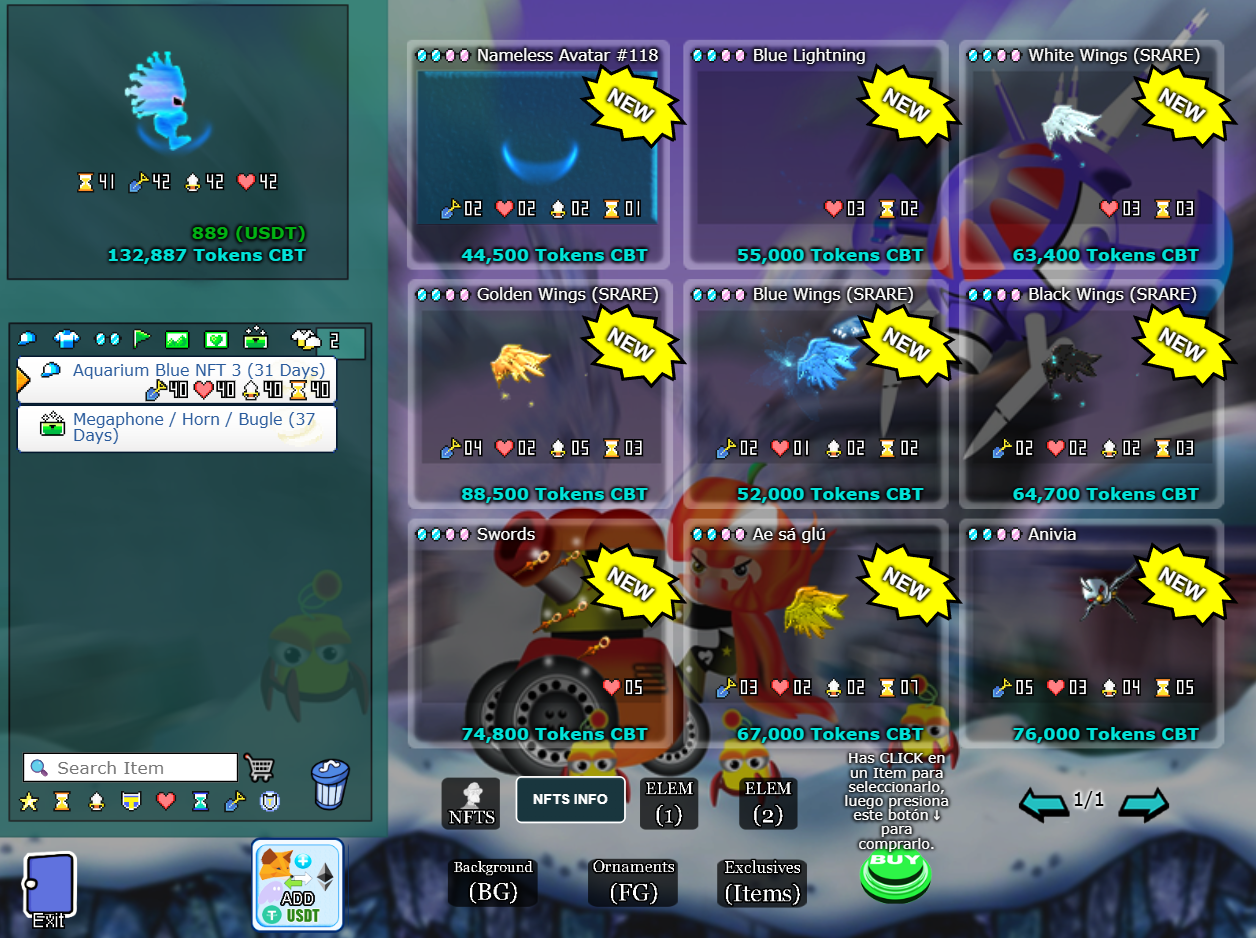
In this part of the game called the Marketplace or Store you can buy the NFTs with which you will start playing the battles of the game and also collect them. Here you can buy all the NFTs you want, you can even change NFTs whenever you want, you will also see the remaining days for your NFT to expire.
NFT purchase prices are calculated from their daily production capacity with a sustainability reserve. Current base prices range from 50 USDT to 5,000 USDT in CBT at the live oracle price. Utility and gameplay value are part of the purchase; no fixed financial return is promised.
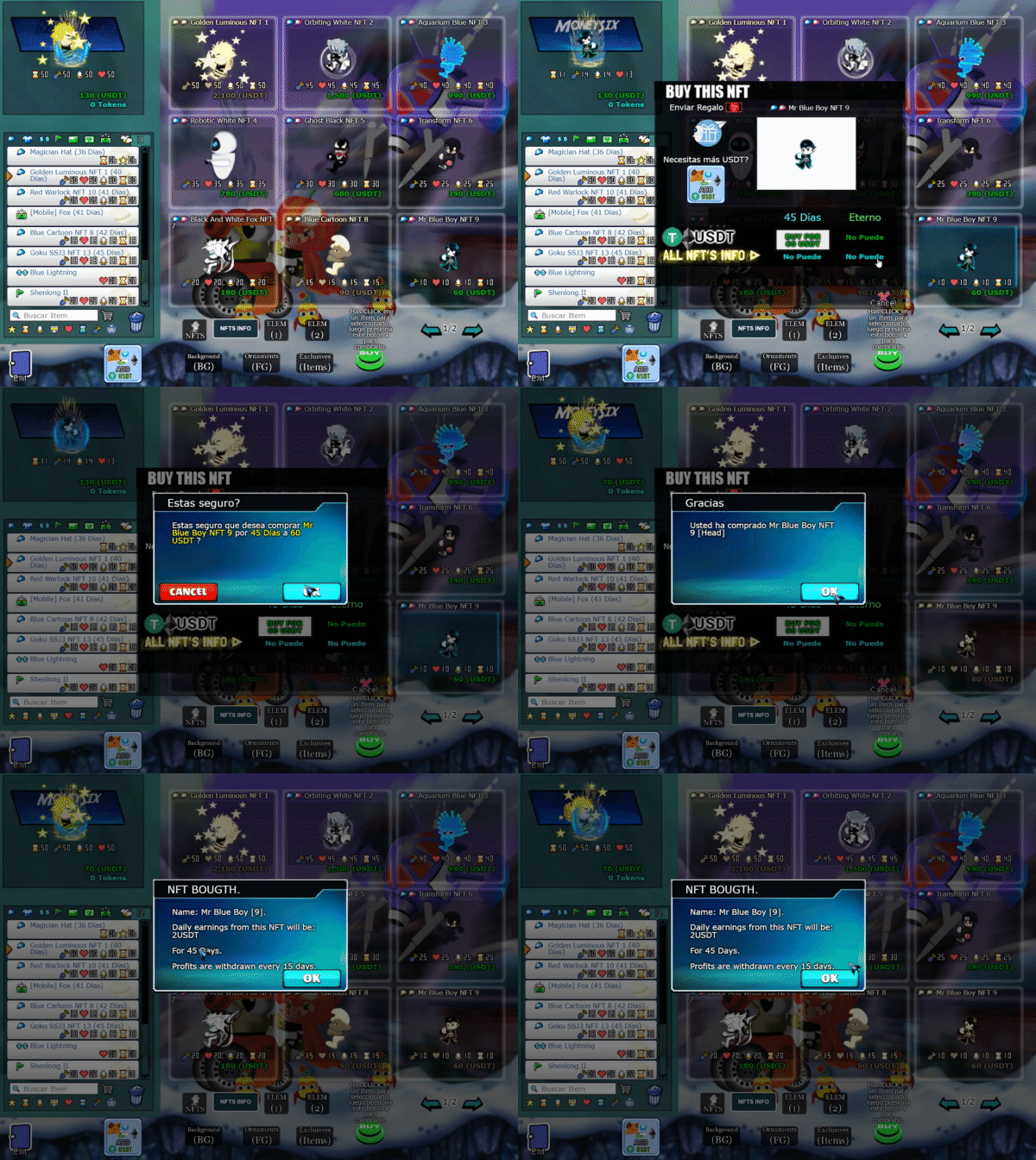
More different NFTs will be added over time.
Select the NFT that you will buy, then select the BUY button that appears below the NFTs, then this window will appear and follow the steps indicated in the GIF video below.
All the NFTs you have collected and the number of NFTs you have will appear here.
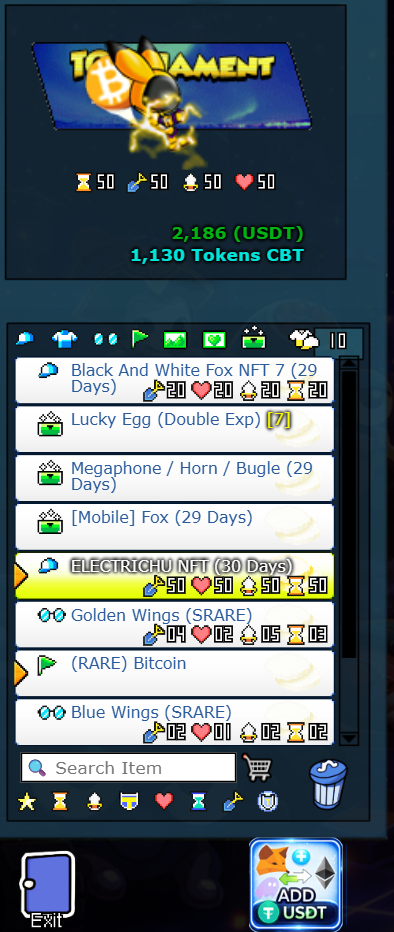
You can select the NFT that you will equip to fight...
Active, non-expired NFTs can participate in the daily CBT reward system. Expired NFTs remain permanent collectibles and retain their original identity, rarity and displayed stat values, but those stats are inactive: they cannot produce CBT, affect combat or add Fair PvP Power until renewed. Renewal restores the same original stats and functionality. All rewards remain subject to activity requirements, earning-position reductions, the economy fee and adaptive daily pool.
When your NFT expires after 45 days, it will stop unlocking CBT rewards. The NFT system is based on daily CBT capacity and gameplay activity; it does not guarantee investment recovery or fixed profit.
Components for NFTs
FT1 components are 45-day combat licenses equipped in the Eyes slot. They specialize an NFT build instead of simply adding the same value to every attribute. Available roles include Assault, Tank, Tactical, Terrain, Balanced and Economy. The NFT provides the base power; FT1 supplies the main specialization.
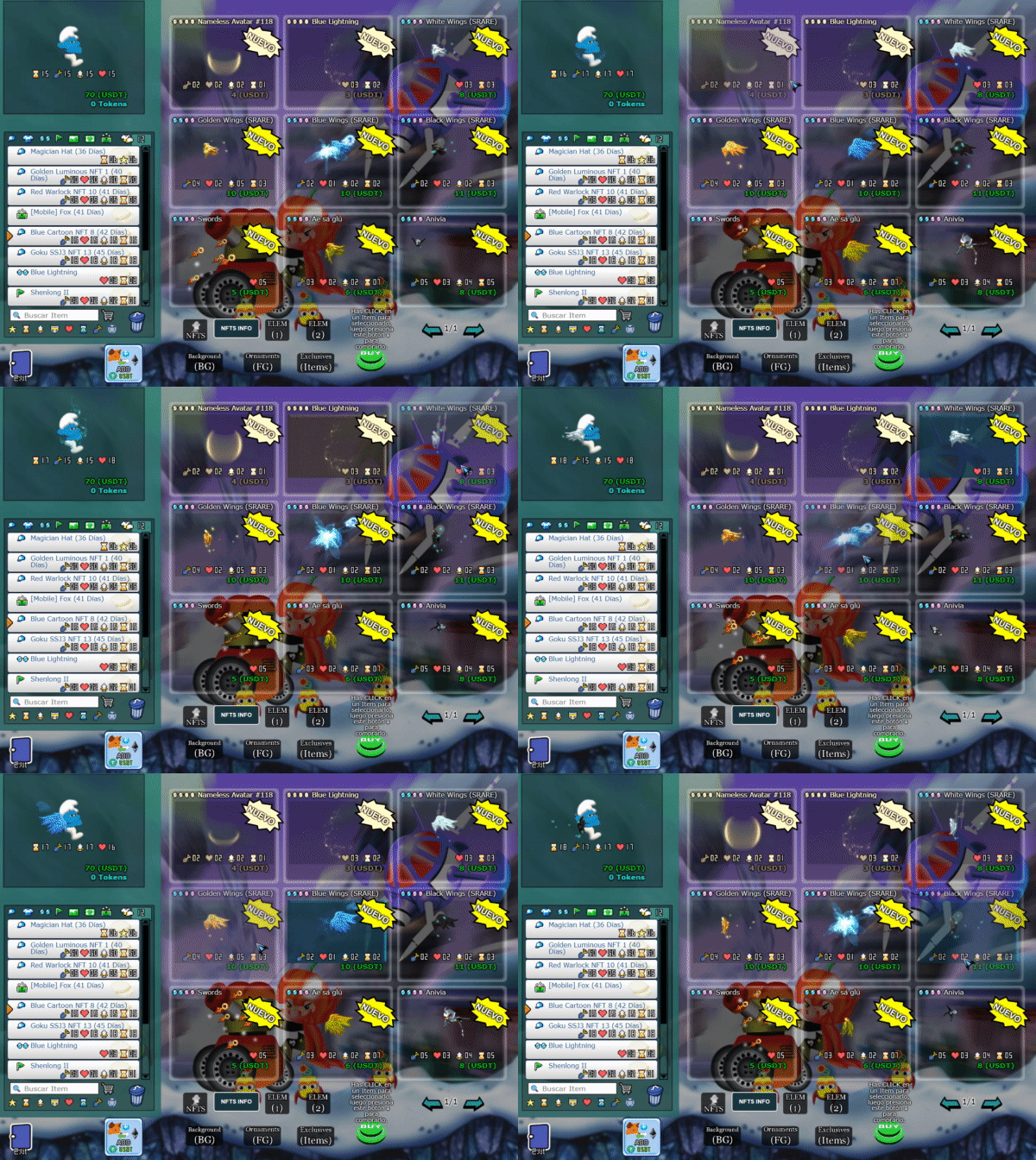
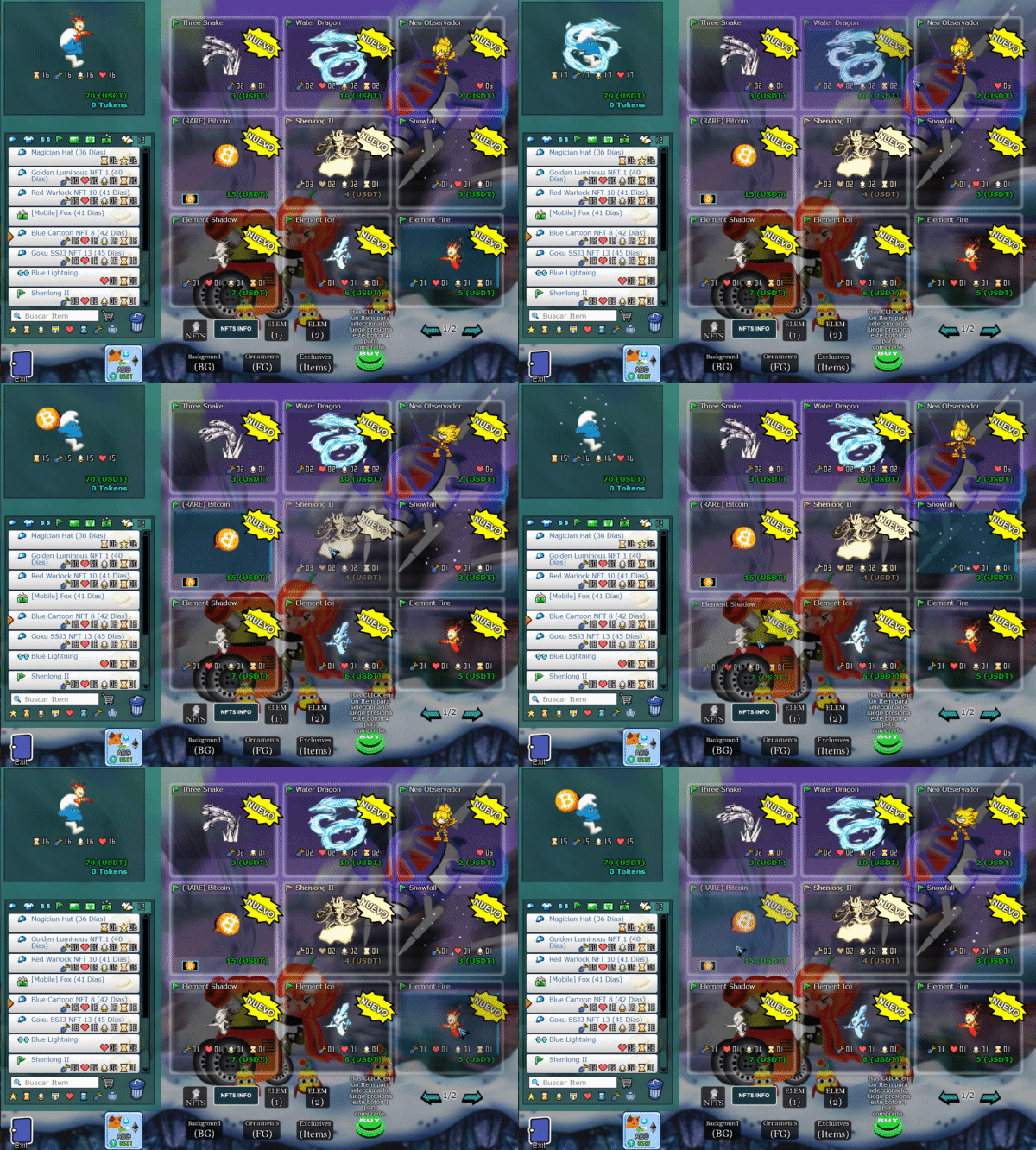
FT2 elements are equipped in the Flag slot and visually appear behind the character. They also last 45 days and complement FT1. A complete build consists of one NFT, one FT1 and one FT2. Mixing pieces is allowed, but only three exact premium combinations unlock the Mythic set bonus.
`
`
` We will add more of them soon in the next server updates.
The administrators hold events featuring some exclusive items that aren't in the store!
`
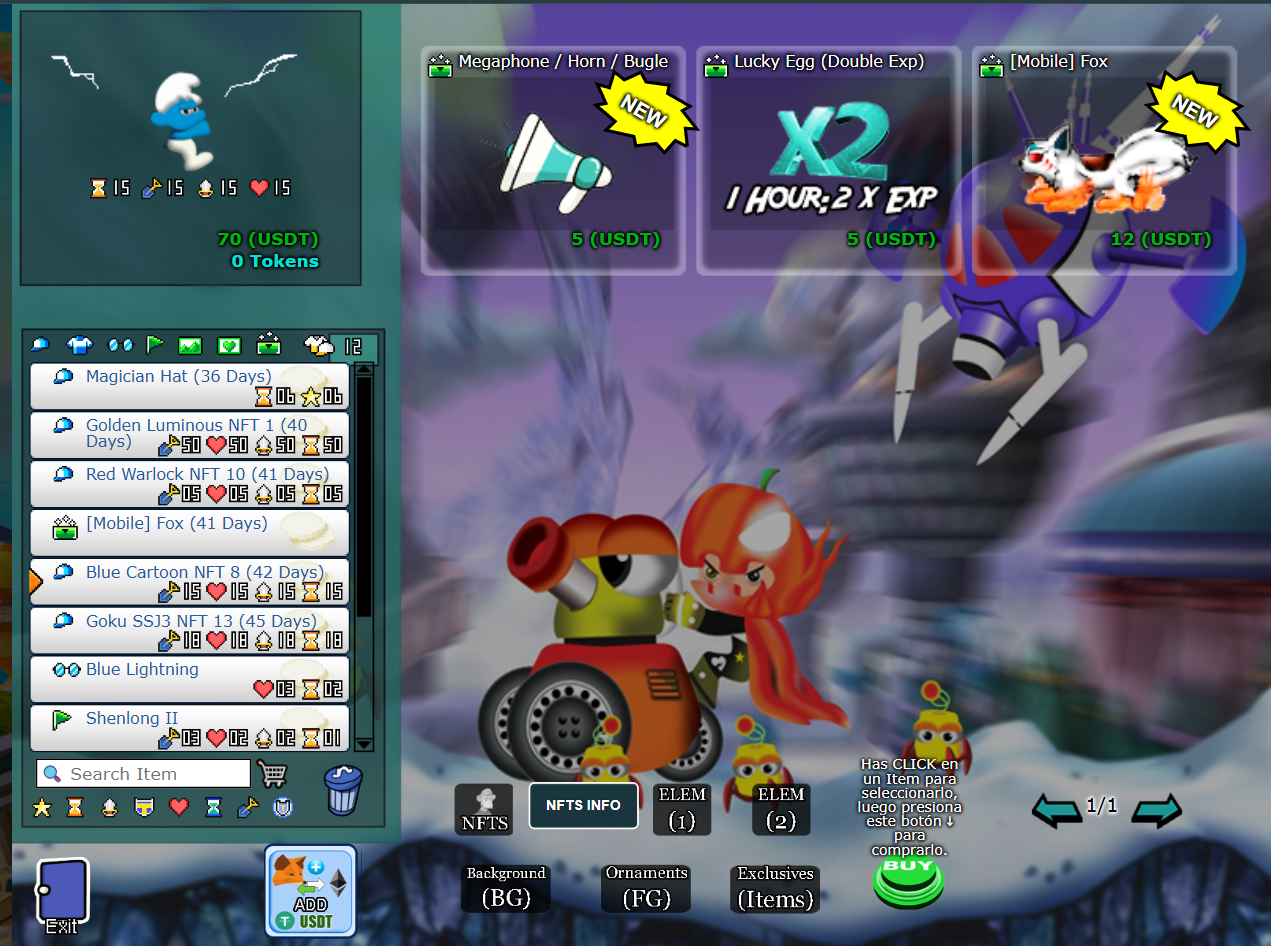
These are the exclusive items with which our BETA version of CryptoBound begins; there are few but they have an interesting function that will be explained in the next line.
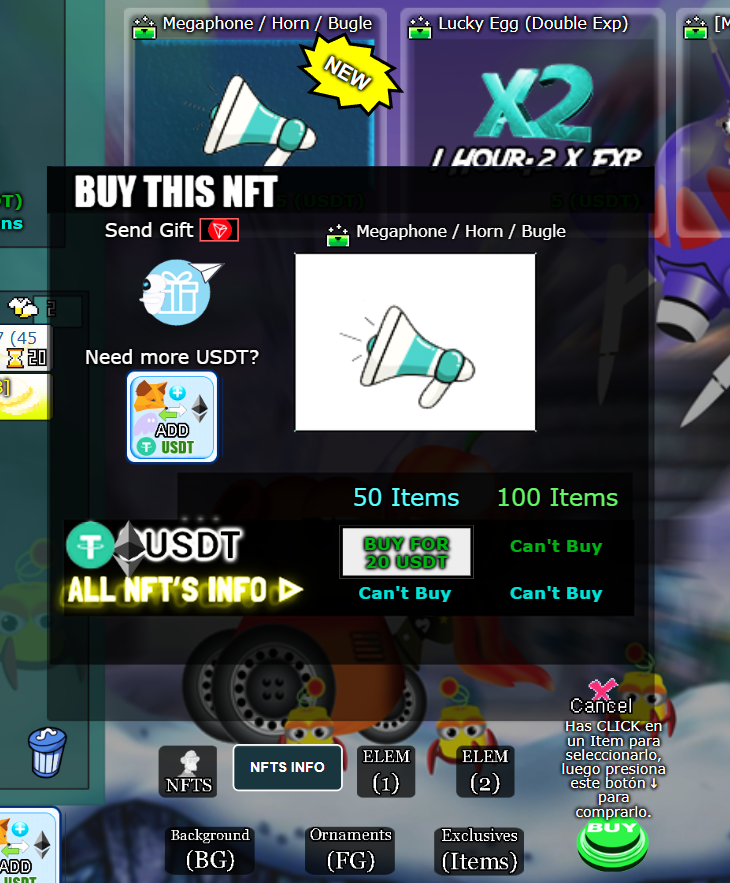
For now, in this BETA version you can only acquire 50 items; improvements will be coming soon.
After purchasing it, this is the correct way to use it
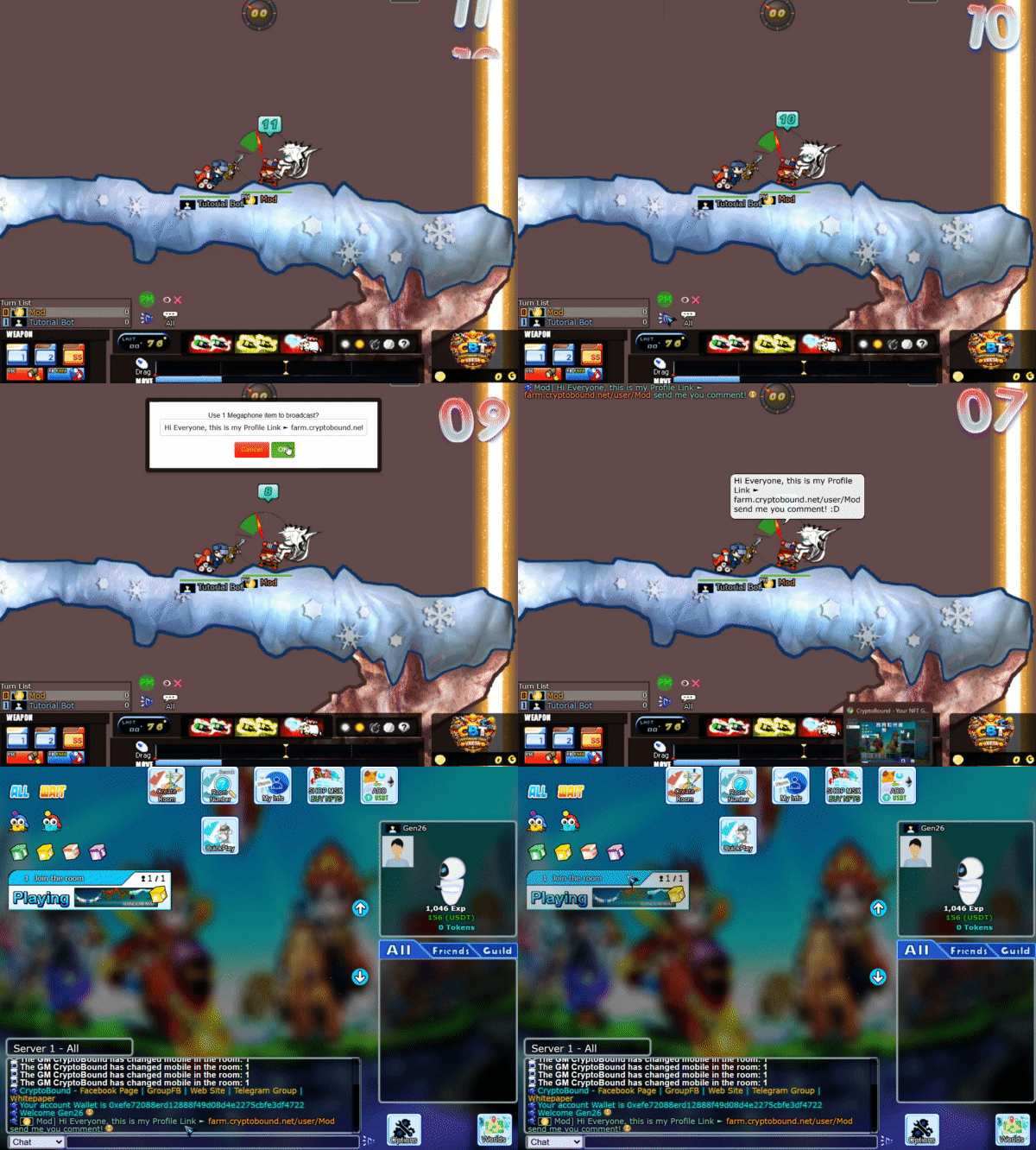
This announcement will be visible to everyone on the server where you made the announcement, including players in games, players in the lobby, players in the lobby waiting for teams, and players inside the NFTs store.
This Exclusive ITEM works to earn double experience in games for 1 hour.
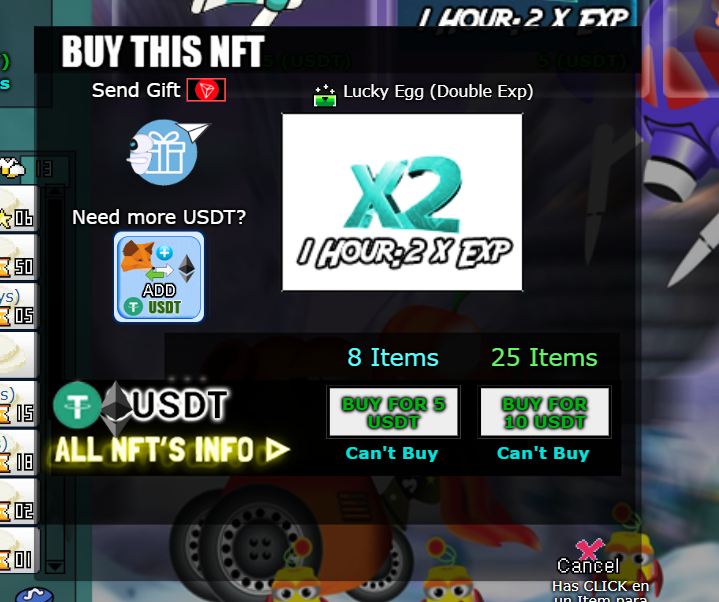
This item will help you level up faster; the more EXP you gain, the faster you rank up in the game.
Example:
If you win a 1 vs 1 match = 15 EXP, then with this item activated you'll be doubling that EXP, you'll gain 30 EXP per hour. If you play 4 vs 4, normally you get 50 EXP for winning the match, so with this activated you'll gain 100 EXP per match won. EXCELLENT OPTION TO RANK UP, RIGHT? ...💥
This Exclusive Item is a mobile device that is hidden, but you can make it visible and play with it once you purchase it from the store.
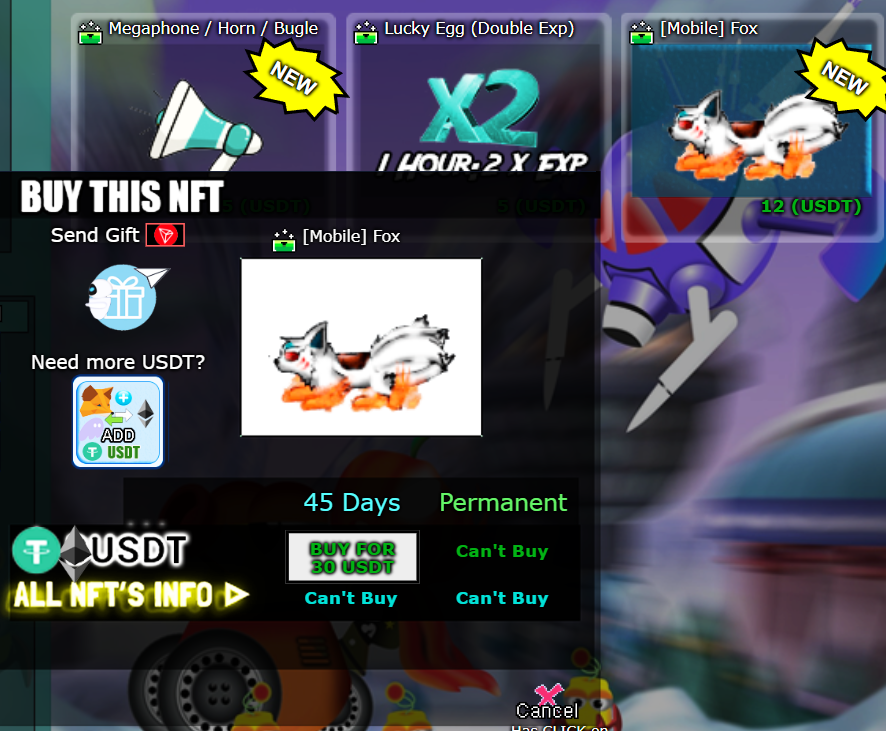
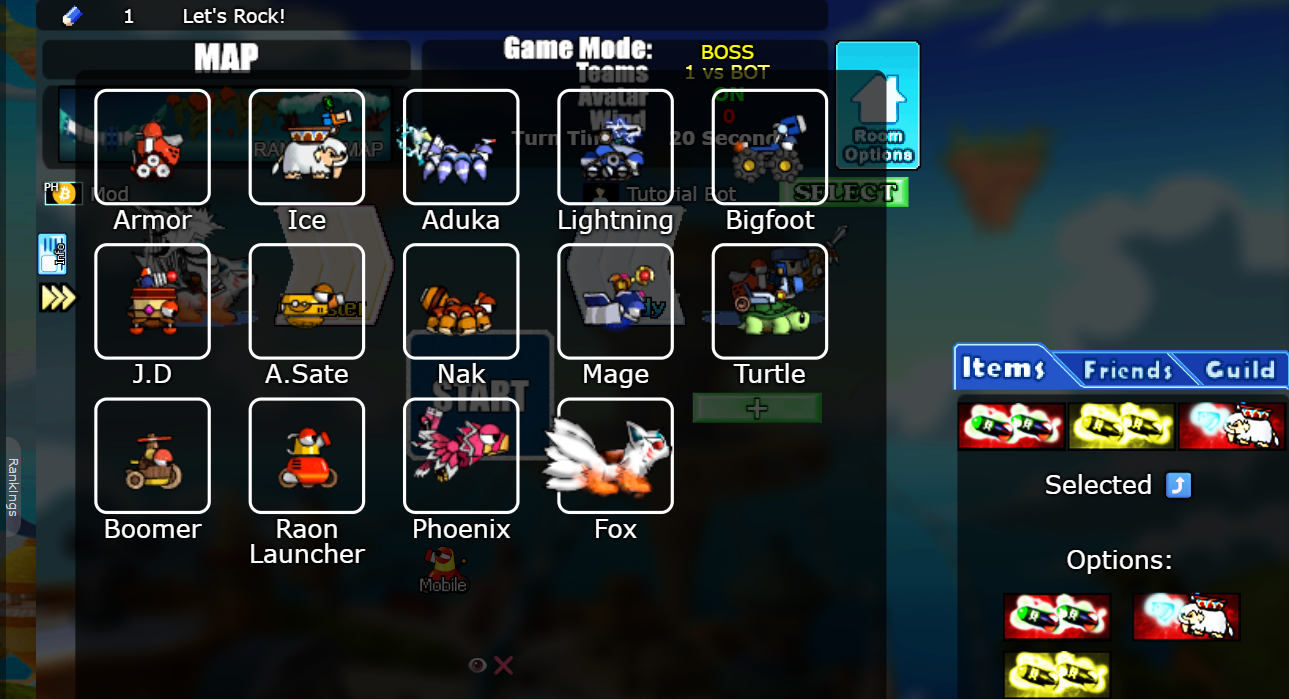
How does this item regenerate my NFT character's life? I'll show you below.
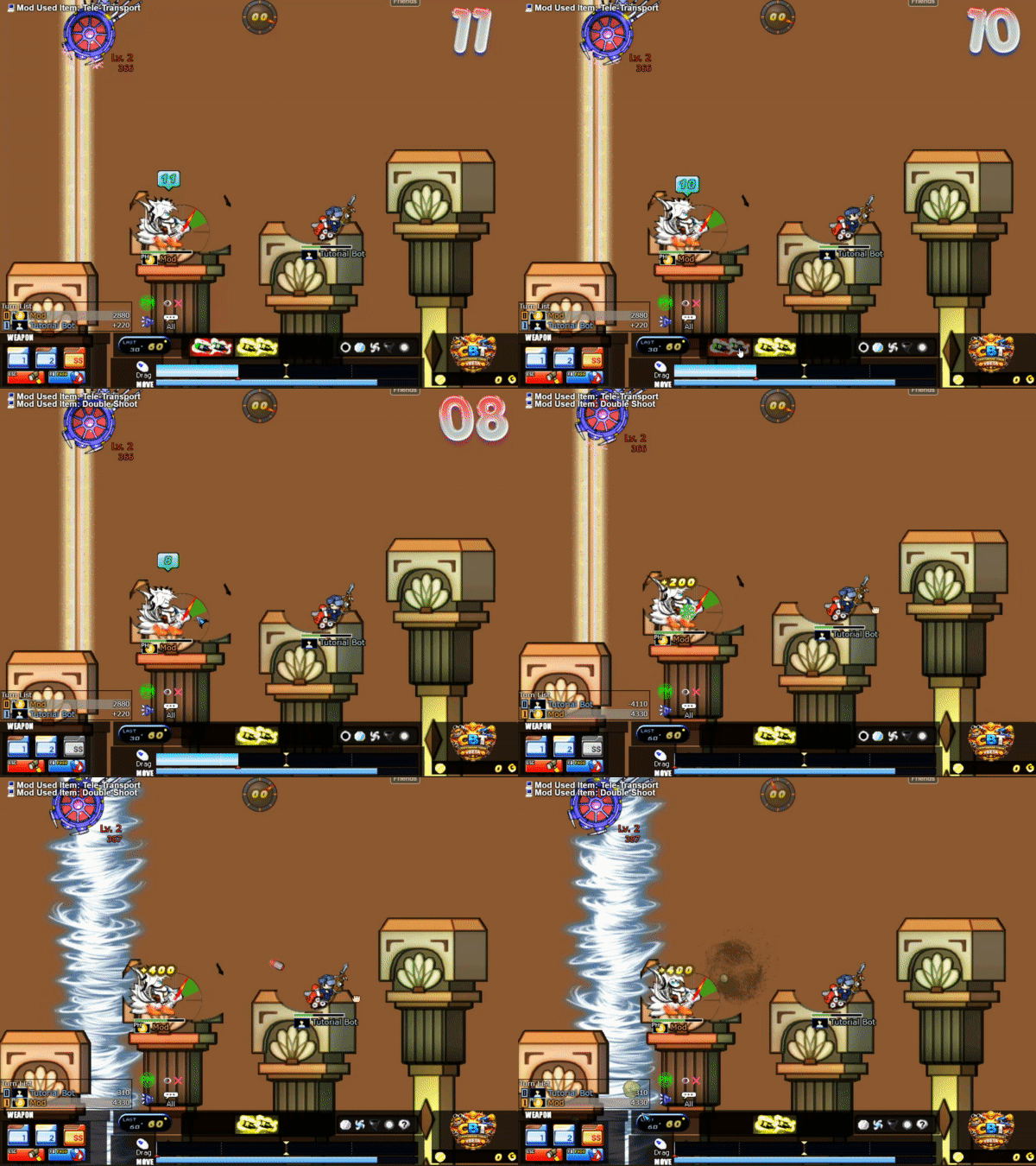
This isn't cheating, it's simply a supplement that will help you heal, but when you use this cure you lose your turn and the other player can attack you, so you need to know when to use it when it's convenient.
This way I'll explain how you can create your guild.
FIRST STEP
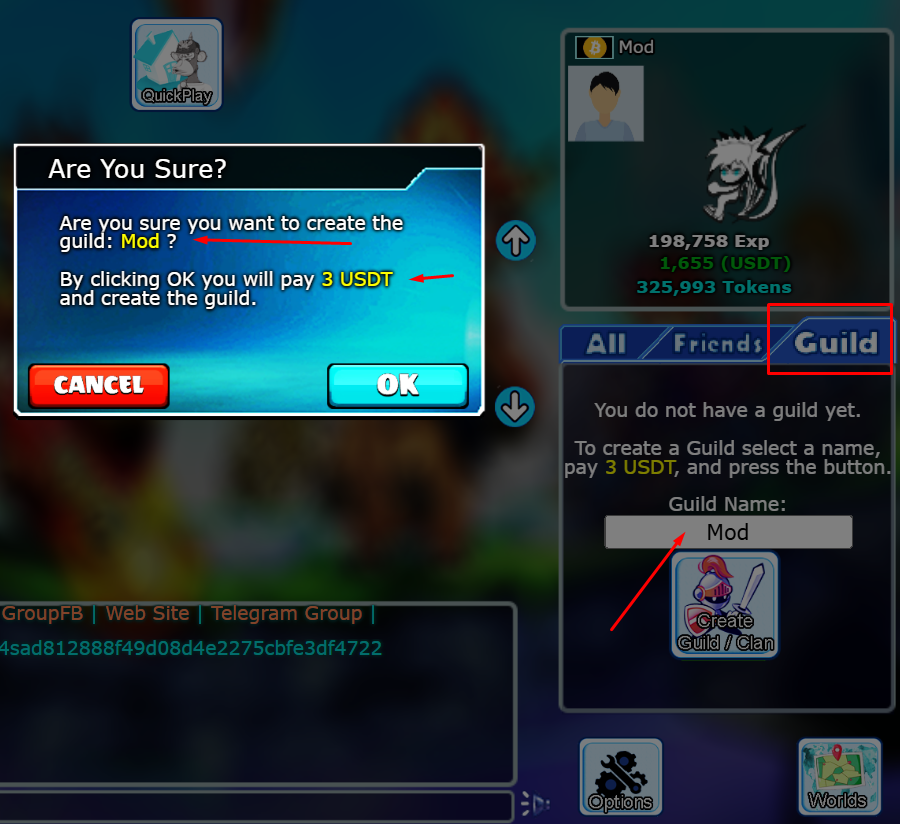
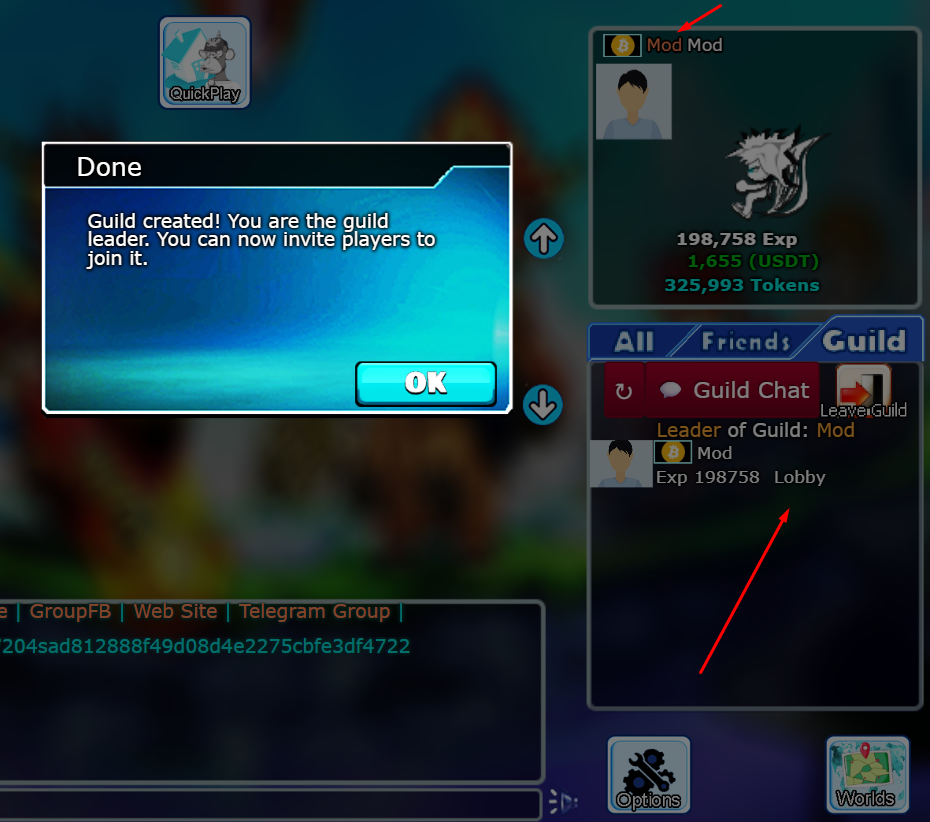
This action can only be performed by the leader and semi-leader of the guild. To recruit someone, you have to view the information of the player you wish to add to your guild and send them the invitation. If this player accepts to join your guild, they will be in and will appear on your guild member list.
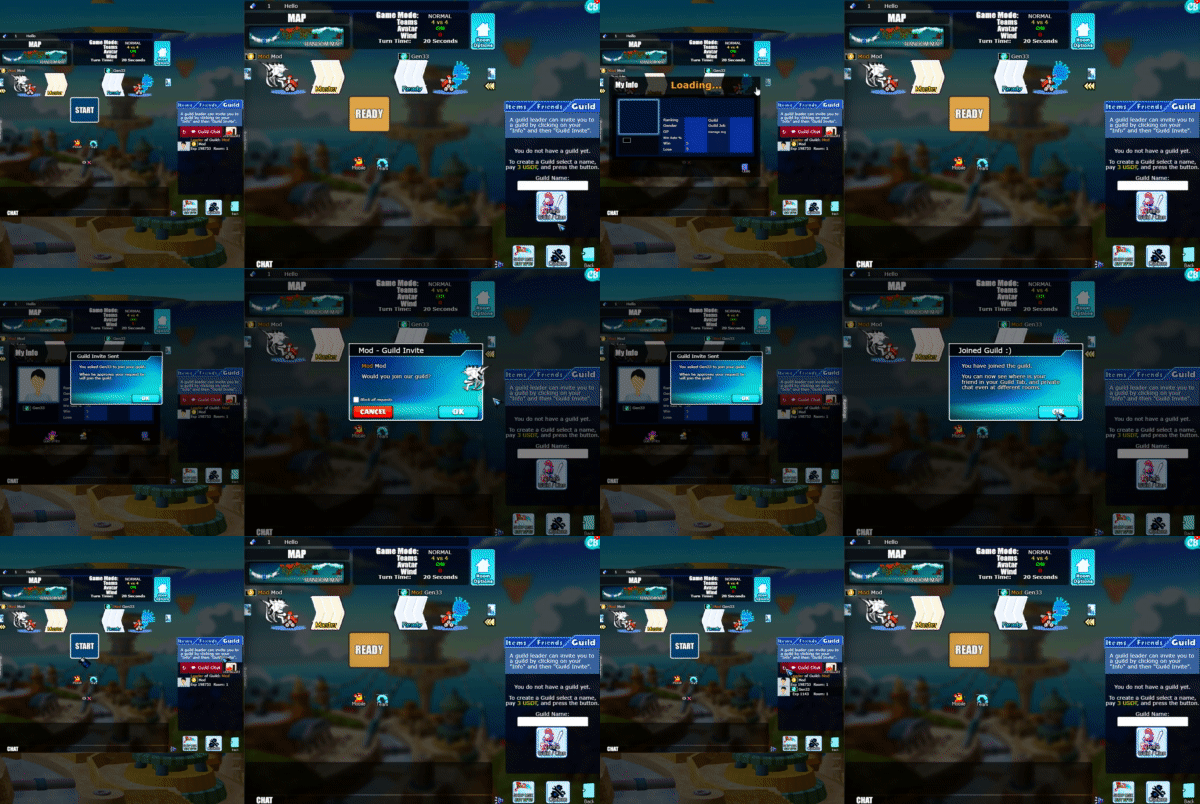
Identification: Every member of a GUILD will have the GUILD name next to their username, so you can identify which guild each player belongs to.

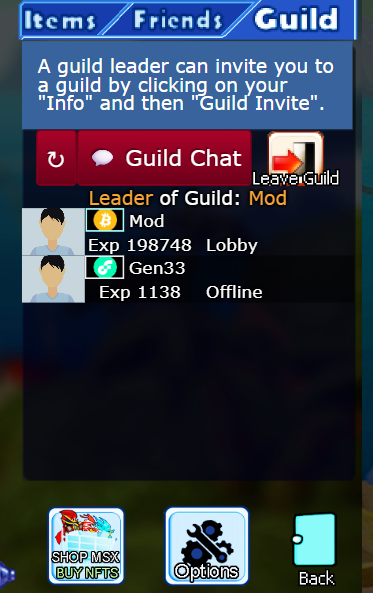
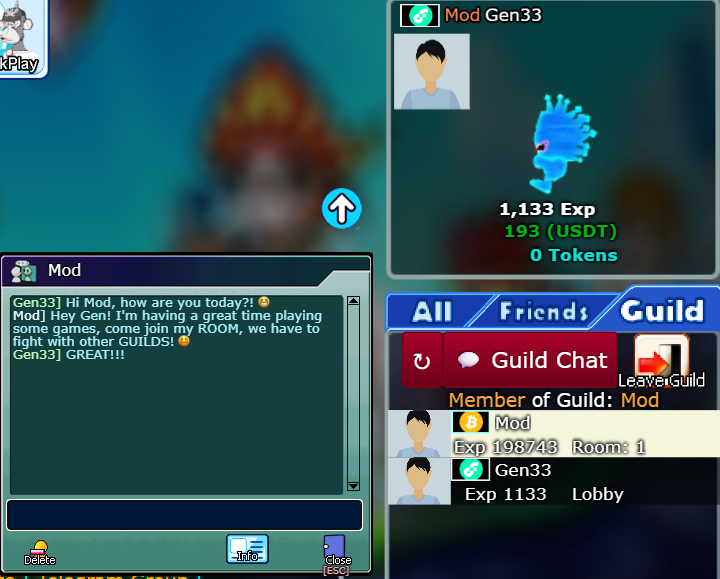
This is for private chats with a player in your guild. There's also the GUILD CHAT option, where you can chat with all guild members; everyone will be able to see your messages!
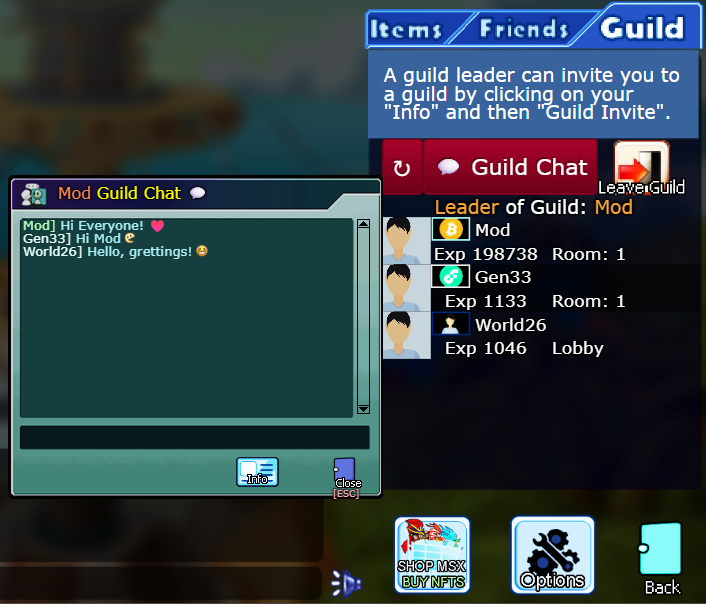
This is how we have our GUILD CHAT, all members can communicate to develop strategies and defeat other GUILDS!
Each player and each GUILD has its own profile or official page within the game, where you can see all the information about the GUILD or the player. In this case, we are in the GUILDS section, so I will give you a demonstration of how it works!
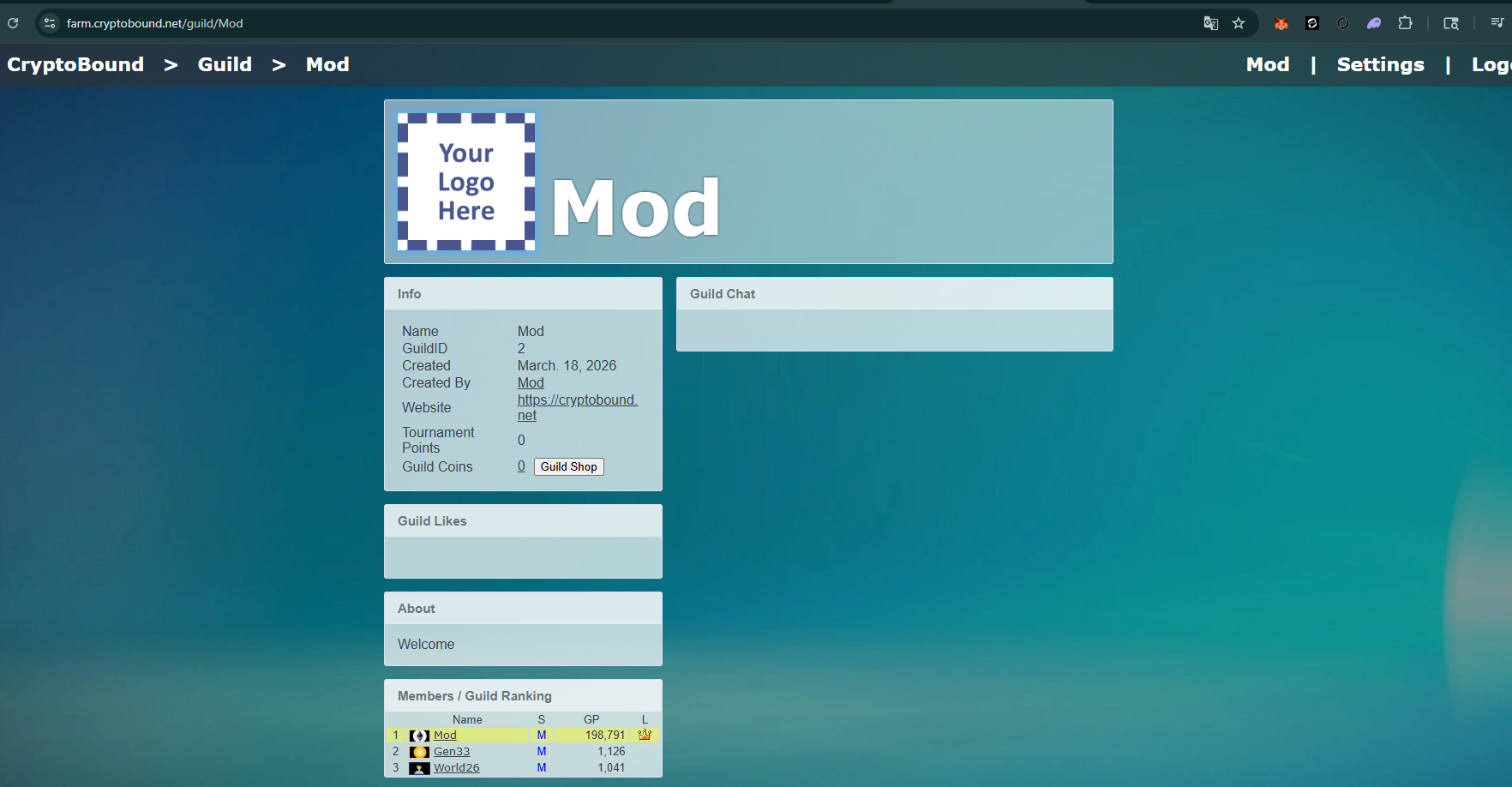
Here you can see all the members and information of the GUILD. From this website, the leader can edit all the guild information such as PROFILE PICTURE AND COVER, GUILD website URL, among other things.
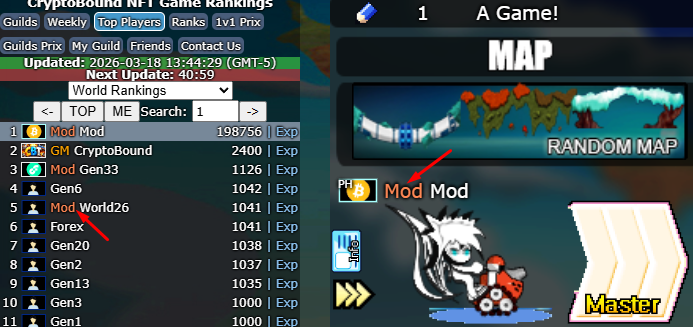
If you click on the GUILD name next to the player, or the TOP player ranking, you can find the GUILD's website.
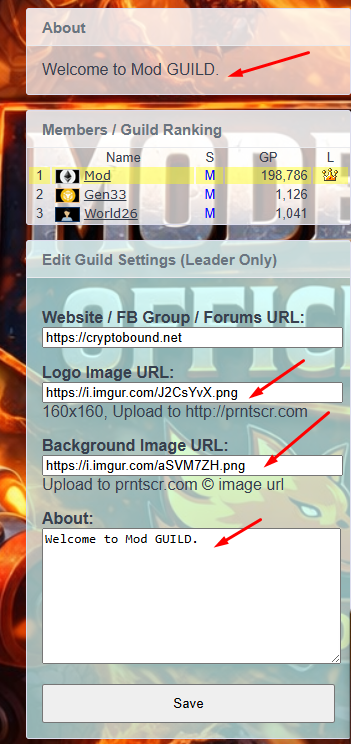
After adding your GUILD information, profile picture, and cover image, your GUILD will look like this... Keep in mind that your image must be in PNG, JPG, JPEG, or GIF format.
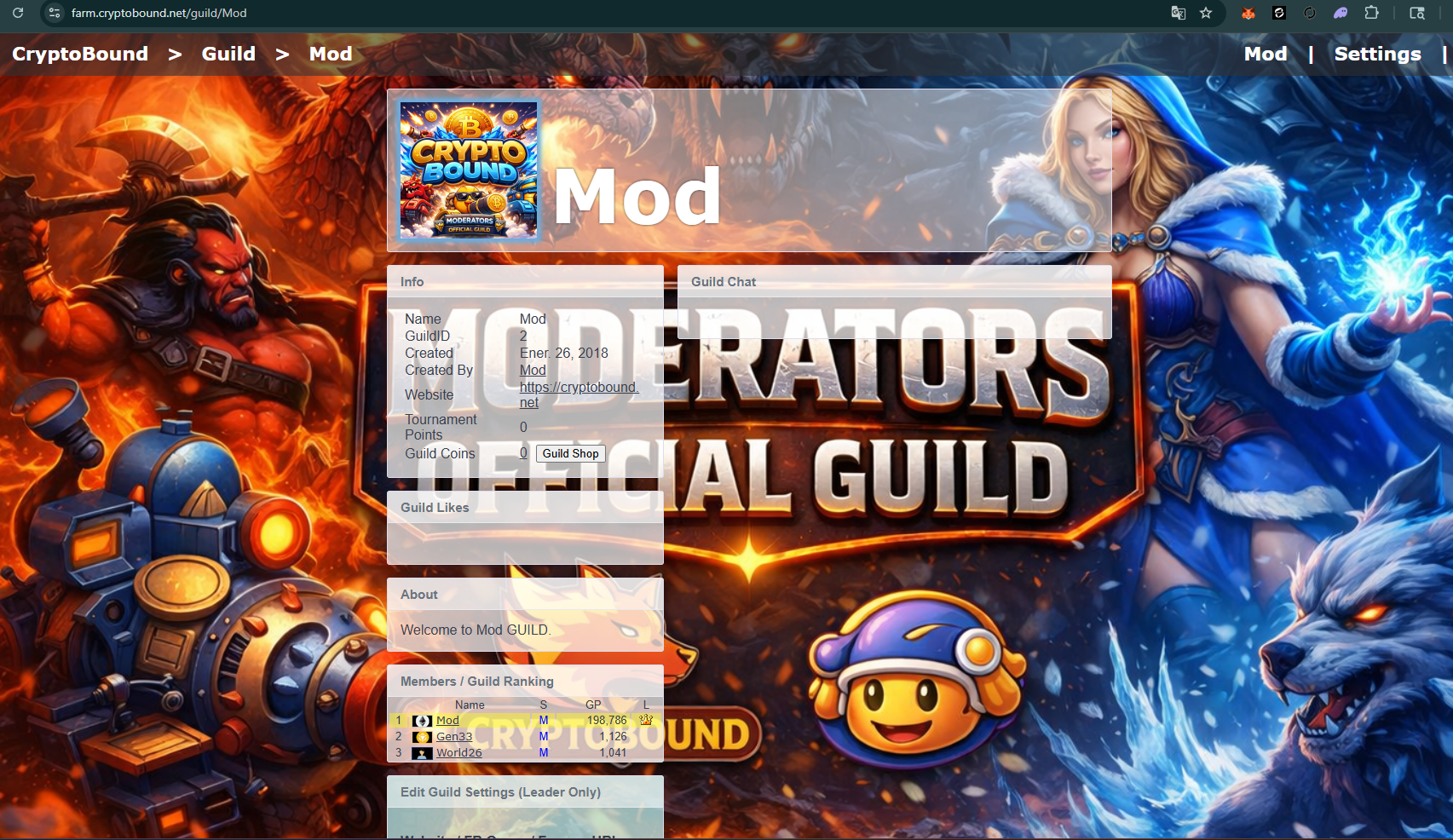
Anyone you share your Guild link with will be able to see your GUILD page.
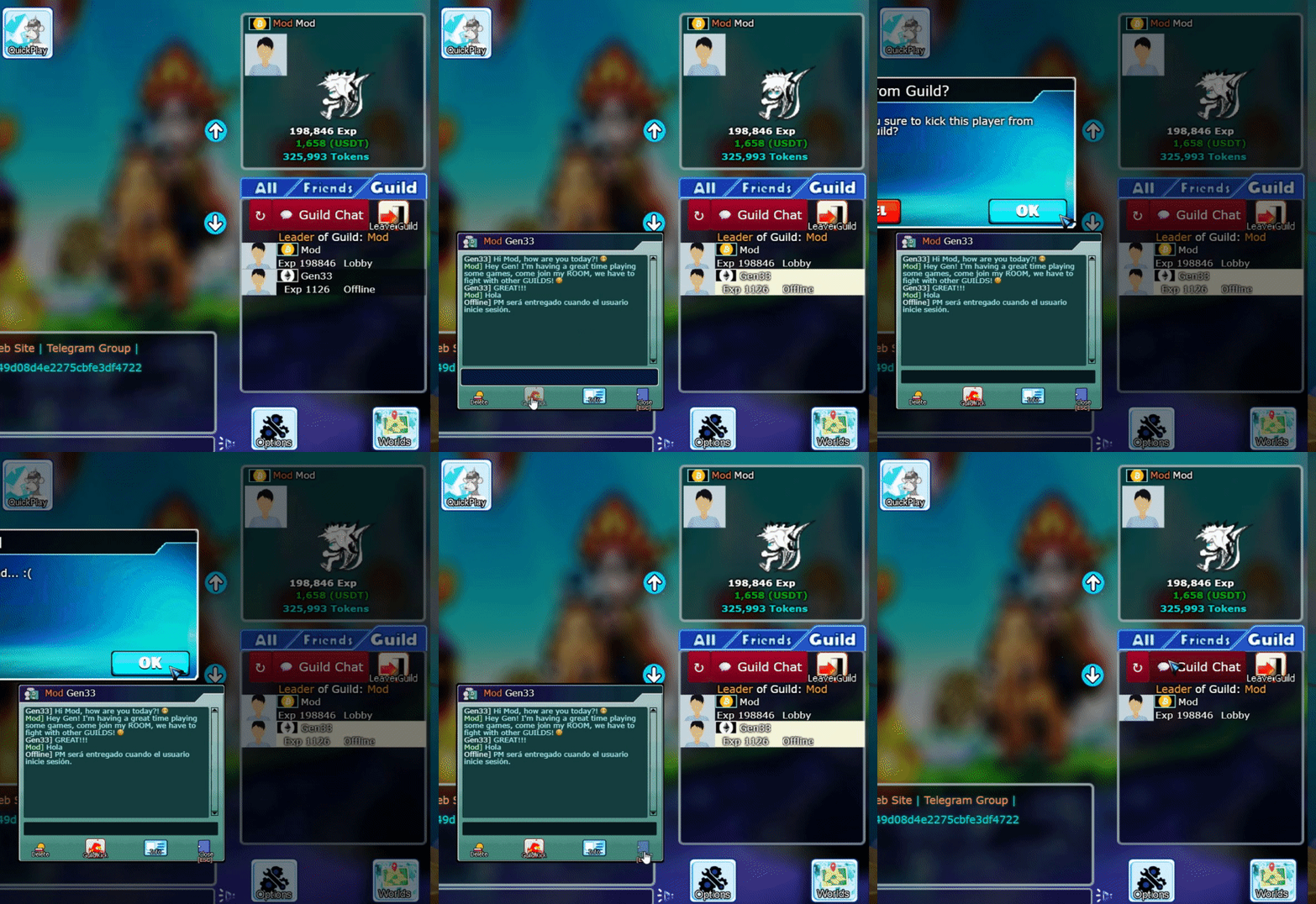
You must enter the GUILD section, click on their name and press the GUILD KICK button, that's it, that player has been expelled from your guild.

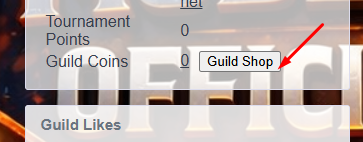
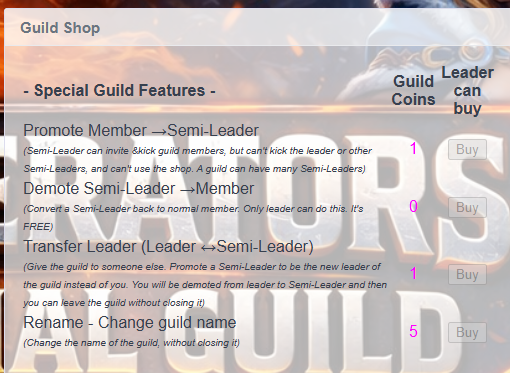
Here you can buy COINS for the GUILD. These coins increase the GUILD's value. With these coins, the leader can appoint SEMI-LEADERS, remove semi-leaders, and transfer the GUILD to the semi-leader so they can become the leader.
Minimum Rank to DONATE COIN = 2.
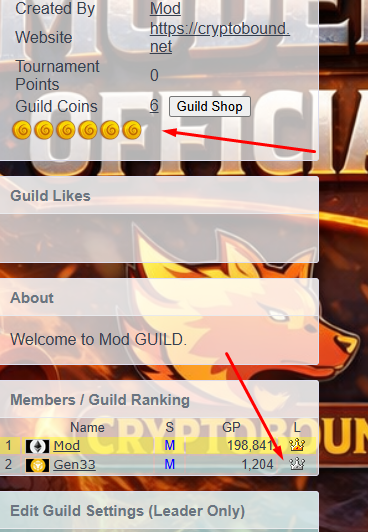
When you DONATE COINS to a GUILD, the amount of coins and the coin HISTORY of the players who have DONATED them appear on the GUILD page.
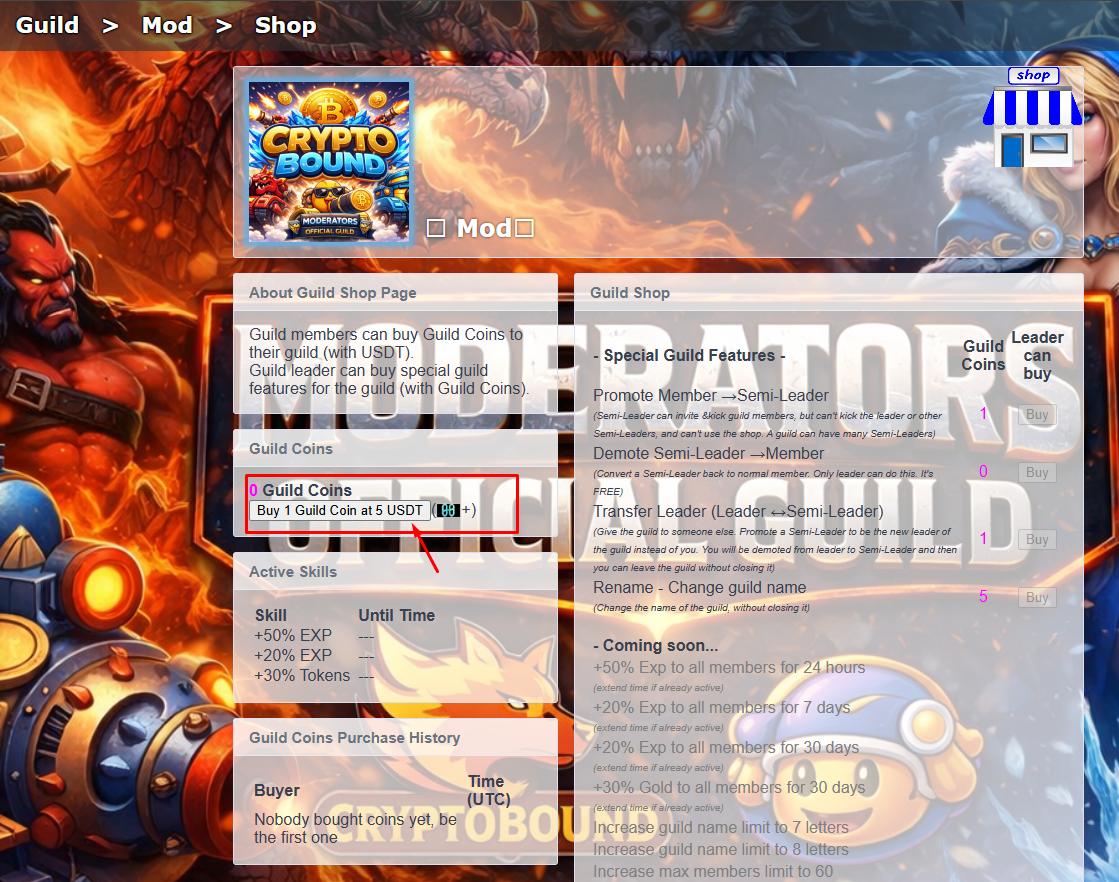
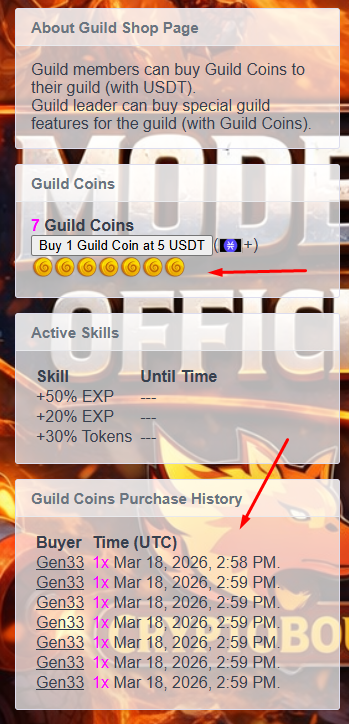
You can perform all these functions with your COINS.
Only the GUILD Leader can perform these actions.
Any member of the GUILD can DONATE COINS.
In this case, I promoted a member of the guild to semi-leader; this person will also be able to recruit people to the guild and has obtained a SEMI-LEADER badge.
For each player, you'll see this INFORMATION BUTTON next to them. Tapping it will display all of the player's information. It will show you the following.
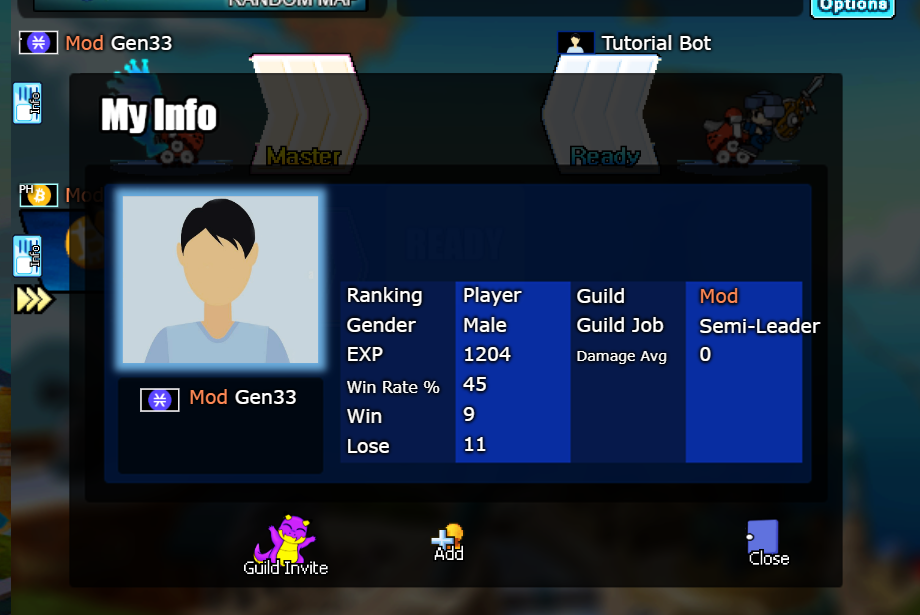
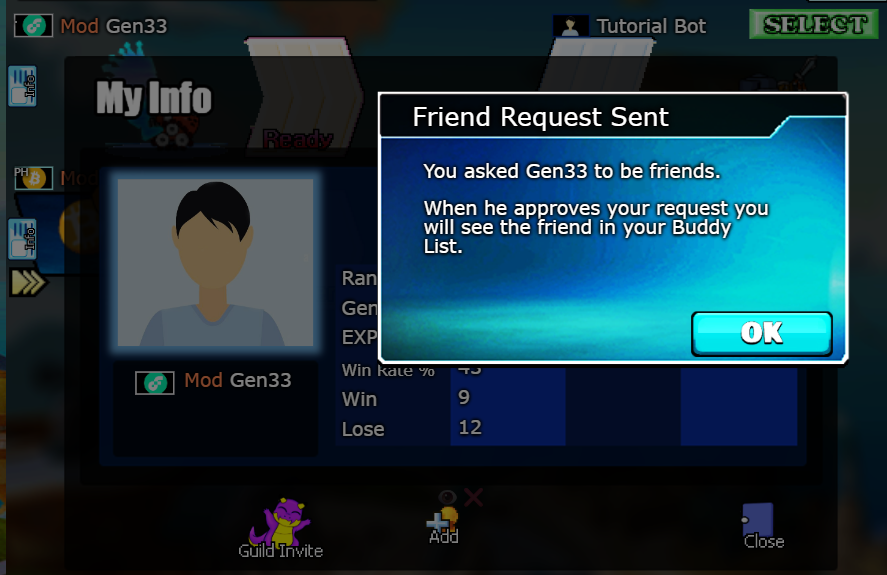
When you do that, you will have already sent the friend request to the PLAYER, you will just have to wait for this player to accept your friend request.
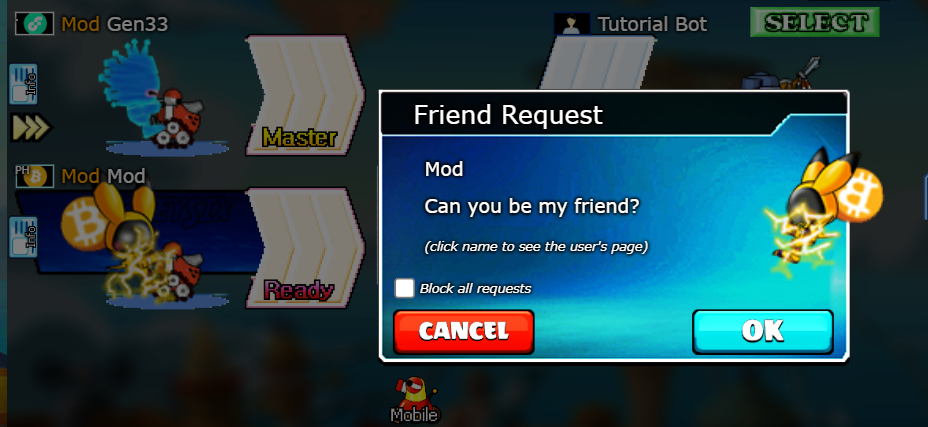
This is the notification that the player who received the friend request will receive; they can accept or reject your friend request.
At this moment you will become friends, therefore you will appear in your friends list which you can find in this part where the photo is displayed.
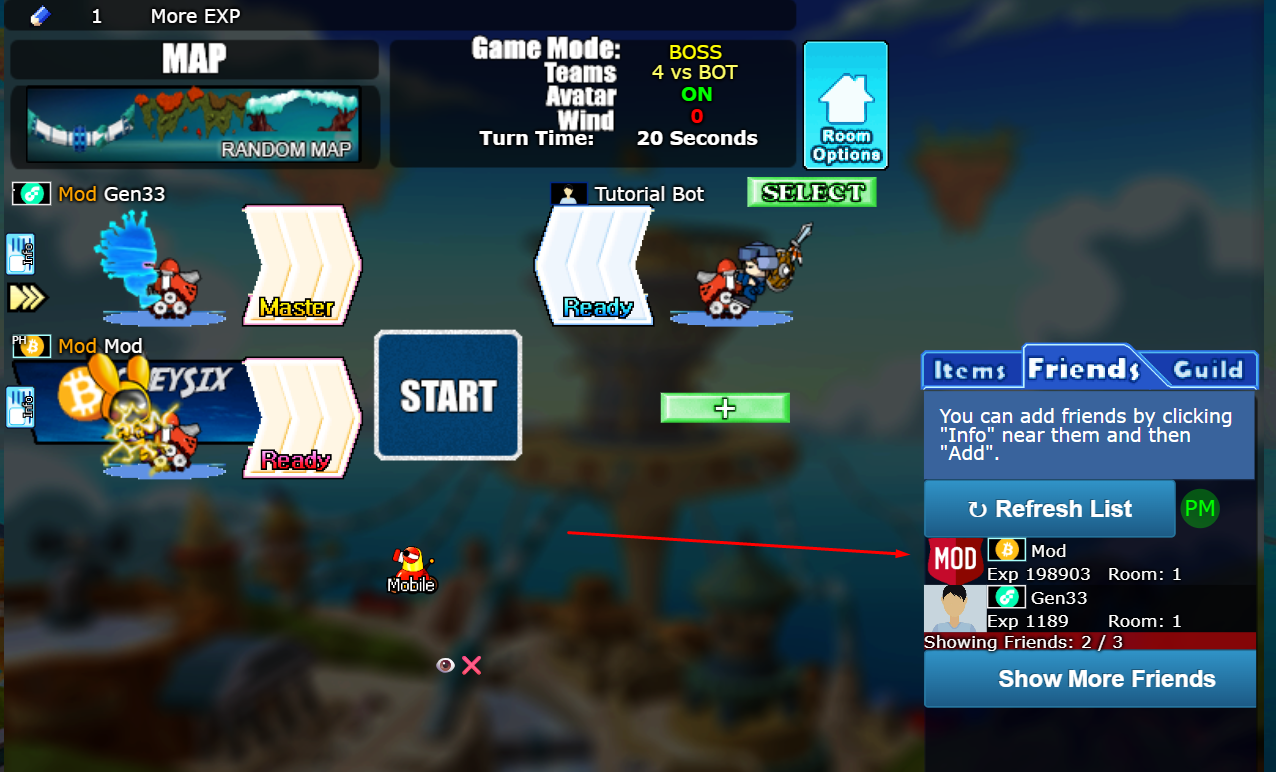
You can have a total of 50 FRIENDS. After that, if you want to add someone, you must remove a friend before you can add another, as that is the maximum number.
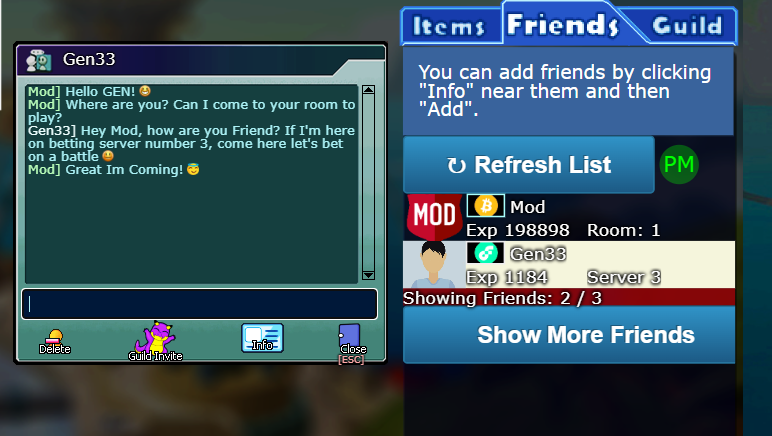
CryptoBound allows players on the same normal game server to contact each other from the All presence panel, even when they have not added each other as friends. To protect players from unsolicited chat, the first message from a non-friend is held by the server and is not delivered immediately.
A one-to-one private chat with a player who is not yet a friend includes a localized Add Friend button in the chat header. Either participant can use it, so both players have the same social controls.
To delete it, you have to press its name in your friends list, START new chat and press the Delete button, IN THIS WAY.
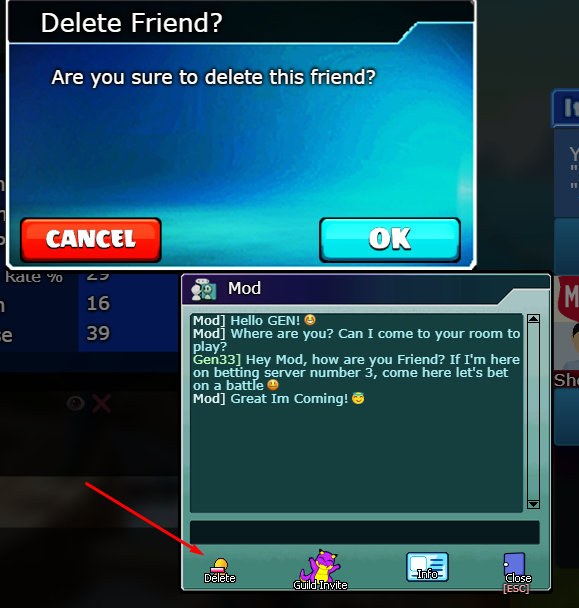
Once you do this, you will no longer be able to see the room or server where the player is located, you will no longer be able to talk to that player, and they will no longer appear on your friends list until you add them again.
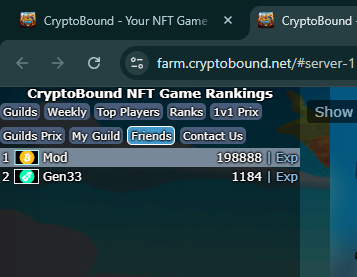
You can also see your added friends in this list
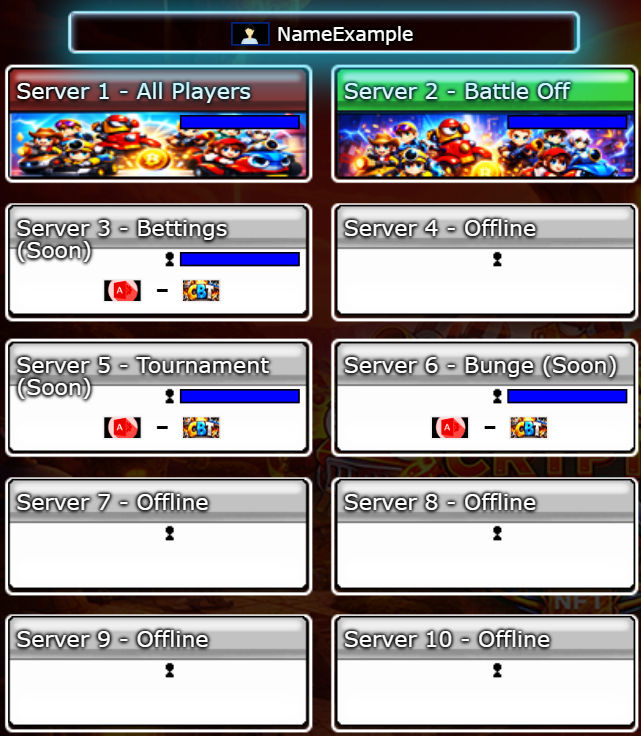
The All panel is the live presence directory for a normal CryptoBound game server. It is available on Server 1 and Server 4 and includes eligible human players connected anywhere on that same server: in the lobby, waiting inside a room, actively playing a match, temporarily inactive, or reconnecting. It is not limited to characters currently standing in the lobby.
Special game servers such as Servers 2, 3, 5 and 6 use this space for the Items selector instead. Their tabs therefore display Items rather than carrying an All-player count from a normal server.
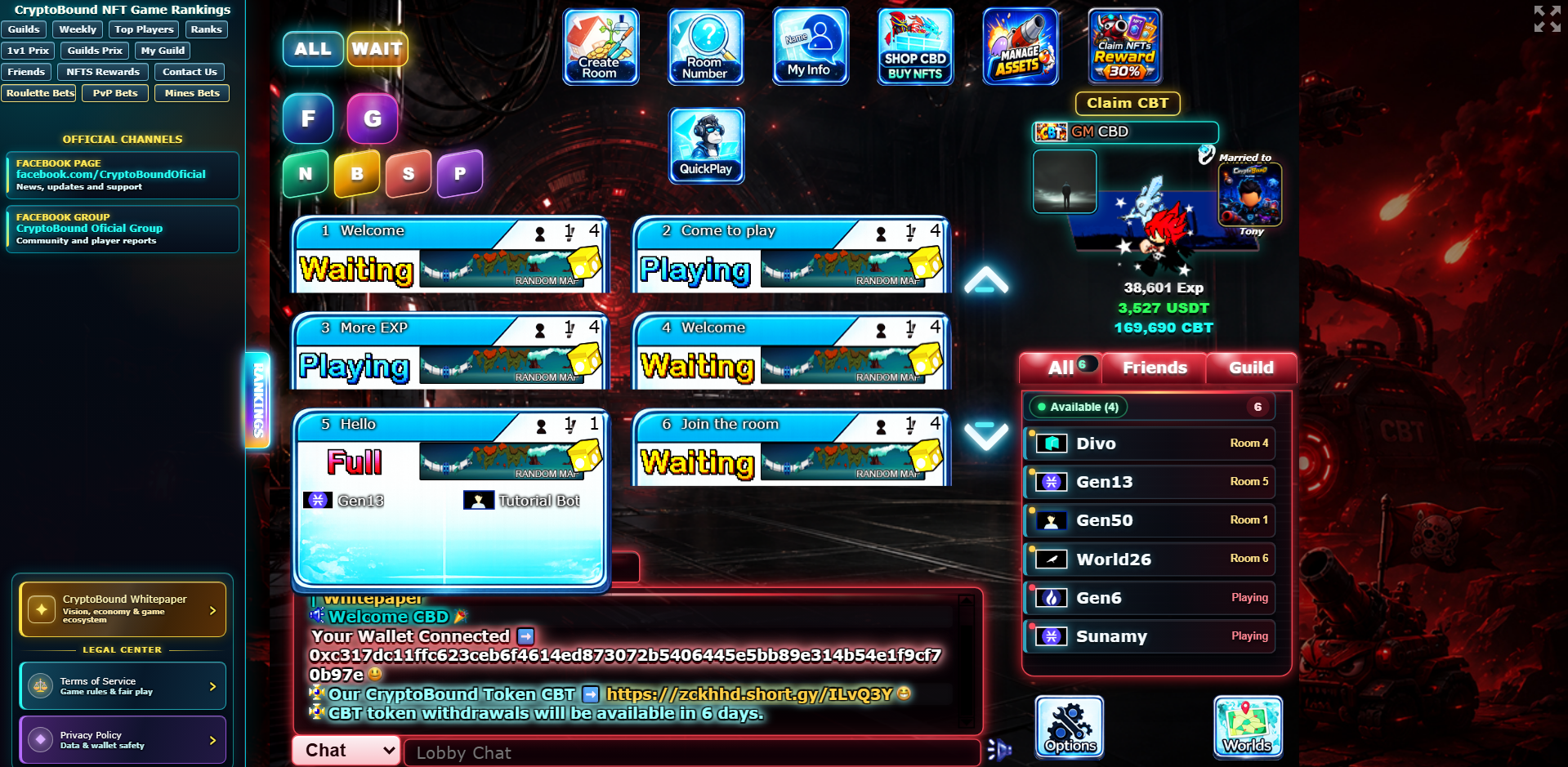
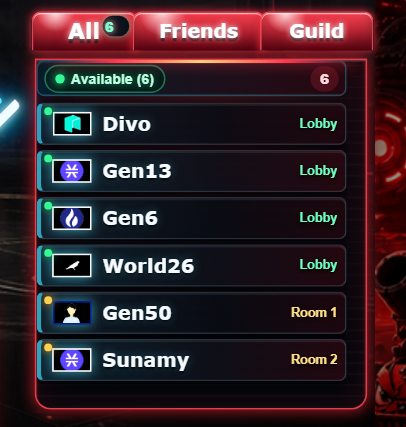
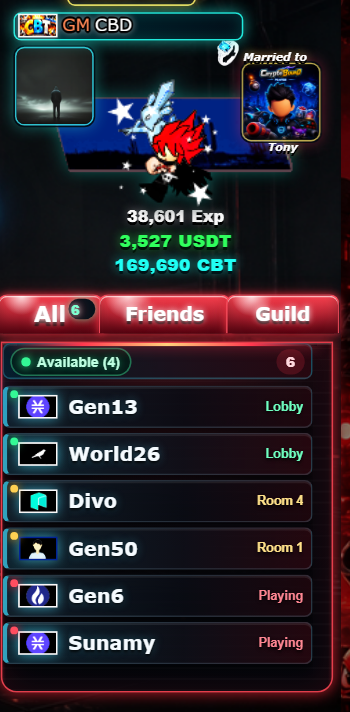
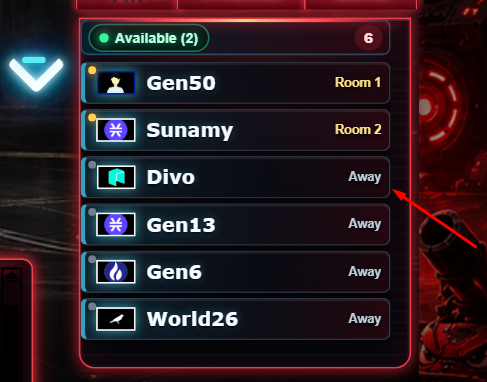
Move the pointer over a player row to reveal contextual controls. The Profile action opens that player's public CryptoBound profile. Message opens the private-chat window; when the selected player is not already a friend, the first message uses the consent request described in Private message requests and conversation consent. Join Room appears only for a public waiting room with capacity, and Watch Game appears only when an active public match allows spectators. Clicking the row itself opens the compact in-game player information card.
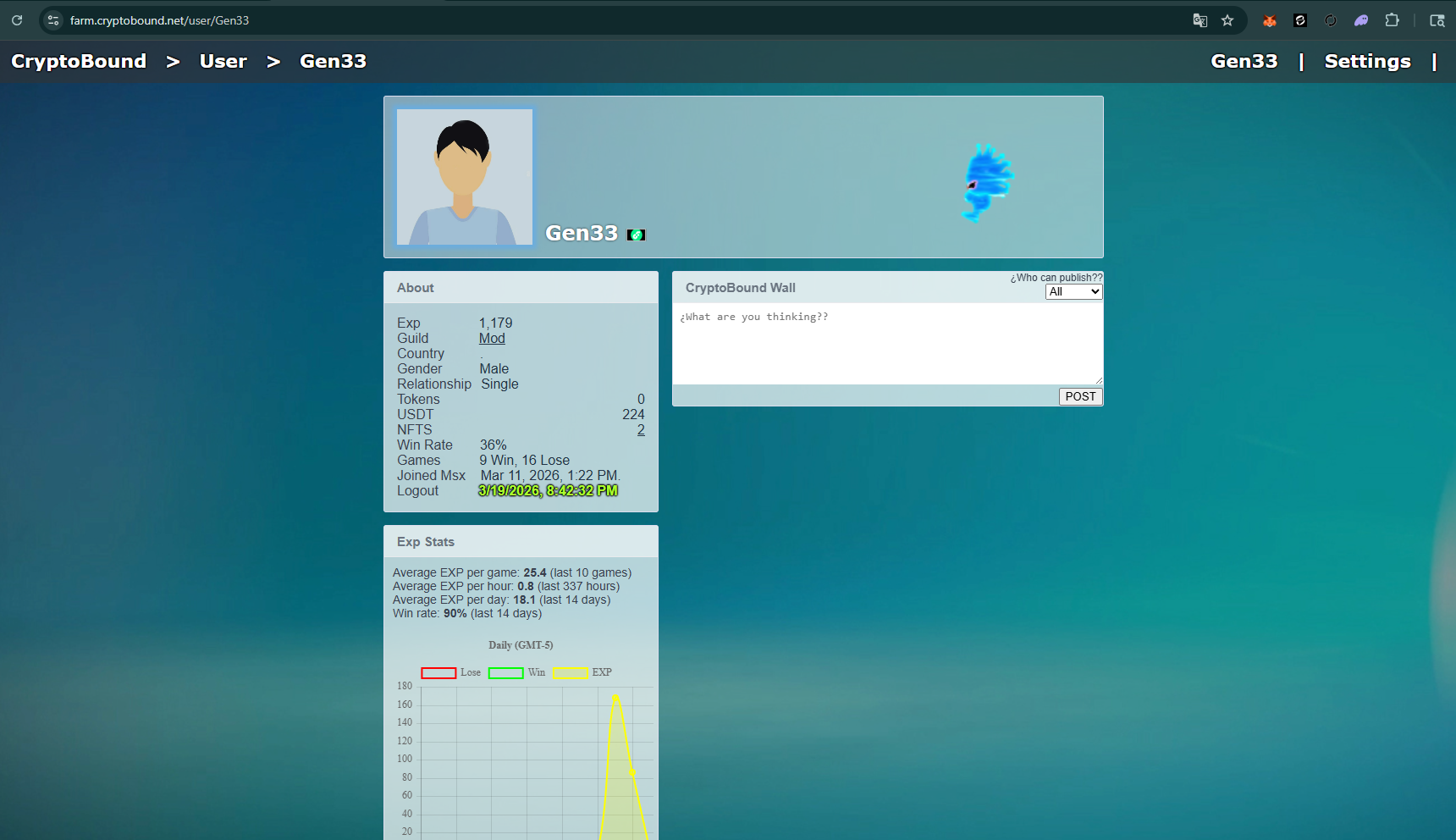
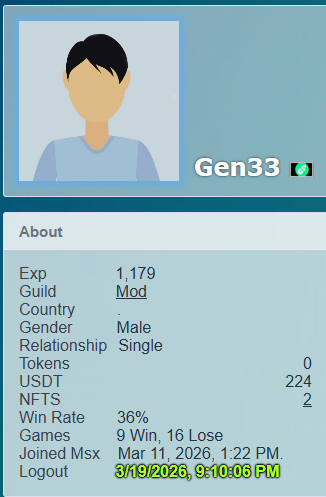
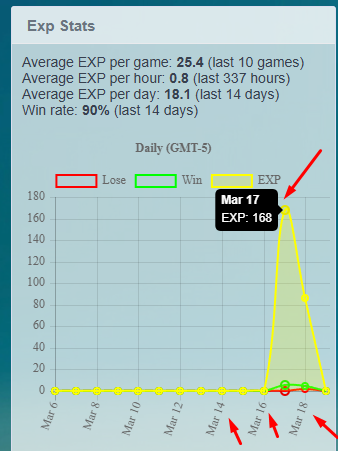
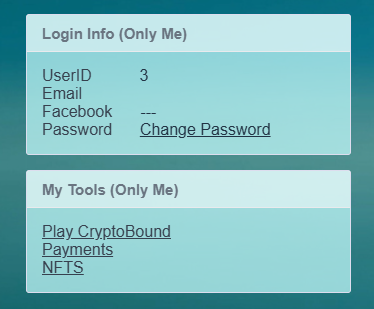
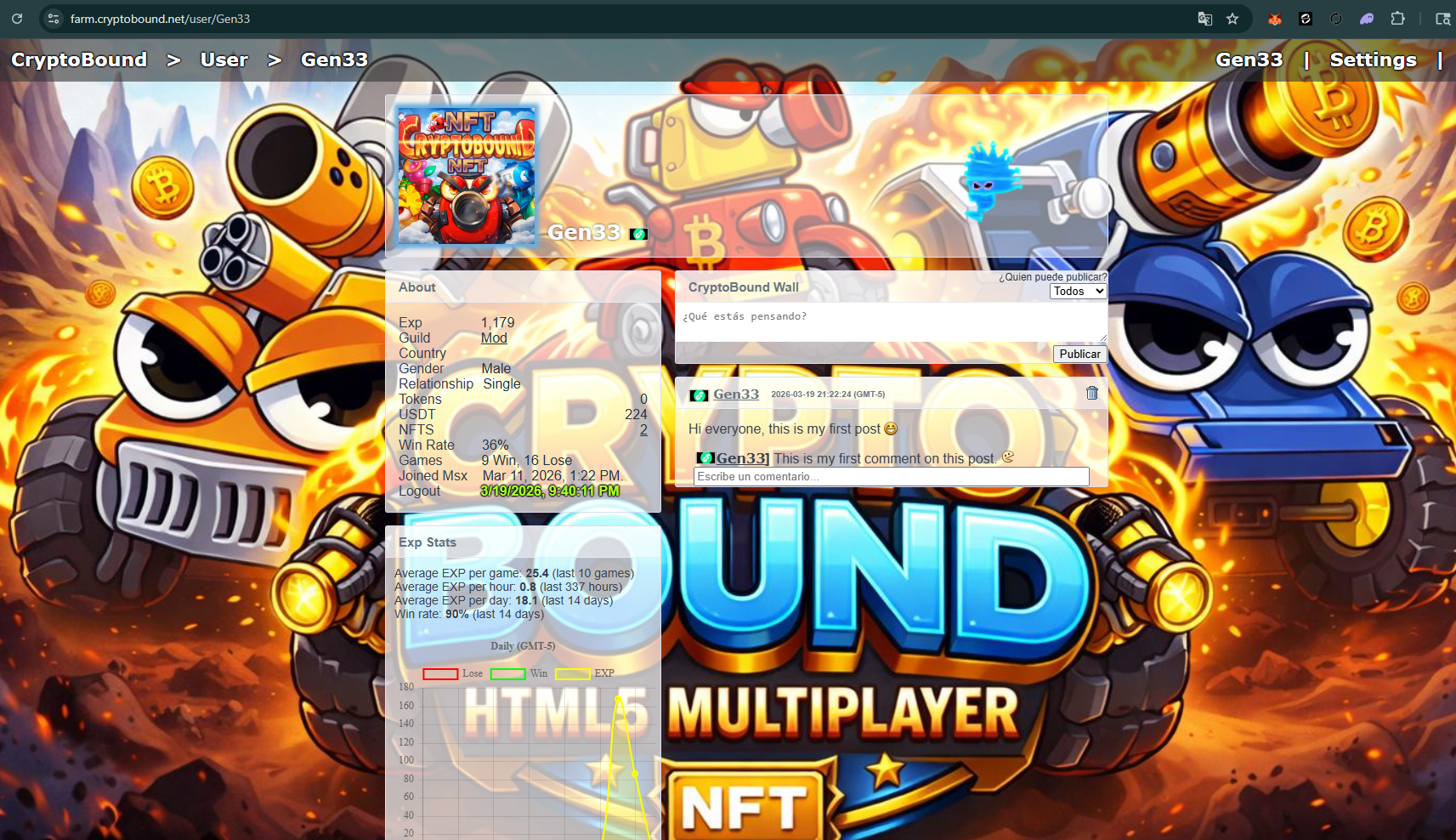
Each user account has its own page or personal profile; when you create your CryptoBound account, the system automatically generates your profile.
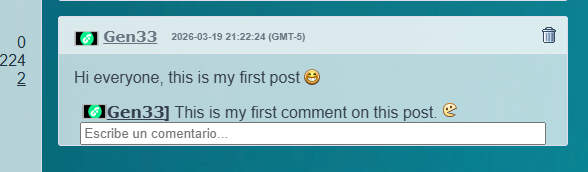
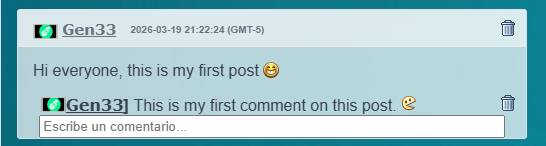
You can do this by clicking the trash can icon next to the comment or post on your profile.
You can access your profile settings and explore other features.

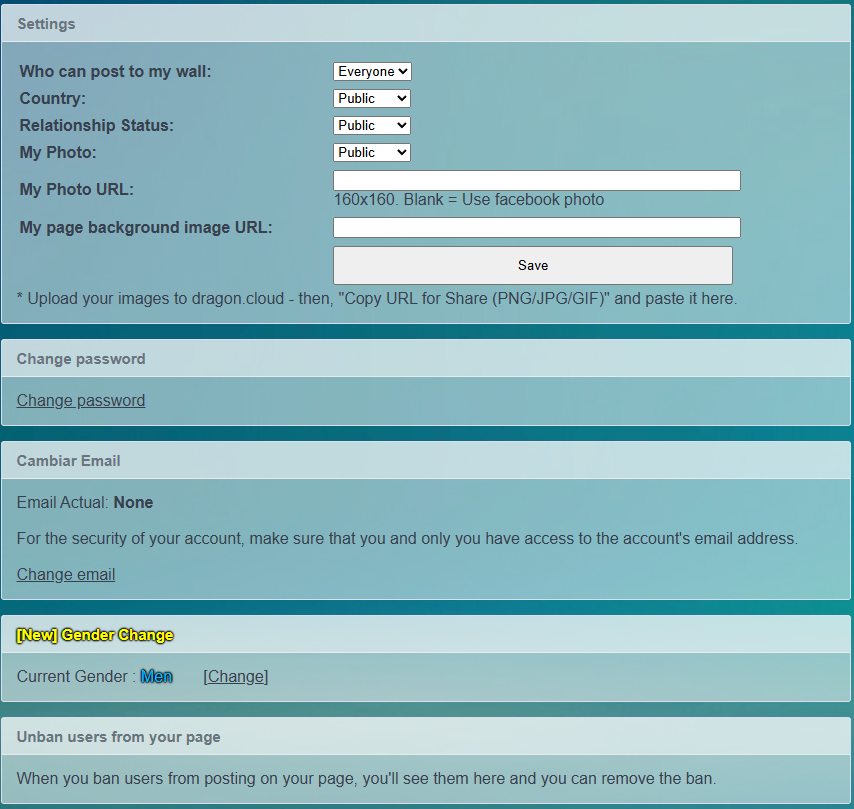
You can ADD a PROFILE photo and COVER IMAGE to your PROFILE. To add these images, it is recommended to upload them to https://imgur.com/upload or copy the image URL, but the file extension must end in PNG, JPG, JPEG, or GIF format.
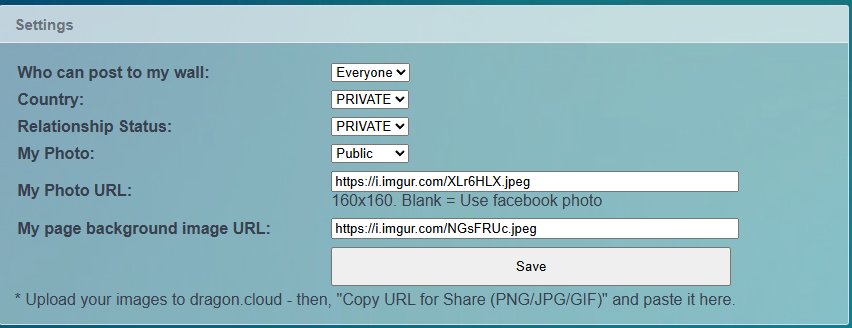
Once you confirm and Save your changes and have your profile picture and cover photo ready, your profile will look better.
Go to settings or log into your profile and press CHANGE PASSWORD.
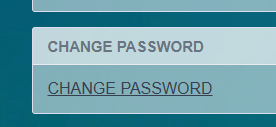
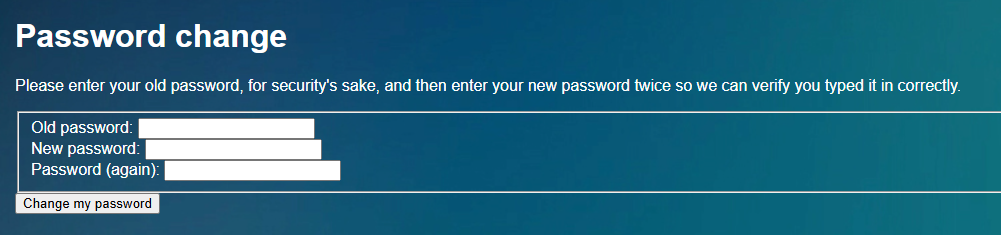
While you are here, FOLLOW THE INSTRUCTIONS. You will need to enter your old password and your new password twice and press the Change my password button.
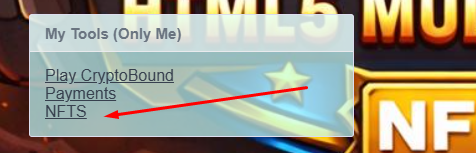
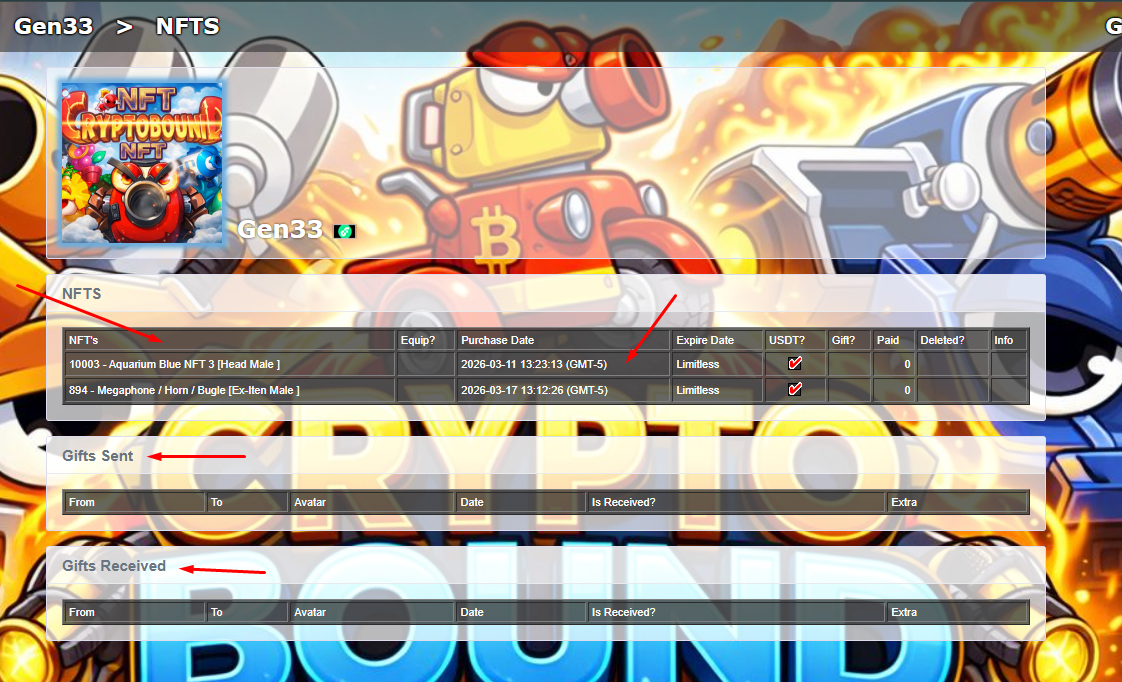
In this section you can see all your NFTs, including the date and time of purchase. You can also see the NFTs you have given away or received.

Every build combines the equipped NFT, FT1 and FT2. The server adds their values and caps each final attribute between 0 and 50. A higher number improves that specific function; it does not automatically increase every other function.
Reduces delay generated by normal shots, helping your next turn arrive sooner.
Increases terrain destruction and the effective crater size created by your shots.
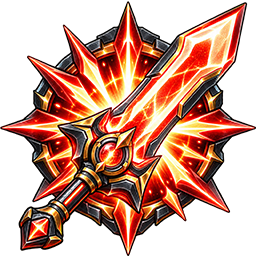
Increases the offensive damage caused when your projectiles hit an enemy.

Raises your mobile's maximum health by a percentage, improving total durability.

Reduces part of the effective damage received from enemy projectiles.
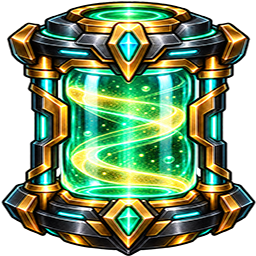
Reduces the turn-delay penalty caused when using tactical battle items.
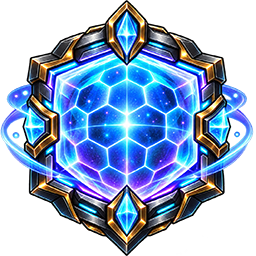
Increases shield regeneration during battle and strengthens defensive endurance.

Improves match CBT reward utility and contributes lightly to build Power; it does not multiply NFT daily production.
FT equipment is most valuable when it fills a weakness in the NFT base. For example, an Assault NFT benefits from Attack and Dig equipment, while a Tank build benefits from Life, Defense and Shield. Values beyond 50 are discarded, so a more expensive component is not automatically better for every loadout.
The official CryptoBound support form validates that the submitted UserID and player name match the same game account. If the account has a linked email, the submitted email must match it. Accounts without a linked email may provide a valid contact address, and the case is visibly marked for manual identity review. Banned users may submit appeals and support questions.
Select the correct category, write a descriptive subject and explain what happened, when it happened, what result you expected and what actually occurred. Include a transaction, withdrawal, match or NFT reference whenever applicable. Never send a password, seed phrase, recovery phrase or private key.
Evidence is stored outside the public website and can only be opened from the protected owner support panel. Requests with mismatched account information, promotional links, unreadable content or automated spam are rejected before entering the support queue.
By registering, playing, chatting, betting, using referrals or receiving rewards, every player agrees to these rules. They protect the game economy and each member of the community. The rules apply to the game, website, official chats, guilds, profiles and every CryptoBound service.
Pending referral rewards connected to confirmed abuse may be rejected. Withdrawals may be temporarily held while credible economic evidence is investigated. A hold is a protective measure, not a declaration of guilt.
Players who discover illegal play should send a private report through the official CryptoBound support/contact channel. A useful report should include the accused username or User ID, date and approximate UTC time, game mode, Match or Round ID when available, screenshots/video and a short explanation.
Verified report reward: when a report contains useful evidence, an investigation confirms a real violation and the report materially helped the decision, the reporting player may receive one non-withdrawable utility Sink item for their NFT, selected by the administration from eligible in-game Sink complements. It is not USDT, CBT, EXP or a guaranteed cash-value prize.
CryptoBound uses server logs, account links, wallet relationships, IP context, referral records, betting history, chat records and submitted evidence. Sanctions consider intent, harm, value at risk, repetition, cooperation and prior violations.
| Level | Typical response | Examples |
|---|---|---|
| Level 0 | Education or formal warning | First minor disruption, accidental rule breach with no benefit, respectful correction accepted immediately. |
| Level 1 | 1-day suspension | Targeted profanity, minor spam, ignoring a warning, first low-impact prohibited promotion. |
| Level 2 | 7-day suspension | Repeated harassment, alternate-account attempt without payout, repeated advertising, minor coordinated play. |
| Level 3 | 30-day suspension and possible economic hold | Referral abuse, reward farming, serious harassment, match fixing, intentional value transfer or exploitation attempt. |
| Level 4 | Permanent ban | Major fraud, repeated economic abuse, cheating tools, account theft, credible threats, doxxing, sanction evasion or a severe/repeated Level 3 violation. |
A sanctioned player may submit one clear appeal through the official support/contact channel with their User ID, the decision being appealed and new evidence. Abuse of support, threats or repeated duplicate appeals may be ignored and sanctioned. CryptoBound may correct an error when credible new evidence changes the case.
Our objective is strict but fair enforcement: protect legitimate players, keep competition entertaining and prevent dishonest activity from damaging the long-term economy.
CryptoBound currently works with two main in-game assets: USDT for deposits and betting rooms, and CBT for NFT pricing, NFT rewards, store purchases, Ex-Items, AI bot credits, mobile powers, limited mobiles, events, tournaments, and other gameplay utility.
NFT production is paid in CBT, not passive USDT. The model is 10% human-activity base, 70% gameplay, 10% loyalty and 10% human competition. The guarded oracle converts capacity targets into CBT.
0x375f70cf2ae4c00bf37117d0c85a2c71545e6ee05c4a5c7d282cd66a4504b068::usdt::USDT
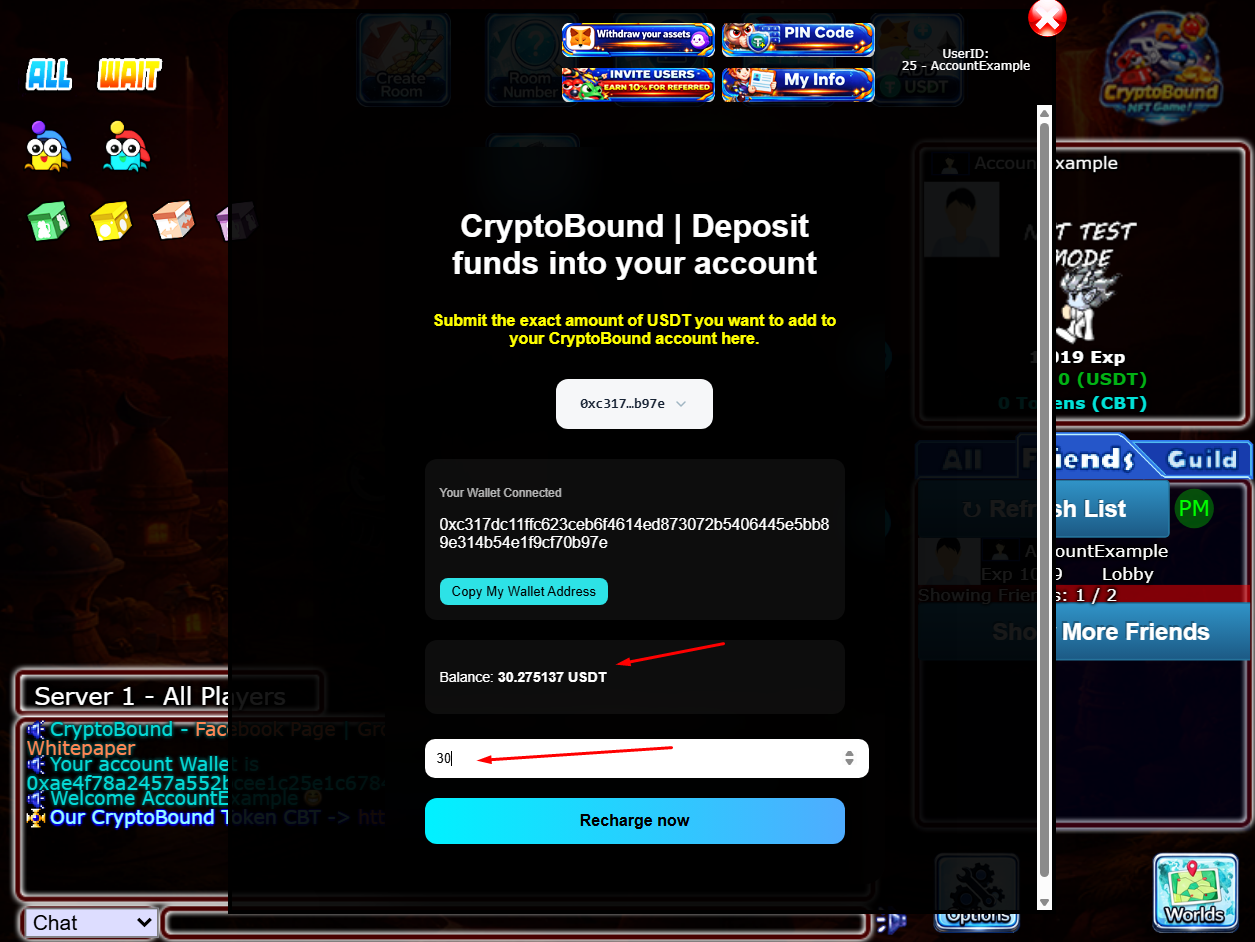
CryptoBound accepts only the exact USDT coin type shown above. The balance displayed on the recharge screen belongs to the Sui account currently connected to CryptoBound, which can differ from another account being viewed inside Slush.
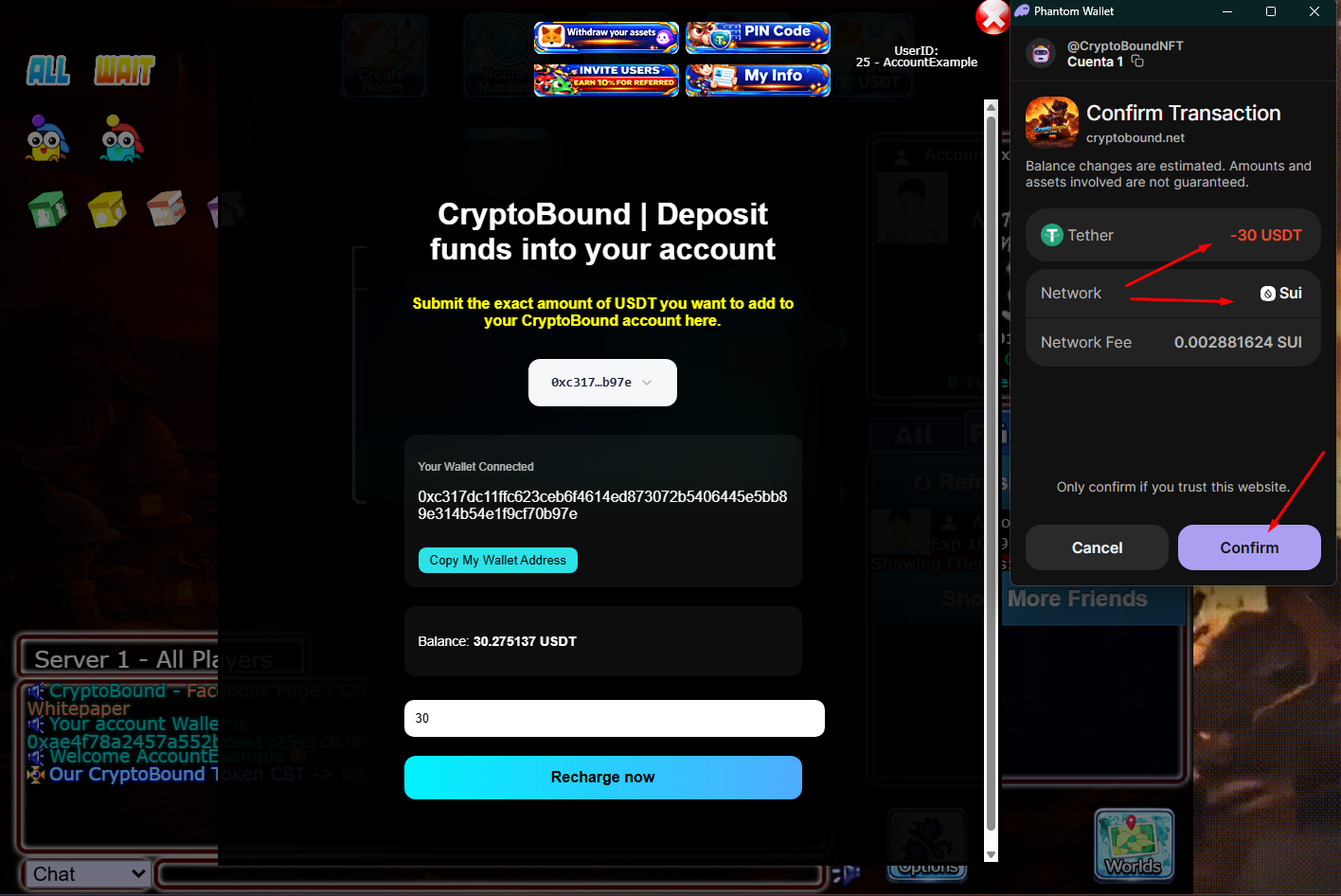
Use the official Slush wallet and confirm that the connected address has the USDT balance before approving a deposit.
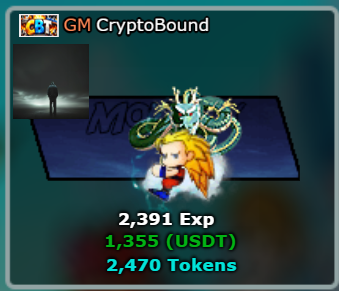
The USDT stablecoin is used mainly for deposits and the Bettings Server. Betting currently uses USDT stakes, and the server applies a 10% Bettings FIX to the winner payout to support the betting economy.
CBT is the main gameplay economy token. Players use CBT for NFTs, components, Ex-Items, AI bot credits, mobile powers, limited mobiles, and other utility purchases that create recurring demand and sinks for the token.
The game token already has direct utility inside the server. The main current CBT utilities are:
We decided to divide the CryptoBound ecosystem economy into USDT and CBT so that one asset reinforces the other: USDT supports deposits and betting, while CBT powers NFT production, gameplay rewards and store utility. CryptoBound is currently in PRE-LAUNCH: owner and development accounts are classified and excluded from real-player economic metrics, and public economic actions remain closed until the launch checklist is approved.
This economy is still developing, and parameters such as daily NFT pool, fees, swap limits and shop utility can be adjusted by the team as the live data grows.
The CBT token is designed to:
| Category | % | Quantity | Description |
|---|---|---|---|
| 🎮 Play-to-Earn | 40% | 4,000,000,000 | Player Rewards |
| 💧 Liquidity | 20% | 2,000,000,000 | Pools en DEX |
| 🏗️ Development | 15% | 1,500,000,000 | Game and server improvements |
| 📢 Marketing | 10% | 1,000,000,000 | Promotion and growth |
| 🤝 Team | 10% | 1,000,000,000 | (12 months cliff + 24 months vesting) |
| 🎁 Community | 5% | 500,000,000 | Airdrops, events |
👉 This ensures that holders can buy and sell without the risk of “rug pull”.
To avoid dumps:
The CBT token is used within the game for:
To support value and reduce uncontrolled emission pressure:
Store sink routing: every CBT store sink is accounted as 45% reserved for verifiable burn execution, 35% retained by the economy treasury and 20% assigned to the sink-funded weekly competitive pool. The competitive payout is capped at 1,000,000 CBT per week and is distributed 50% / 30% / 20% among the top three eligible real-player accounts. A burn reserve is accounting until its on-chain transaction is executed and published.
0x7ebd30a4a2638427544a8715d4325b131ef528da37feb504818ea01aad9f372d; the admin panel reconciles its CBT and USDT balances instead of assuming configured accounting equals real funds.These mechanisms create economy reserves, utility demand and measurable sinks over time.
The economic model is designed to:
Liquidity transparency: CryptoBound does not claim that planned liquidity is deposited or permanently locked until that status can be verified on-chain. Current oracle liquidity and treasury backing are separate measurements and both are checked before protected actions open.
✔️ No rug pull possible
✔️ Holders can trade anytime
✔️ Long-term commitment to CryptoBound

This is the favorite part for good players, because here in this tournament mode they can demonstrate their potential!
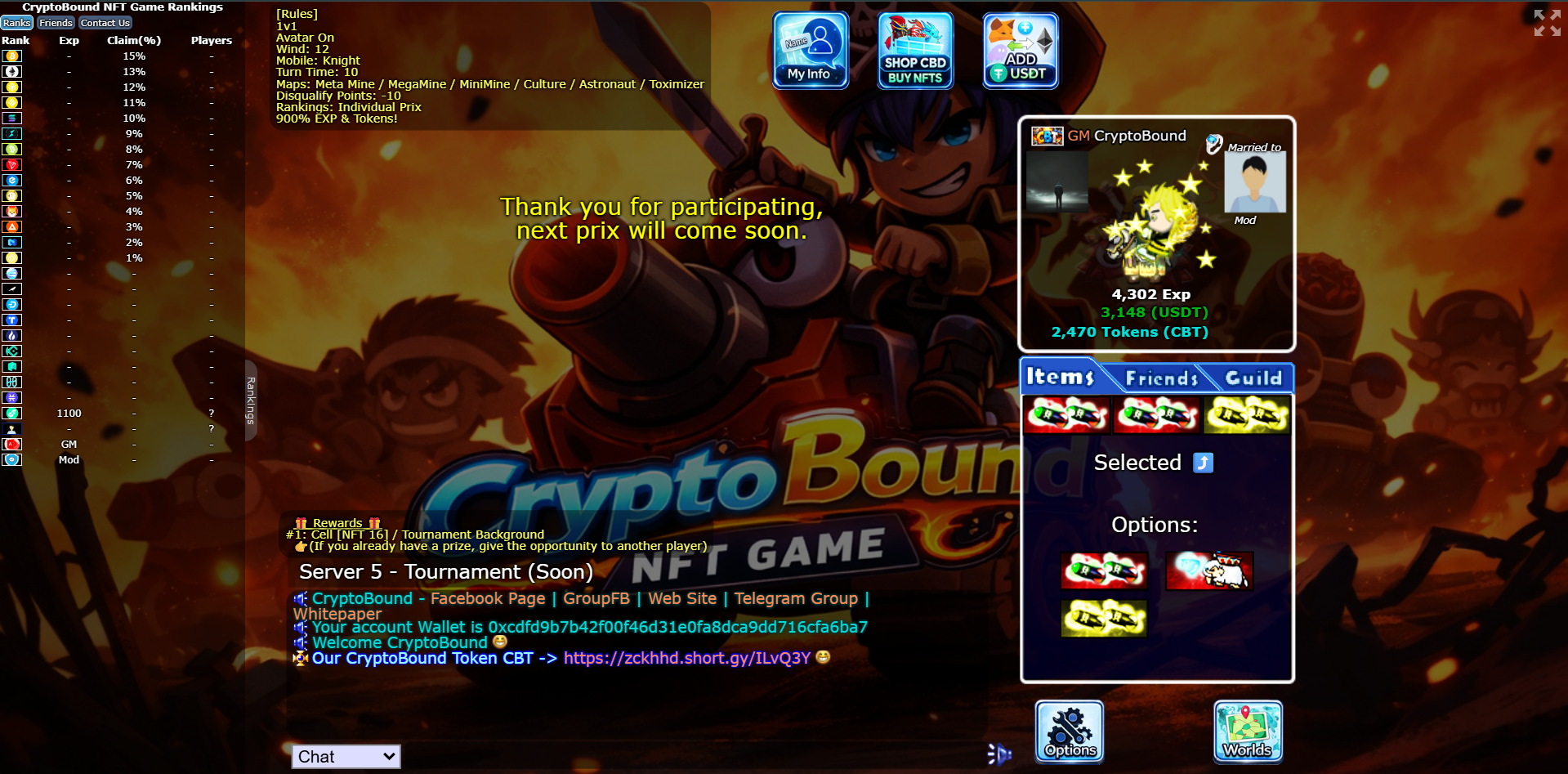
Very important fact: the number of winners varies depending on the day of the tournament; there may be days when the first 10, 20, 50, or even 1000 players win in a tournament.
But it's logical that the first winners get better prizes than the last players in the top winners list.
These prizes may vary; the prize list for winners will be updated for each tournament. Below is a summary of some of the prizes.
After winning the tournament, you will meet in an in-game room (SERVER 1) with the moderators or even the game administrators to receive your rewards. If this is not possible, you will automatically receive your prizes through the system after a few minutes.
Top 1-5 / | NFT #1 (Example)
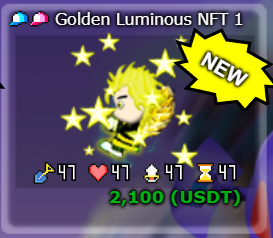
Top 6-10 / | NFT #2 (Example)
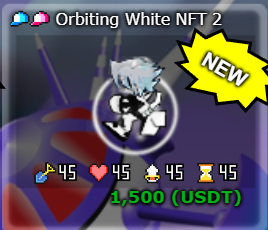
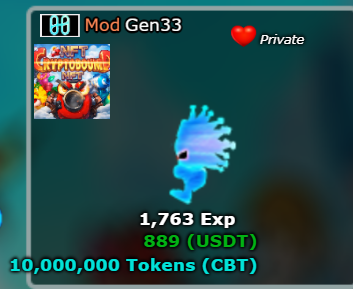
Top 11-20 | Tokens CBT Quantity 10,000,000 Tokens (Example)
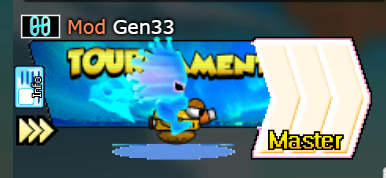
Top 21-30 | Custom Background for your NFT. (Example)
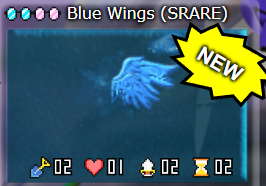
Top 31-50 | EMEL 1 Blue Wings (SRARE ELEMENT) (Example)
Top 51-100 | EMEL 2 Bitcoin Logo (RARE) Example
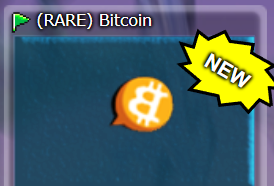
This is how your NFT would look with these Background and Elements awards.
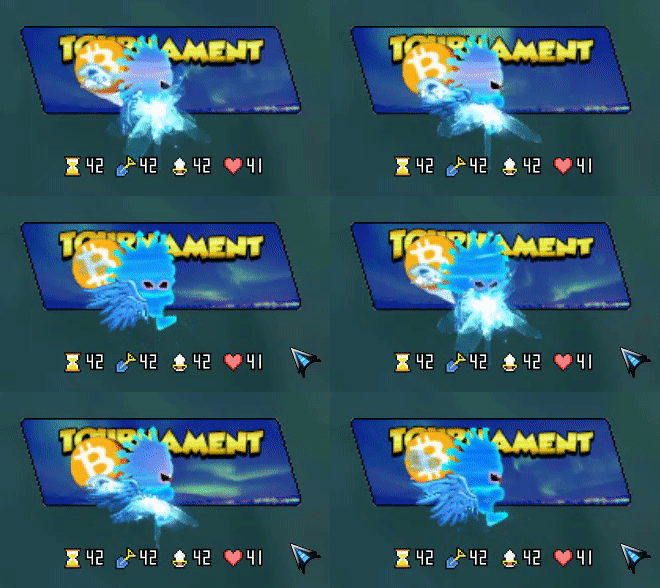
This is how your NFT would look with these Background and Elements awards
ATTENTION: These are just example prizes; this may vary greatly. You will not receive exactly these prizes. There are many hidden items and NFTs that will be implemented in future server updates.
CryptoBound Server 3 currently supports player-funded 1v1 USDT wagers. Both stakes are secured in escrow before the match and the 10% Server FIX is applied under the active settlement rules.
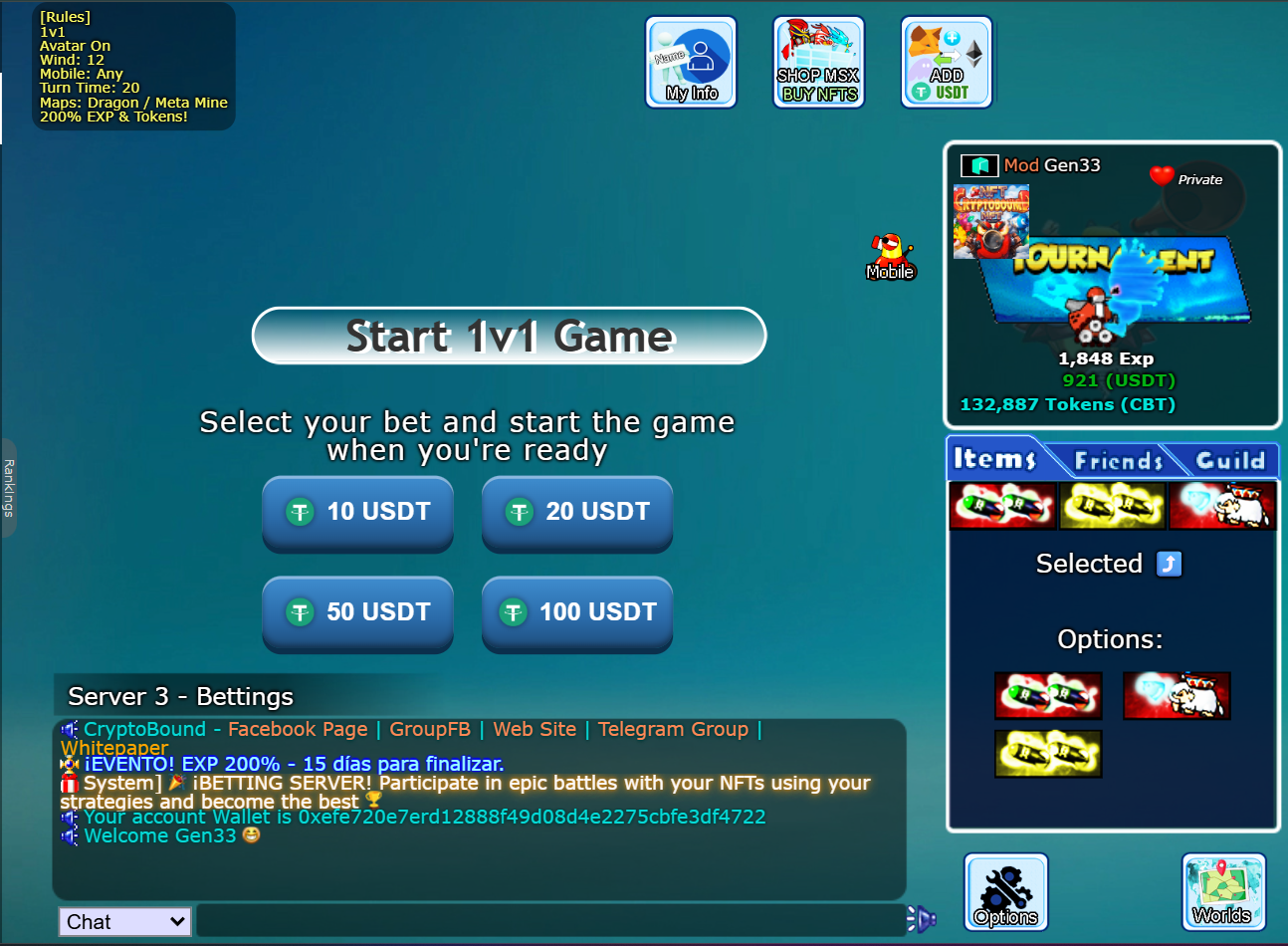
You must have the amount of USDT you want to bet loaded into your account in order to select it and start a game.
Select your BET USDT amount
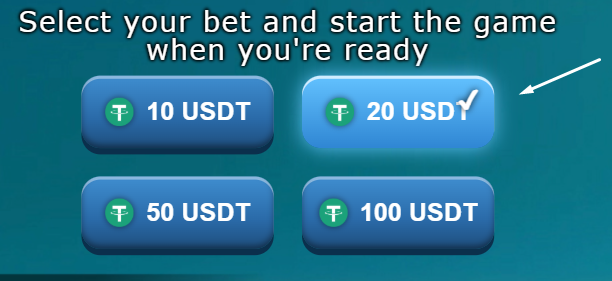
Once you SELECT YOUR BET, you can start a 1 vs 1 game against another player who is betting the same amount by pressing the "Start 1v1 Game" button.
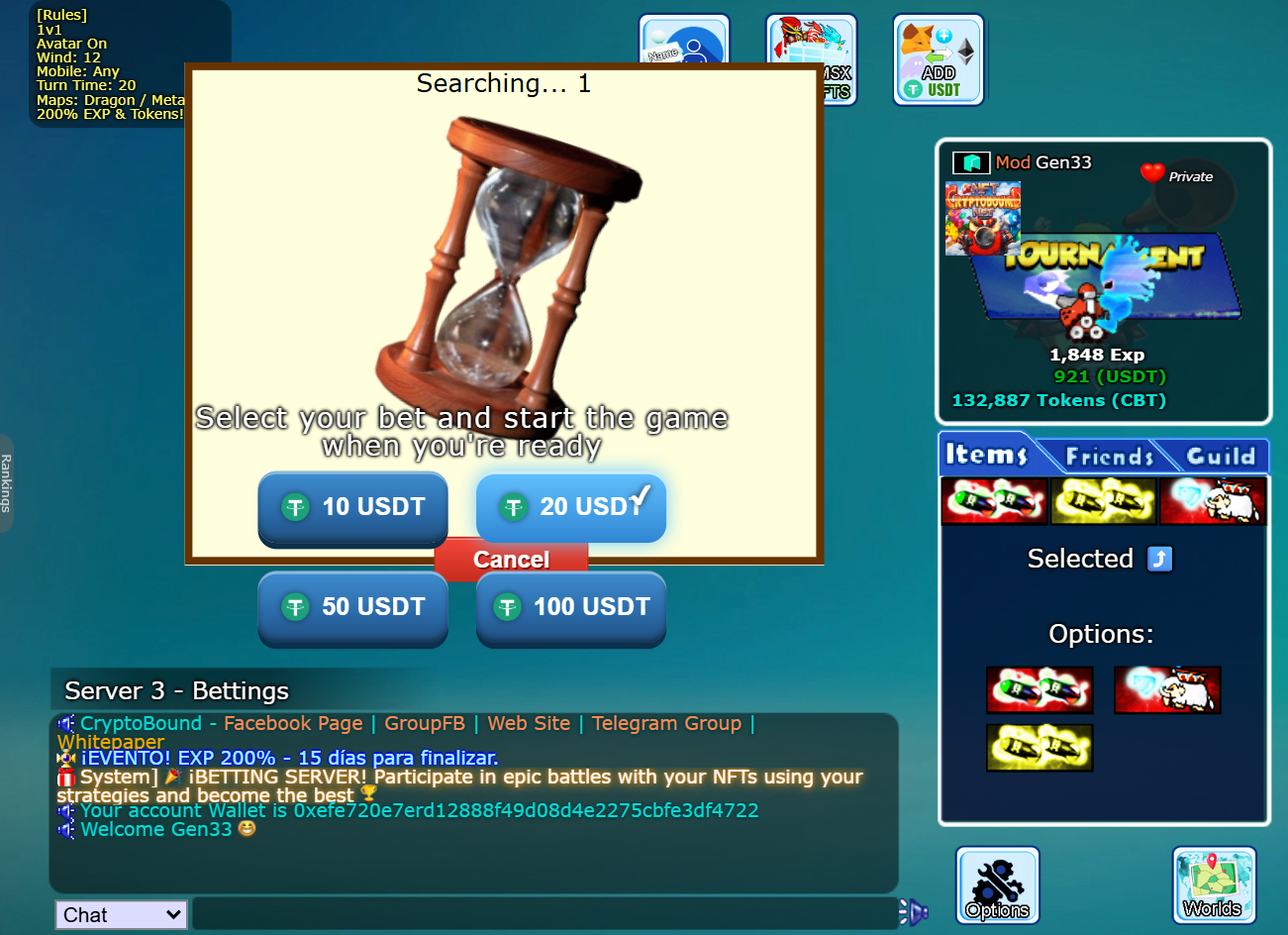
By pressing this button, the system will automatically start searching for players who are betting the same amount of USDT so you can find those betting the same amount and start a betting game.
This may take some time depending on the search time; if it is taking too long, select a different stake amount.
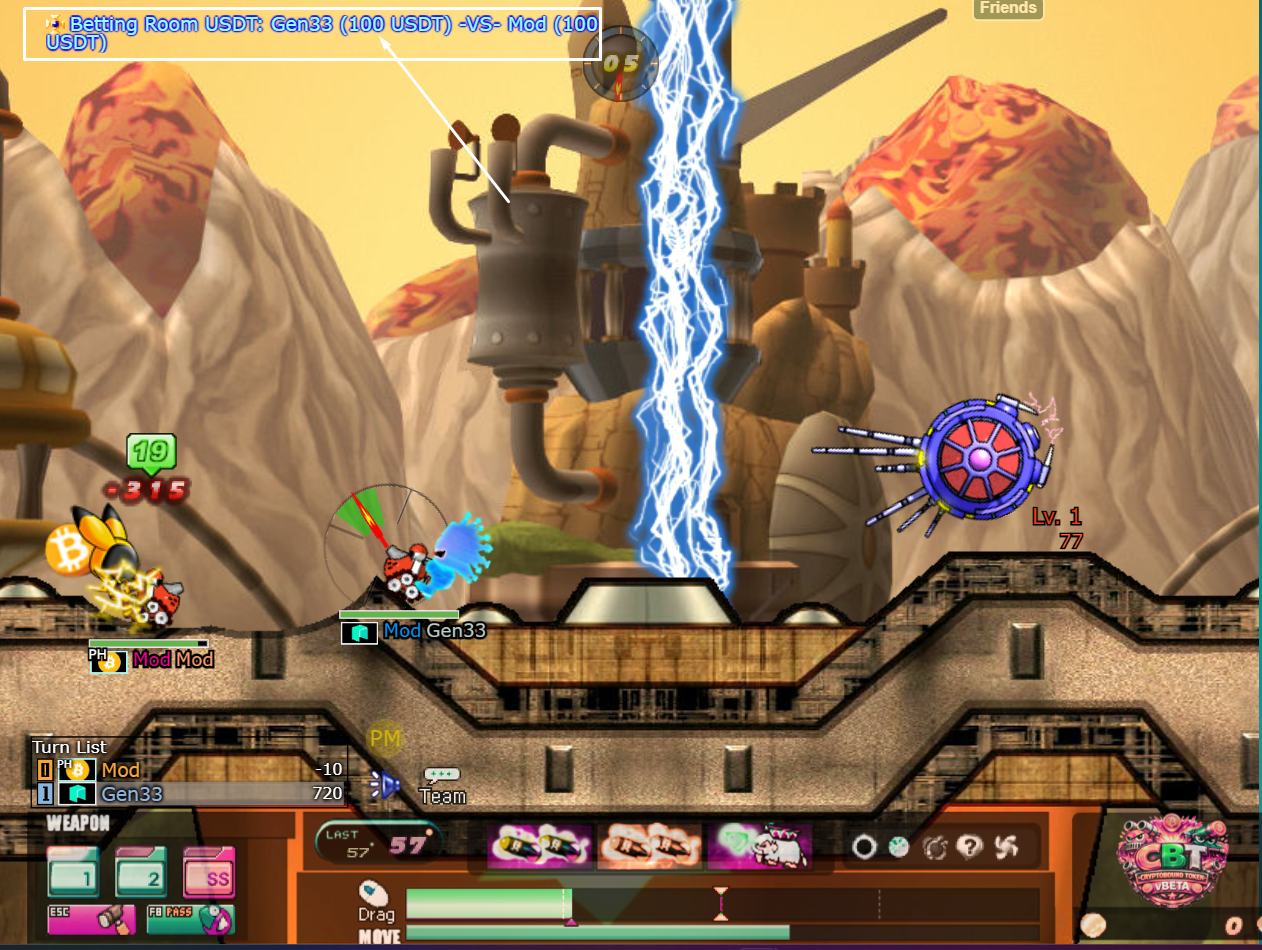
Once the game against another player starts, you will already be betting the amount you selected.
The player who wins the game receives both escrowed stakes minus the Server FIX, which is added to their USDT account balance through a transactional settlement.
The Server FIX is 10% of one player's stake (equivalent to 5% of the combined two-player pot). For example, with two 20 USDT stakes, the pot is 40 USDT, the FIX is 2 USDT, the winner receives 38 USDT and the winner's net profit is 18 USDT.
Before matchmaking begins, the confirmation screen displays the selected stake, combined pot, exact FIX, winner payout and possible net profit. The balance is not debited while simply choosing an amount. Both stakes are reserved only after a compatible opponent is found and the final server checks pass.
IMPORTANT: Do not enter this server if you do not have good stats and armor equipped on your NFT, as you are very likely to lose your bet. When you decide to bet, make sure you have a good set equipped.
In these 2 sections learn how the features and supplements of the NFTS work.
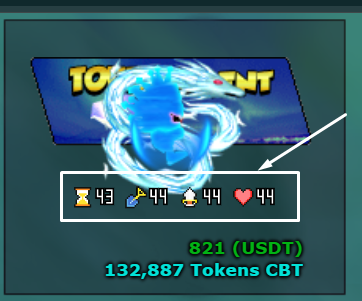
Betting winnings remain in your in-game USDT balance. CBT and USDT movement is handled through the official economy systems, including the scheduled CBT swap window and the active withdrawal/recharge rules shown inside the game. NFT rewards are no longer described as passive USDT production.
These six fixed amounts keep matching simple and prevent players from entering unclear custom-value wagers.
Fair PvP Power is the server-authoritative combat score used to group players with comparable NFT equipment. It is not an account level, season rank or purchasable bonus. The value is recalculated from the currently equipped Head, Body, Eyes and Flag NFTs together with the selected mobile's base durability.
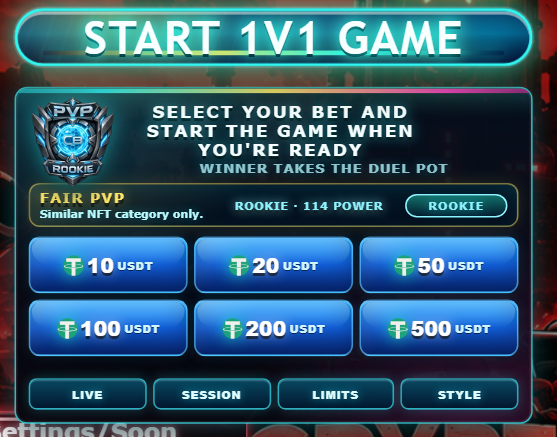
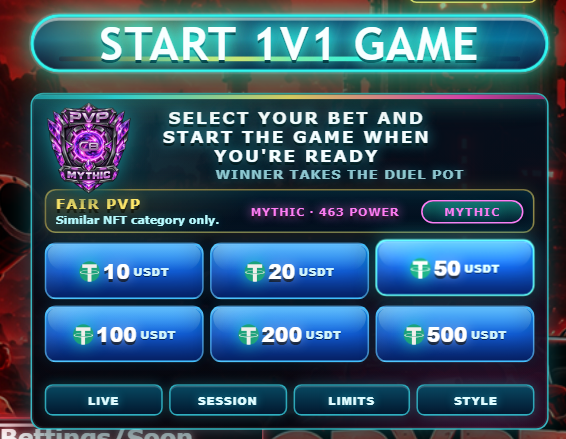
Official NFTs no longer repeat one identical number across every attribute. Each NFT now provides a specialized base and leaves room for FT equipment. This makes the choice of FT1 and FT2 meaningful instead of wasting their bonuses against the 50-point cap.
| NFT | Build role | Rarity | Mythic eligibility |
|---|---|---|---|
| Red Warlock NFT 10 | Assault | Common | No |
| Mr Blue Boy NFT 9 | Tactical | Common | No |
| Blue Cartoon NFT 8 | Tank | Uncommon | No |
| Black and White Fox NFT 7 | Assault | Uncommon | No |
| Transform NFT 6 | Tactical | Rare | No |
| Ghost Black NFT 5 | Assault | Rare | No |
| Robotic White NFT 4 | Tank | Epic | No |
| Aquarium Blue NFT 3 | Tactical | Epic | No |
| Orbiting White NFT 2 | Diamond Assault | Legendary | Diamond ceiling; cannot reach Mythic |
| Golden Luminous NFT 1 | Fragile Assault | Legendary | Yes, only with Golden Fortress |
| Electrichu NFT | Tactical | Mythic | Yes, only with Thunder Sovereign |
| Electric Prince NFT | Balanced Tank | Mythic | Yes, only with Prince Ascendant |
The four equipped NFT pieces contribute eight combat attributes. Values from the pieces are added together and each final attribute is capped between 0 and 50. The server then applies the following weights:
| Combat attribute | Weight | Contribution at stat 50 |
|---|---|---|
| Attack | 1.25 | 62.5 Power |
| Life | 1.20 | 60 Power |
| Defense | 1.15 | 57.5 Power |
| Shield | 1.05 | 52.5 Power |
| Item | 0.90 | 45 Power |
| Time | 0.85 | 42.5 Power |
| Dig | 0.75 | 37.5 Power |
| Popularity | 0.45 | 22.5 Power |
When all eight combined stats are 50, the NFT and FT portion contributes exactly 380 Power. With the reference mobile contributing approximately 83 Power, the theoretical maximum is 463 total Power. Electric Prince is the strongest balanced and resistant premium base; Electrichu specializes in Time and Item control; Golden Luminous emphasizes offense while carrying clearly lower Life, Defense and Shield. Equipment is required to complete each Mythic build.
A new player whose equipped NFT, FT1 and FT2 contribute zero points is classified as Unranked. Mobile durability is still displayed in the Power total, but it cannot by itself promote an account to Rookie.
 Unranked0 NFT/FT stats
 Rookie1+ NFT/FT stat · 0–150 Power
 Bronze151–250 Power
 Silver251–340 Power
 Gold341–400 Power
 Diamond401–450 Power
 Mythic451+ Power
Mythic is the final category. It begins at 451 Power. Reaching it requires one of the three exact premium sets below. The server recognizes the equipped NFT, FT1 and FT2 IDs together and applies that set's configured completion bonus. Changing or removing any required piece removes the bonus immediately.
| Set | NFT | FT1 | FT2 | Final Power |
|---|---|---|---|---|
| Prince Ascendant | Electric Prince NFT | Blue Wings (SRARE) | Shenlong II | 463 · Mythic |
| Thunder Sovereign | Electrichu NFT | Golden Wings v2 | (RARE) Bitcoin | 459 · Mythic |
| Golden Fortress | Golden Luminous NFT 1 | Golden Wings (SRARE) | Neo Observador | 451 · Mythic |
Diamond bridge: Orbiting White NFT 2 is the only official NFT below the premium trio that can reach Diamond. Its strongest reference build is Orbiting White + Golden Wings v2 + Neo Observador, producing approximately 425 Power · Diamond with the reference mobile. It cannot activate a Mythic completion bonus.
FT cards use compatibility badges instead of the former NEW label. A Mythic Key badge identifies an exact component of one premium set; a Diamond Fit badge identifies a role-based FT that can help Orbiting White form a Diamond build. Selecting an FT displays its recommended NFT, complementary FT, expected reference Power and category in the shop control panel.
Every configured combat FT contributes a visible Popularity (star) value in addition to its specialized stats. Popularity scales by the piece's role and rarity and remains subject to the same combined 50-point cap.
| FT key | Recommended NFT | Required partner | Reference result |
|---|---|---|---|
| Blue Wings (SRARE) | Electric Prince | Shenlong II | 463 · Mythic |
| Shenlong II | Electric Prince | Blue Wings (SRARE) | 463 · Mythic |
| Golden Wings v2 | Electrichu | (RARE) Bitcoin | 459 · Mythic |
| (RARE) Bitcoin | Electrichu | Golden Wings v2 | 459 · Mythic |
| Golden Wings (SRARE) | Golden Luminous | Neo Observador | 451 · Mythic |
| Neo Observador | Golden Luminous | Golden Wings (SRARE) | 451 · Mythic |
Neo Observador has dual guidance because it also completes the strongest Diamond reference build: Orbiting White + Golden Wings v2 + Neo Observador = 425 Power. Other FT badges show Assault, Tank, Tactical, Terrain or Balanced roles and recommend Orbiting White as the Diamond build base.
Choosing the same USDT stake is required, but it is not the only condition. Immediately before escrow, the server recalculates both players' equipped Power and applies these compatibility rules:
The percentage gap is calculated against the higher of the two scores. Categories can change whenever a player changes equipped NFTs or selects a mobile with different base durability. The badge describes present combat equipment; it is not permanent progression.
Players must select the same stake and pass the Fair PvP Power rules above. Balances and equipped NFTs are revalidated immediately before escrow.
The Server 3 panel includes SESSION and LIMITS controls. Players can set daily, weekly and monthly wager caps; daily, weekly and monthly loss caps; and a session-time cap.
The weekly PvP Bets ranking can be filtered by stake and Fair PvP category. Prestige labels are based on completed wins: Challenger, Duelist, Elite, Champion and Legend. They provide recognition only and do not increase damage, defense, matchmaking priority or payout.
The LIVE control lists active public PvP duels. Spectators may watch but cannot chat in, bet on or affect the match. Featured play can later be shared through the existing replay tools.
The STYLE control provides optional Match Found presentation frames. Neon Arena is free; Inferno Clash costs 25,000 CBT; Royal Champion costs 75,000 CBT; and Void Legend costs 150,000 CBT. Purchased styles stay owned and may be selected again without another charge. These are permanent cosmetic CBT sinks only: they never change NFT power, hit points, items, opponent selection, odds or USDT settlement.
Risk notice: PvP wagering can result in losing the full selected stake. Limits, pauses, prestige and presentation effects do not guarantee a win. Players should use only an amount they are prepared to lose.
The Roulette Event includes the always-available Free Roulette and multiplayer betting rounds. The Free Roulette no longer uses a three-day cooldown: every spin requires one event ticket, and each completed spin consumes exactly one ticket.
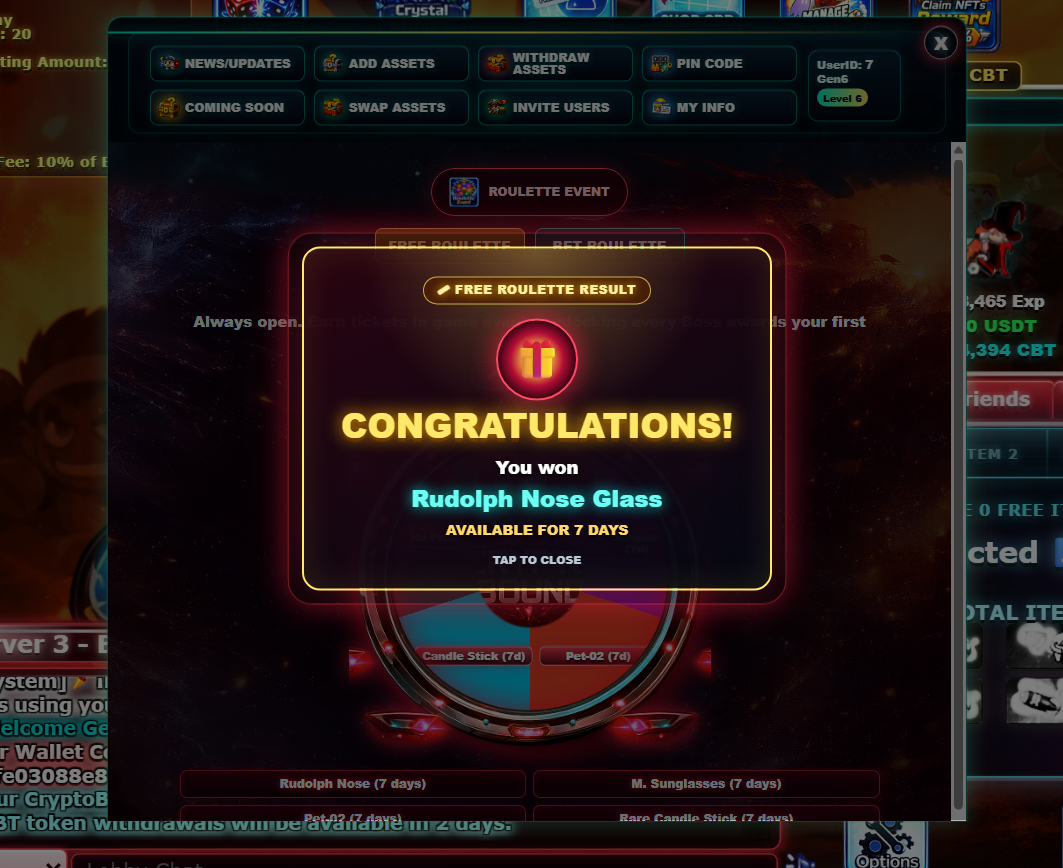
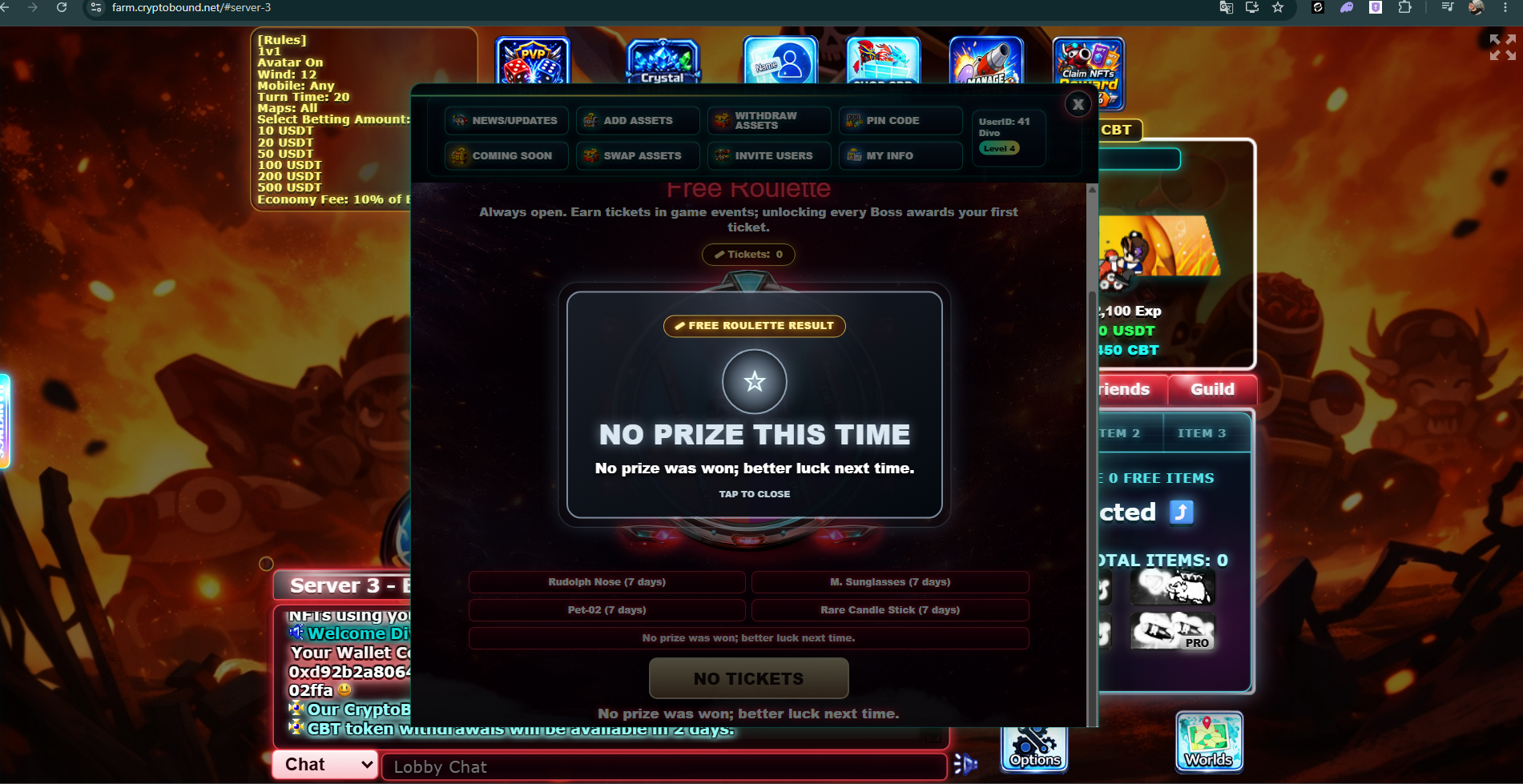
The Free Roulette does not award CBT, USDT, NFTs or GP, so player level and economic balances still have to be earned through their corresponding game systems.
In betting rounds, players can wager USDT or CBT against other players. Each round creates a shared pool, commits a server-seed hash before resolution and reveals the seed after completion so the result can be verified. The winning player receives 95% of the total pool.
The remaining 5% is the Roulette server fee. This fee helps support the game economy and keeps the event sustainable over time.
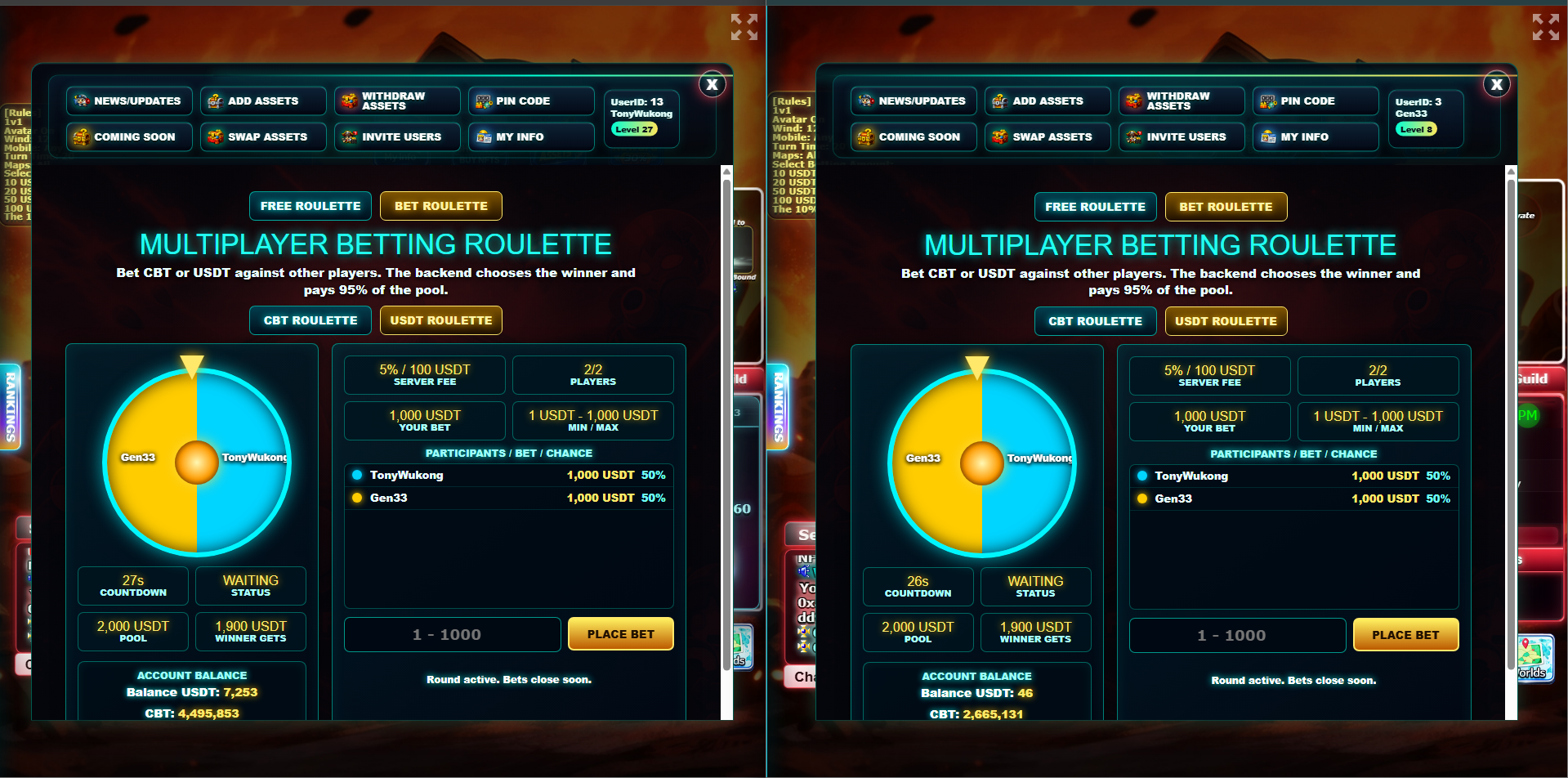
Each player's chance depends on how much they wager compared with the total pool. If two players wager the same amount, both players have the same chance to win.
Example: if Player A bets 1,000 USDT and Player B bets 1,000 USDT, the total pool is 2,000 USDT. Each player has a 50% chance. The server fee is 5%, which is 100 USDT, so the winner receives 1,900 USDT.
Another example: if Player A bets 750 USDT and Player B bets 250 USDT, the total pool is 1,000 USDT. Player A has a 75% chance and Player B has a 25% chance. The winner receives 950 USDT after the 5% server fee.
When a round is active, players can join before the countdown ends, up to a maximum of 5 total players in that USDT or CBT round. Each round is separated by its own Round ID, so players can watch one round while another group joins a different waiting round. Once the countdown finishes, the roulette enters Spinning status, betting is locked for that round, and no more wagers can be added to it. New bettors can still place a bet to create a fresh round while the previous round is spinning, so other players can join the new pool. To protect server performance, each currency can have up to 5 active Roulette rounds at the same time; when a round finishes, another one can be created.
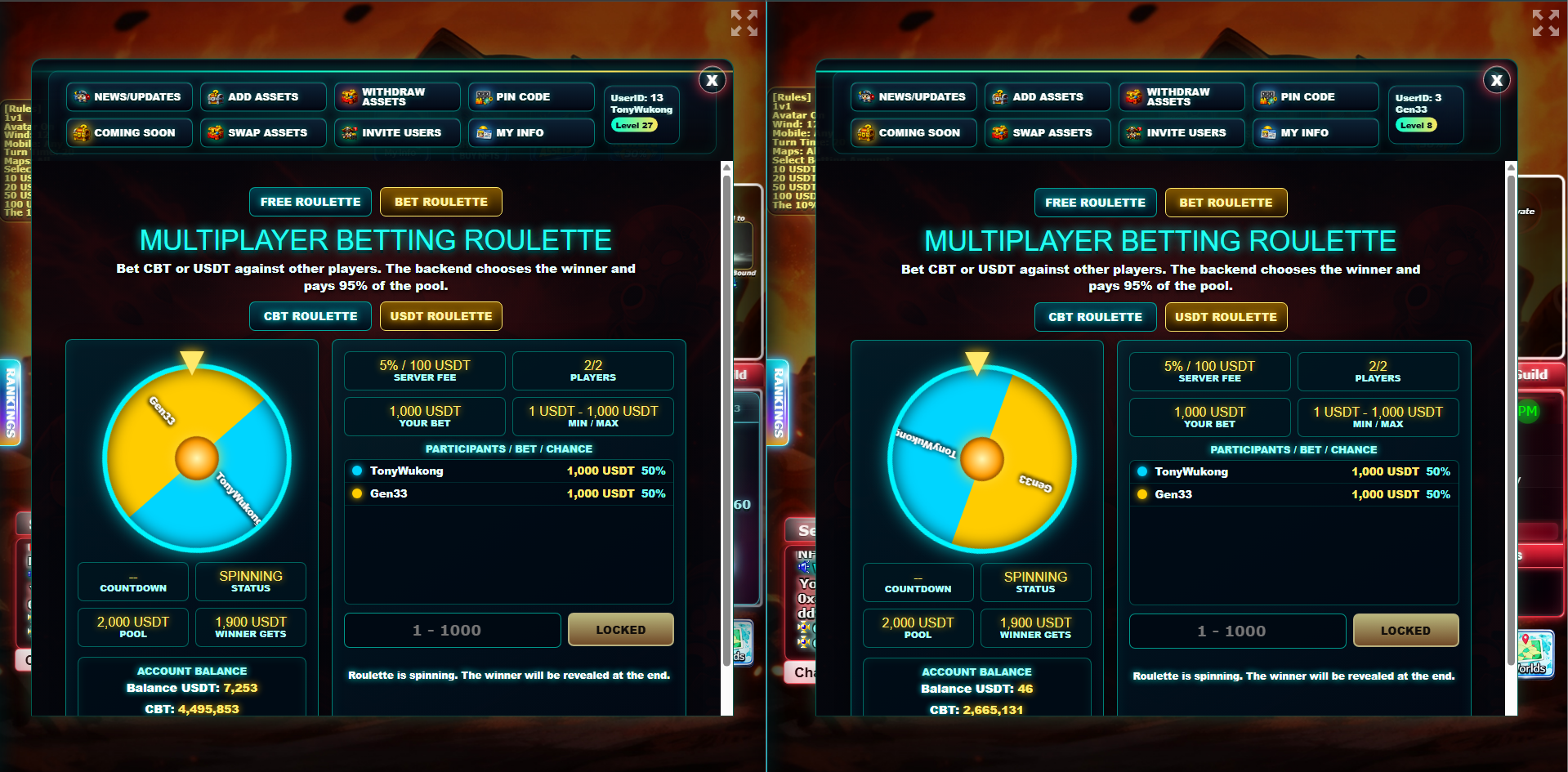
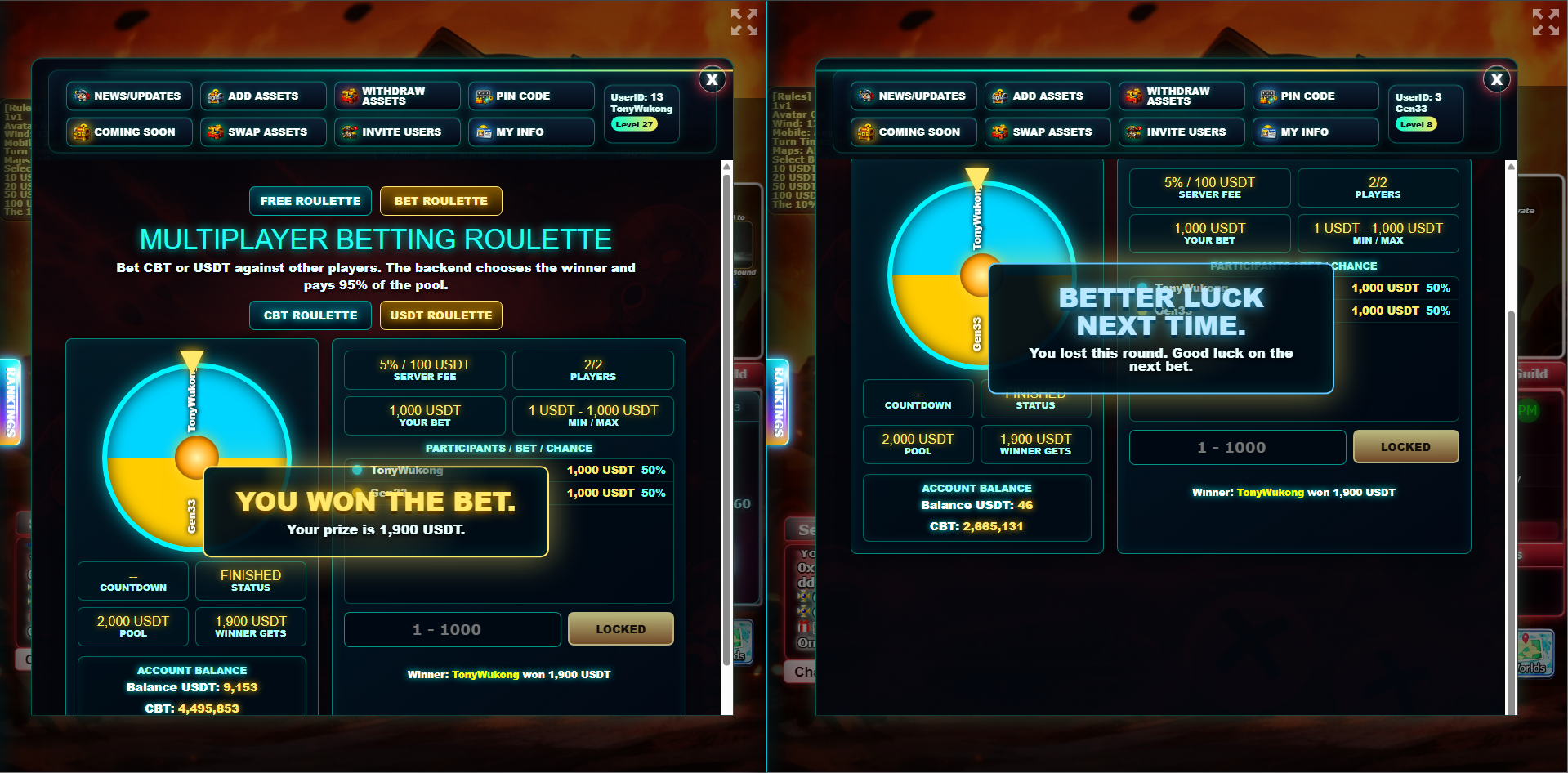
After the spin finishes, the system shows the result to each participant. Winners see their prize amount, while losing players receive a loss message with the winner's name.
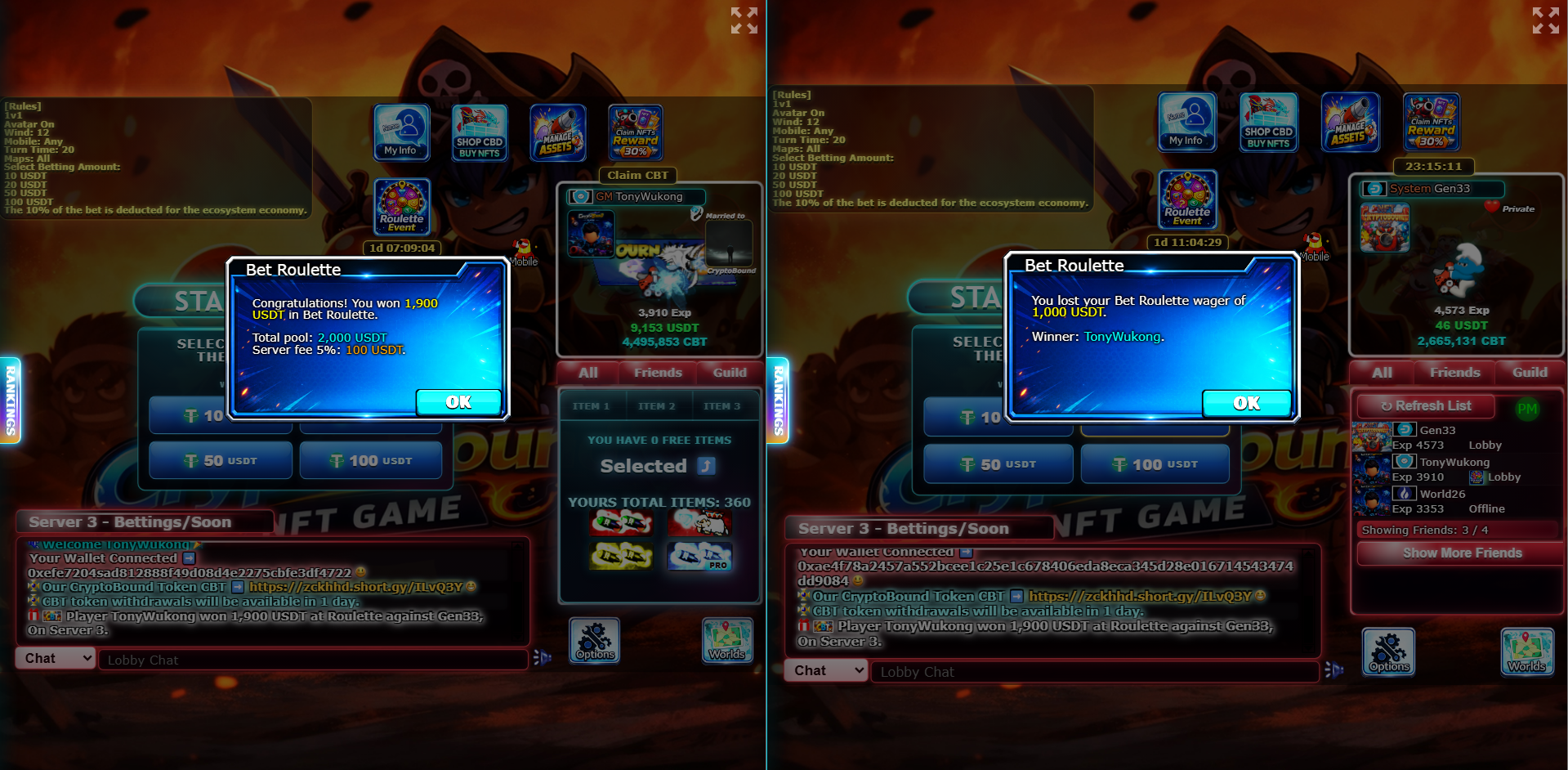
Every completed betting round creates a global announcement in the lobby chat of all servers. This lets the community see who won, the amount won, the currency, and the losing player names.
Example announcement: Player TonyWukong won 1,900 USDT at Roulette against Gen33, On Server 3.
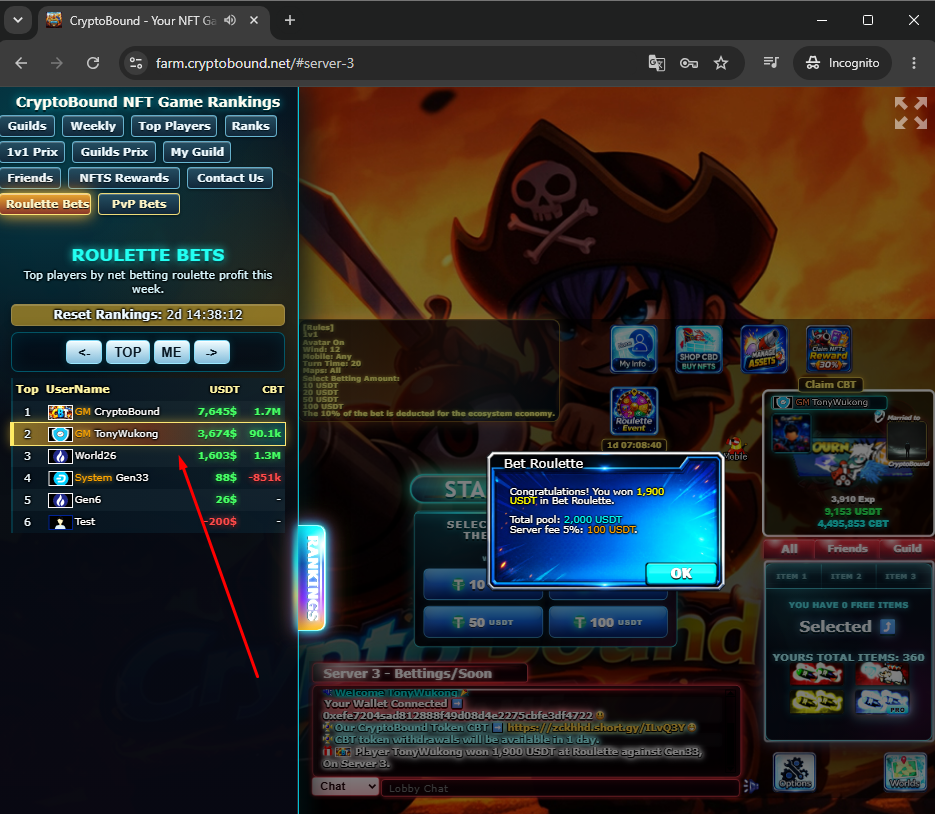
The Roulette Bets ranking tracks the top players by net betting profit. Players can compare weekly results and see who is winning the most through the Roulette Event.
Crystal Mines is a CBT betting minigame inside Server 3. It is inspired by mines-style gameplay, but adapted to CryptoBound with a 5x5 board, hidden server-generated mines, visible crystal reveals, result notifications, global announcements and ranking tracking.
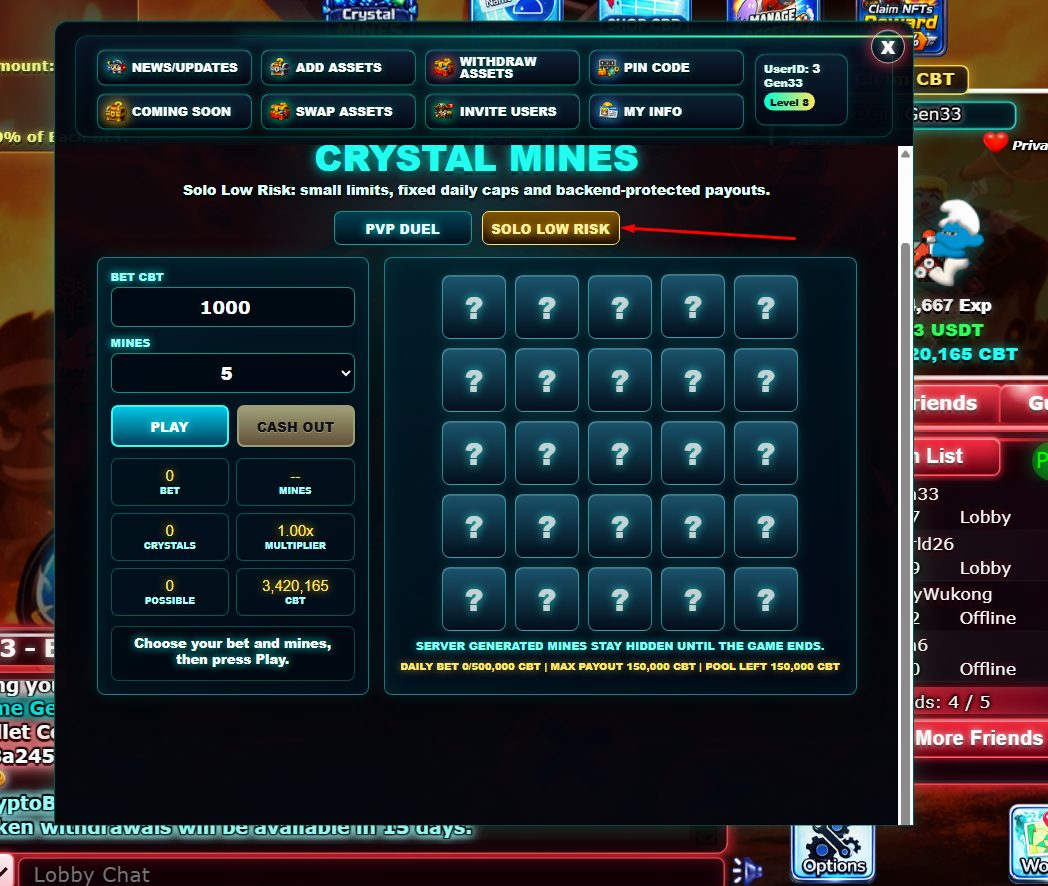
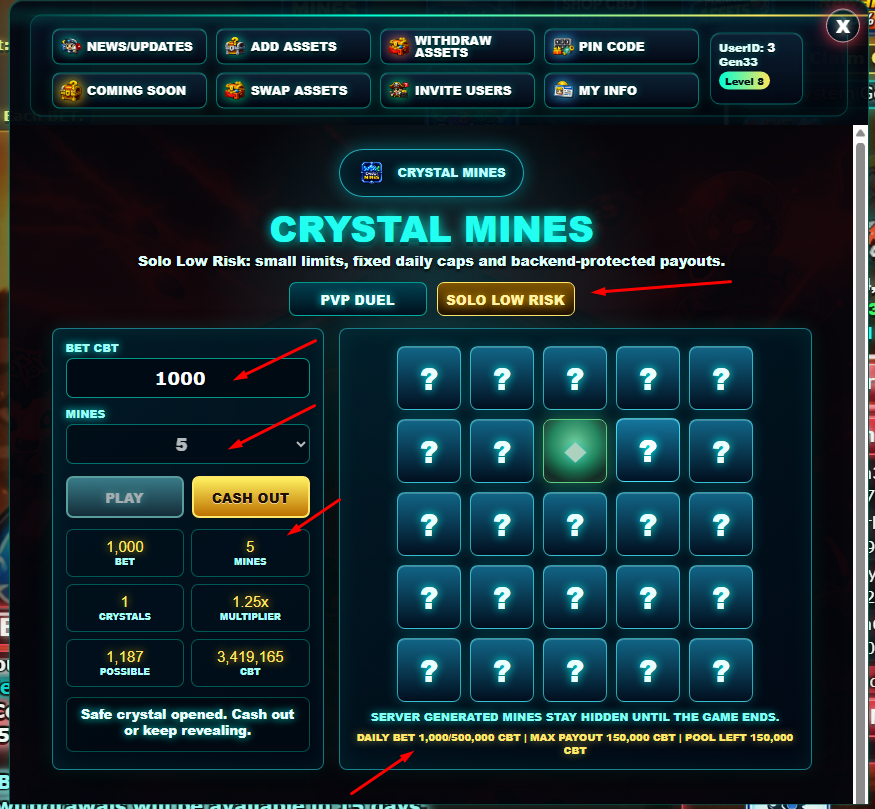
The mode is divided into two versions: PvP Duel, which is the main economy-friendly version where players compete against each other, and Solo Low Risk, a secondary low-risk version with smaller limits, fixed daily caps and backend-protected payouts.
In PvP Duel, both players fund the same pool using CBT. The project does not need to pay winners from project liquidity because the prize comes from the players' own wagered CBT, similar to the Roulette Event economy model.
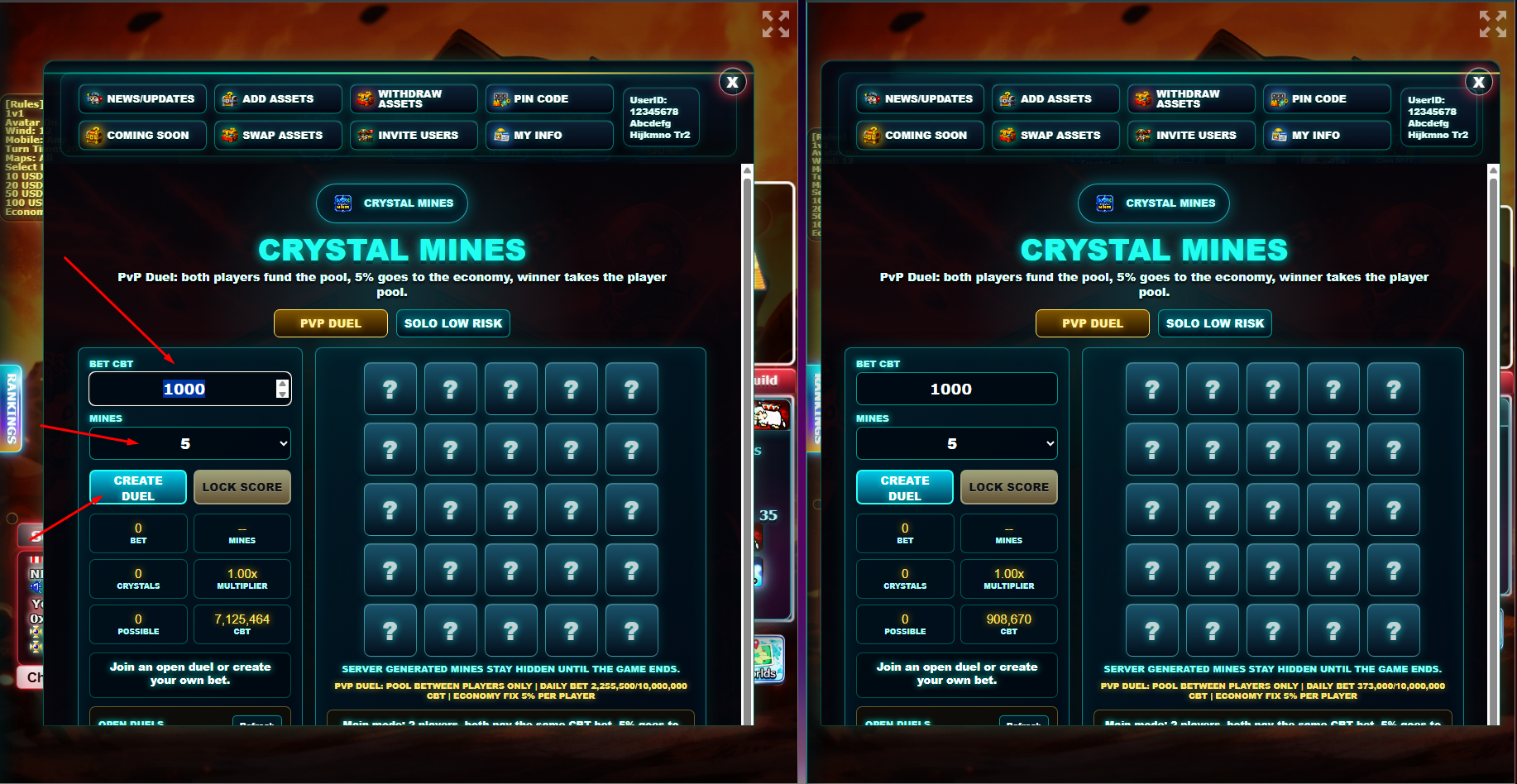
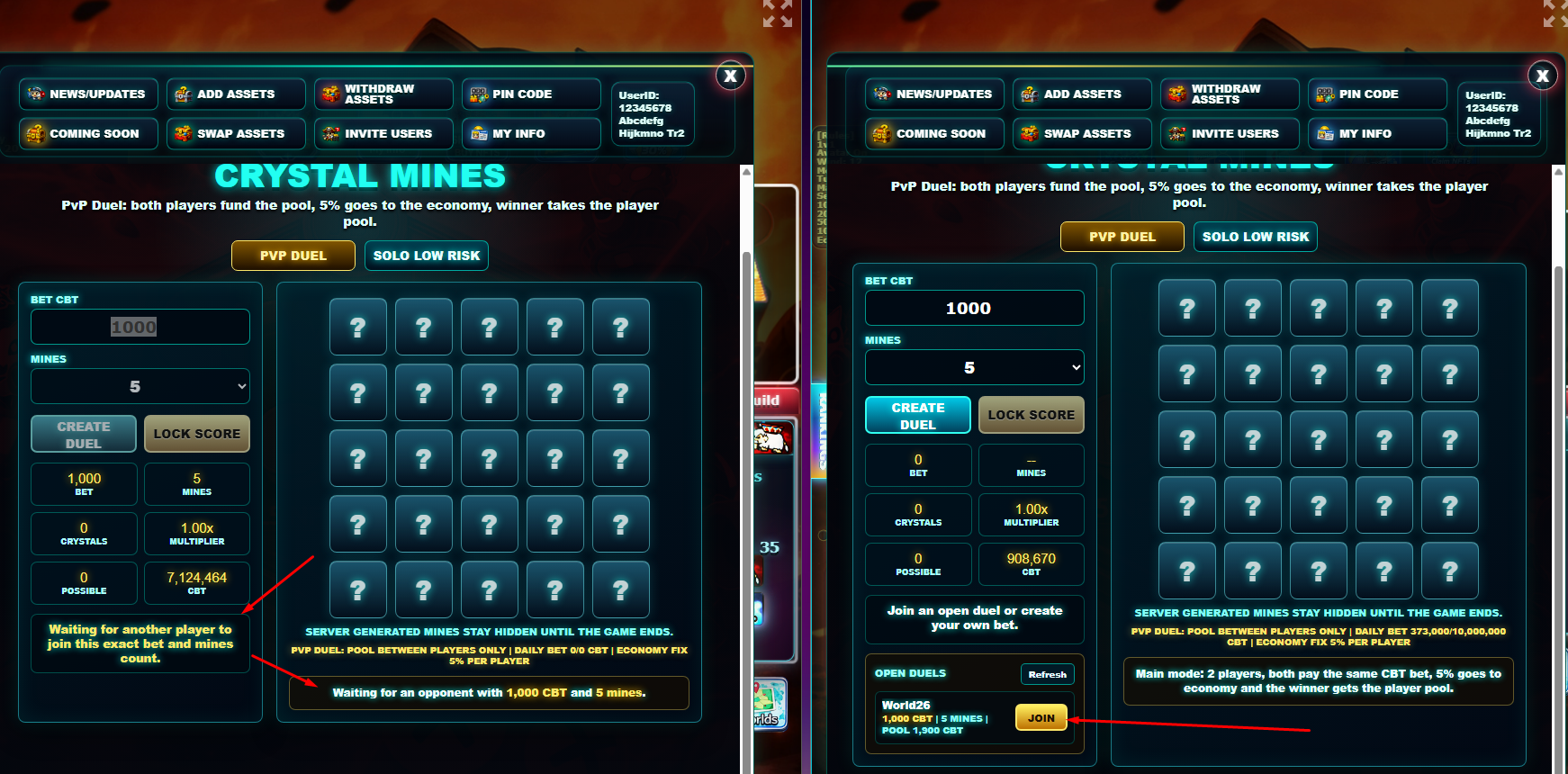
Crystal Mines PvP applies a 5% Economy FIX per player. The fee is taken from each player's bet and the remaining amount becomes the prize pool paid to the winner.
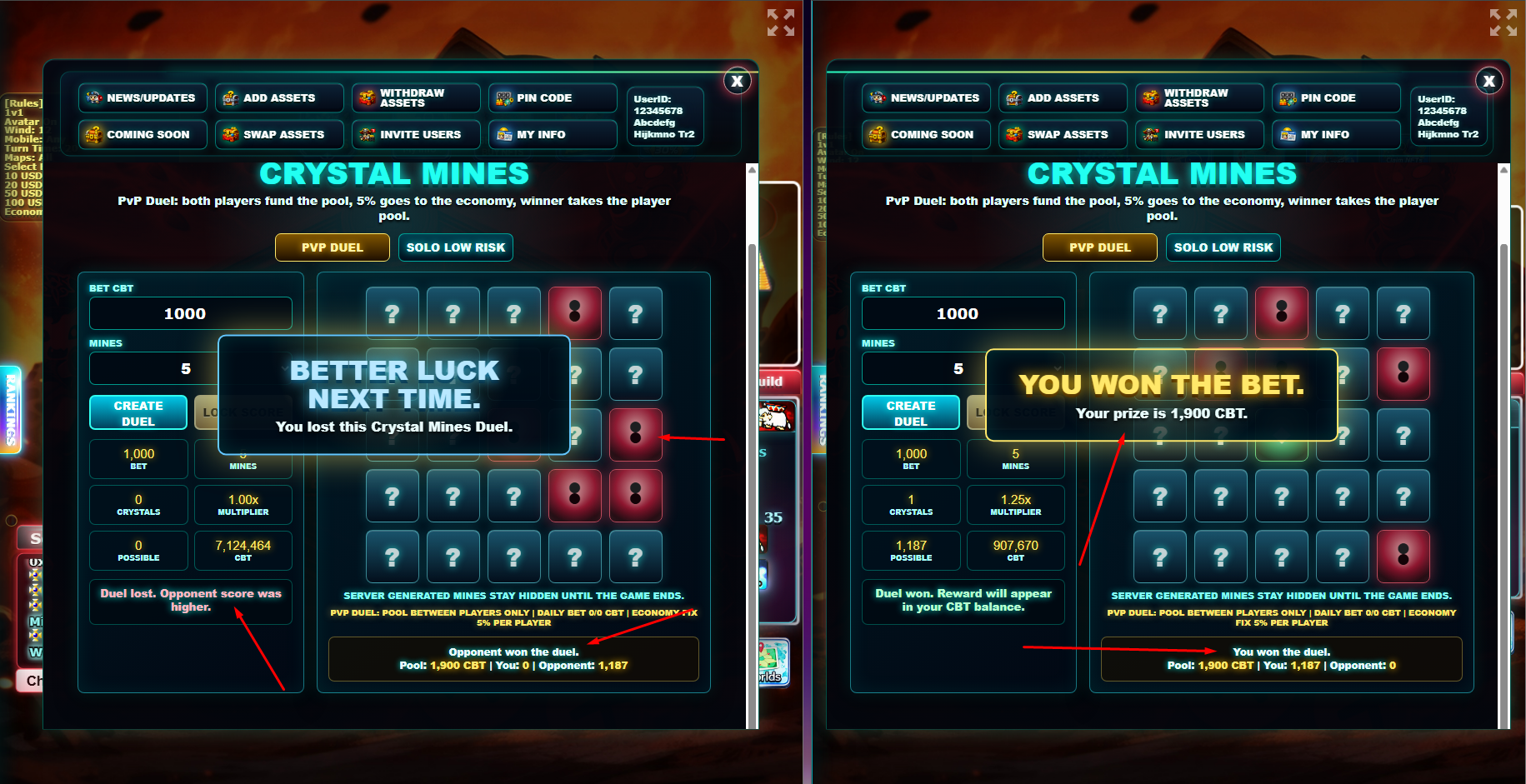
Example: Player A bets 1,000 CBT and Player B bets 1,000 CBT. Each player contributes 50 CBT to the Economy FIX. The playable base is 950 CBT from each player, creating a 1,900 CBT pool. The winner receives 1,900 CBT.
This structure keeps Crystal Mines healthier for the project economy because the main PvP prize is funded by users competing against each other, while the Economy FIX supports the CryptoBound ecosystem.
Each duel uses a 5x5 board with 25 tiles. The player selects the number of mines before starting. The backend securely generates and stores an independent set of hidden mine positions for each player, validates every tile reveal, and only exposes the mine positions after the duel has finished.
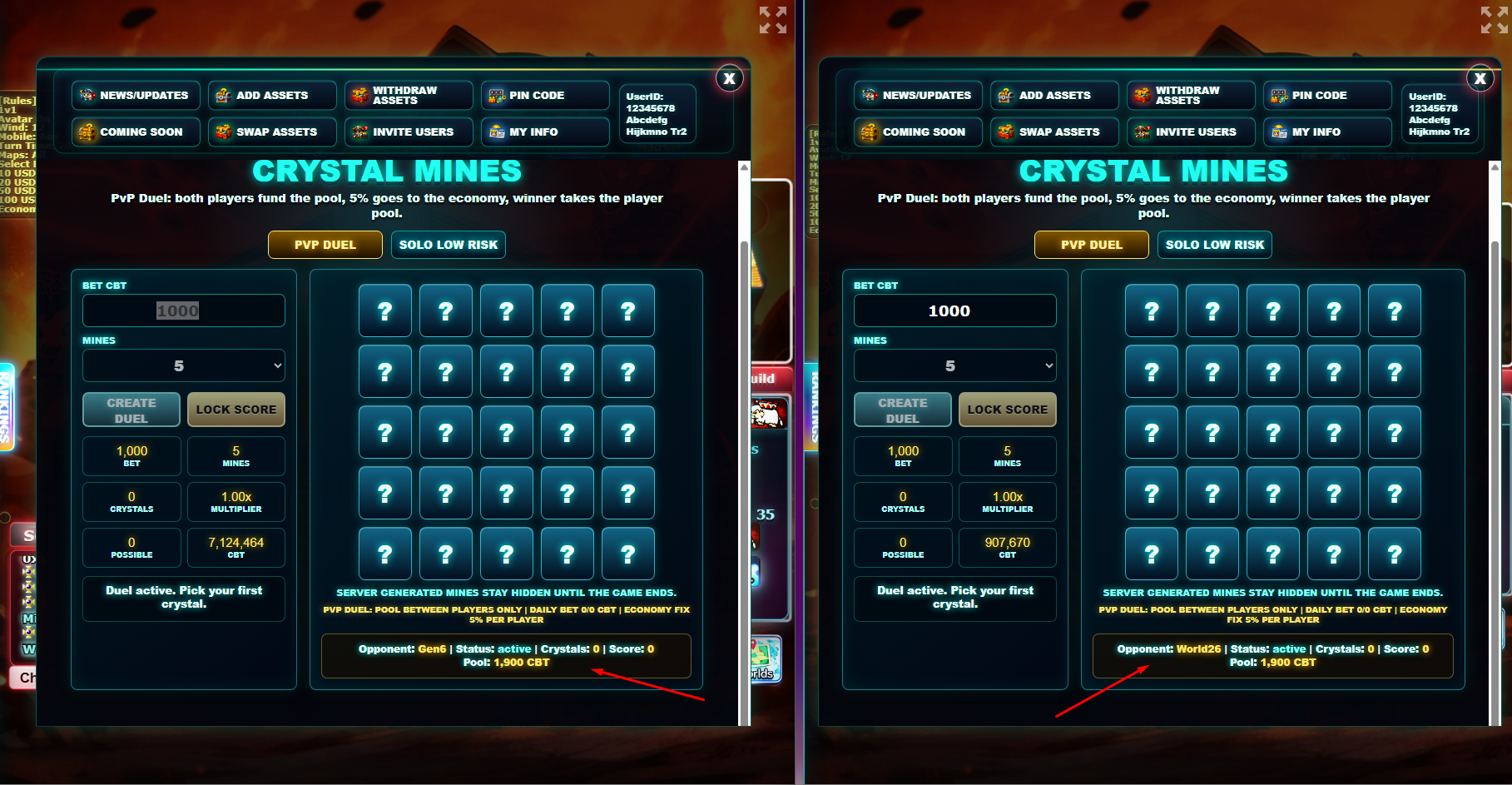
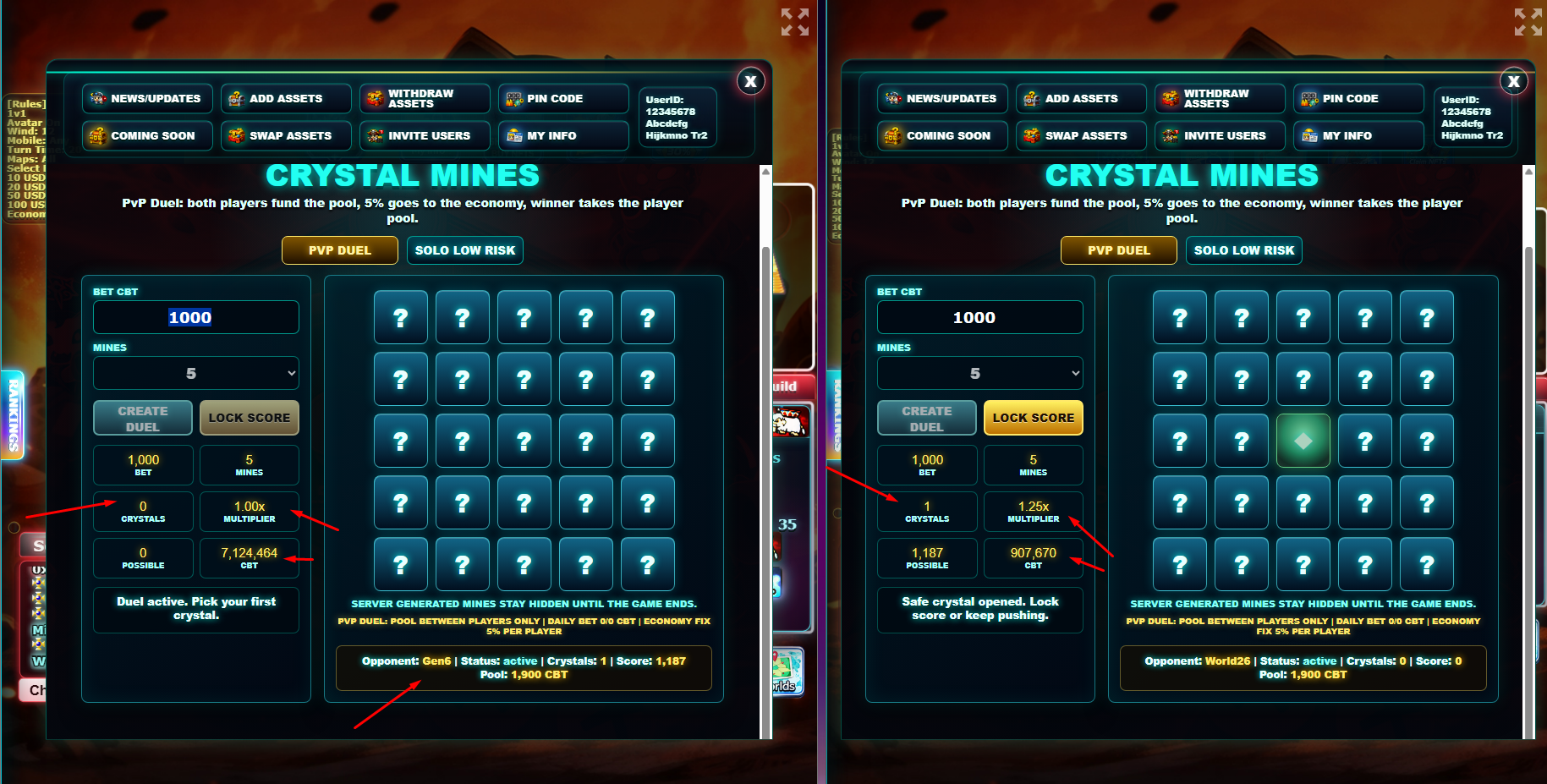
Once the second player joins, each participant receives an independent 180-second inactivity timer. Opening a valid tile resets that player's timer. The web interface displays the remaining time for both the player and the opponent so the duel cannot remain blocked indefinitely.
Example: Player A opens several safe crystals and reaches a higher score, but both players then leave the duel inactive. When both timers expire, the server locks their current scores and Player A wins. If only Player A expires while Player B remains active, Player A forfeits regardless of the score previously displayed.
Solo Low Risk is a secondary version designed for smaller solo play. Unlike PvP Duel, the player is not competing against another player; the user plays against the system with strict risk controls.
This mode uses small limits, fixed daily caps, max payout limits and backend-protected payouts. Those protections are important because solo mode can create direct payout exposure for the project if it is not controlled.
When the duel ends, the web interface shows clear WIN and LOSE result overlays. Inside the game client, both players also receive a notification modal showing the opponent, score, bet, pool and Economy FIX.
For winners, the CBT payout is reflected in the player's CBT balance after the backend completes the reward transaction. Losing players receive a clear loss message explaining that the opponent score was higher.
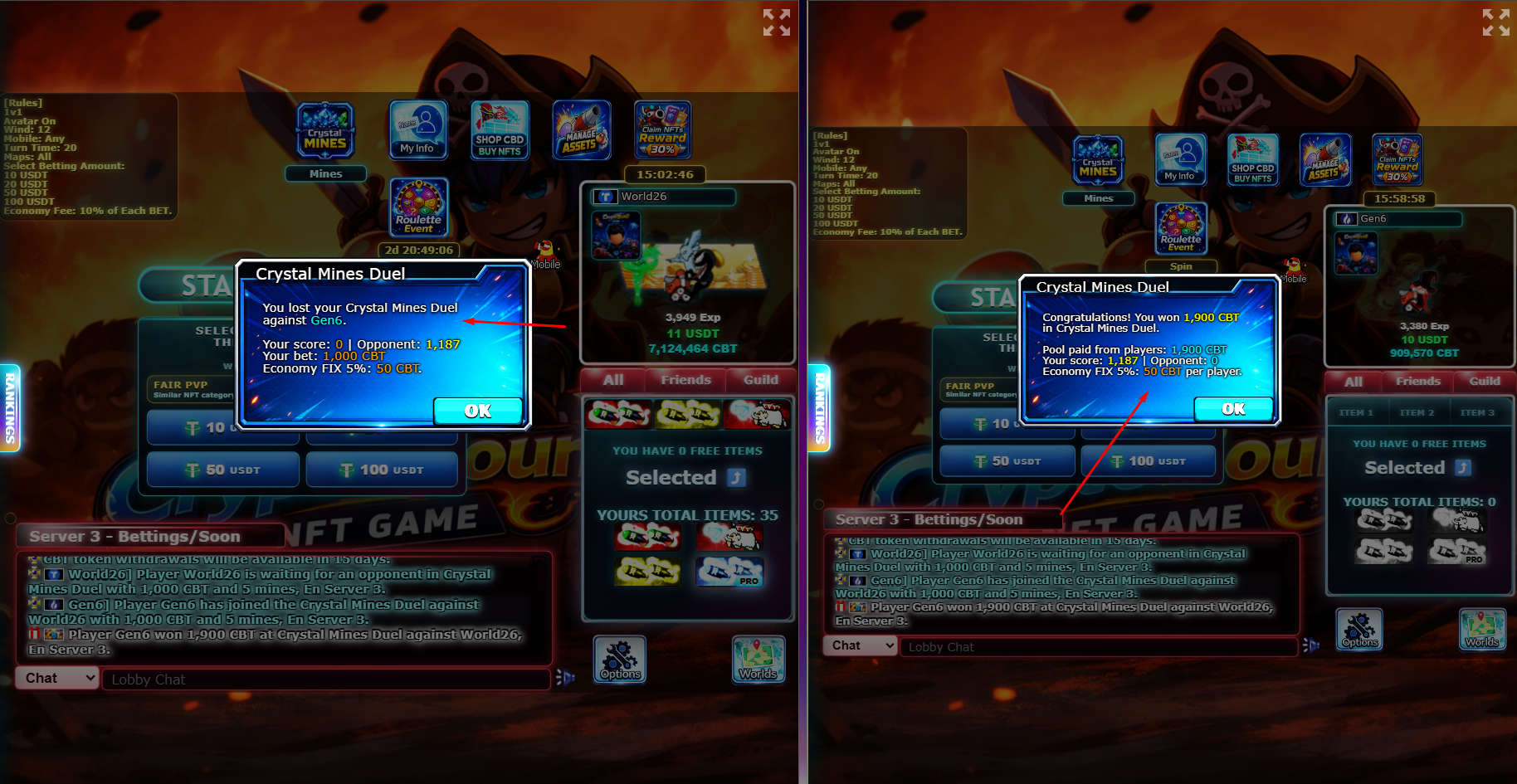
Crystal Mines sends system announcements to the global game chat so all connected players can see important PvP activity. These messages are visible beyond the Server 3 lobby, including players in rooms or active game sessions.
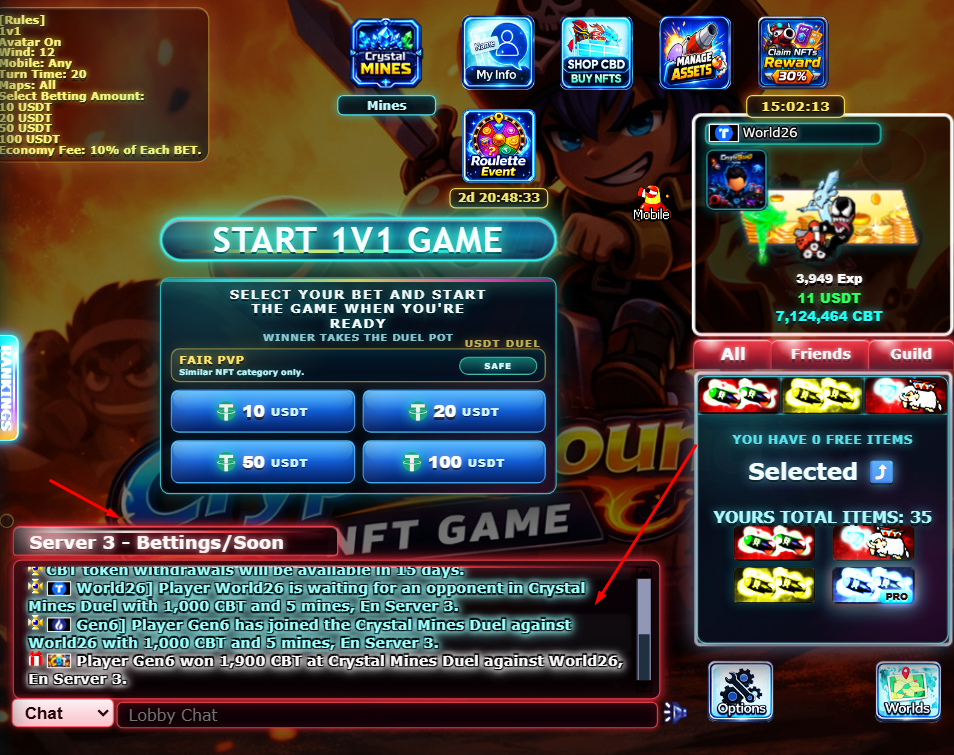
Example waiting announcement: Player World26 is waiting for an opponent in Crystal Mines Duel with 1,000 CBT and 5 mines, En Server 3.
Example joined announcement: Player Gen6 has joined the Crystal Mines Duel against World26 with 1,000 CBT and 5 mines, En Server 3.
Example winner announcement: Player Gen6 won 1,900 CBT at Crystal Mines Duel against World26, En Server 3.
When a player is inside the Crystal Mines window, the friends list can display the Crystal Mines icon beside that player's status. Once the player leaves the Crystal Mines session and the list refreshes, the icon is hidden again.
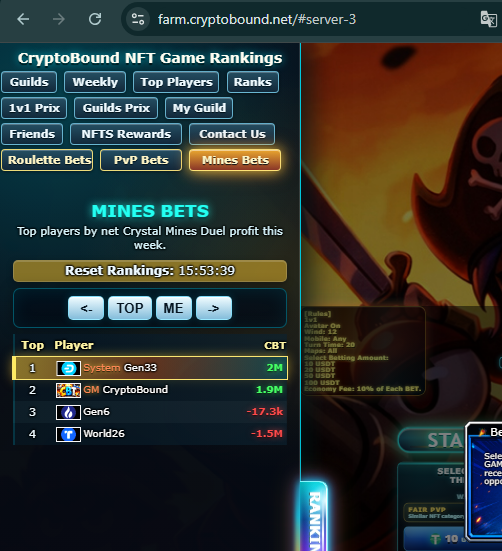
The Mines Bets ranking tracks net Crystal Mines PvP performance in CBT. Winners move up by the amount won, while losing players move down by the amount lost. Because Crystal Mines uses CBT only, this ranking focuses on CBT profit instead of USDT.
The ranking helps players compare weekly betting performance, just like the Roulette Bets and PvP Bets ranking pages.

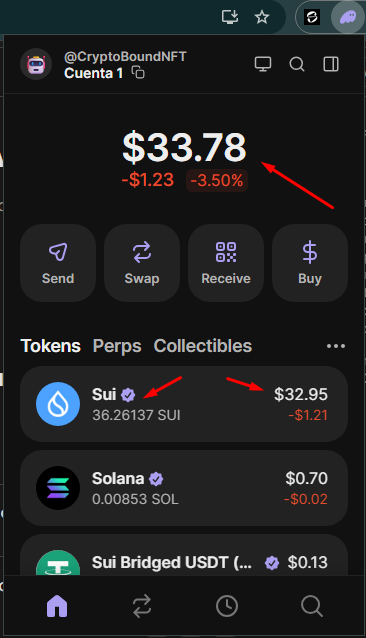
0x375f70cf2ae4c00bf37117d0c85a2c71545e6ee05c4a5c7d282cd66a4504b068::usdt::USDT
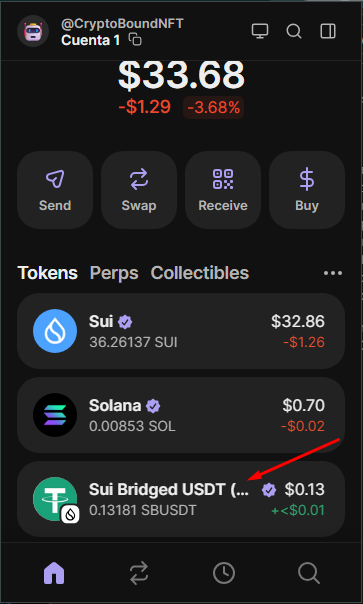
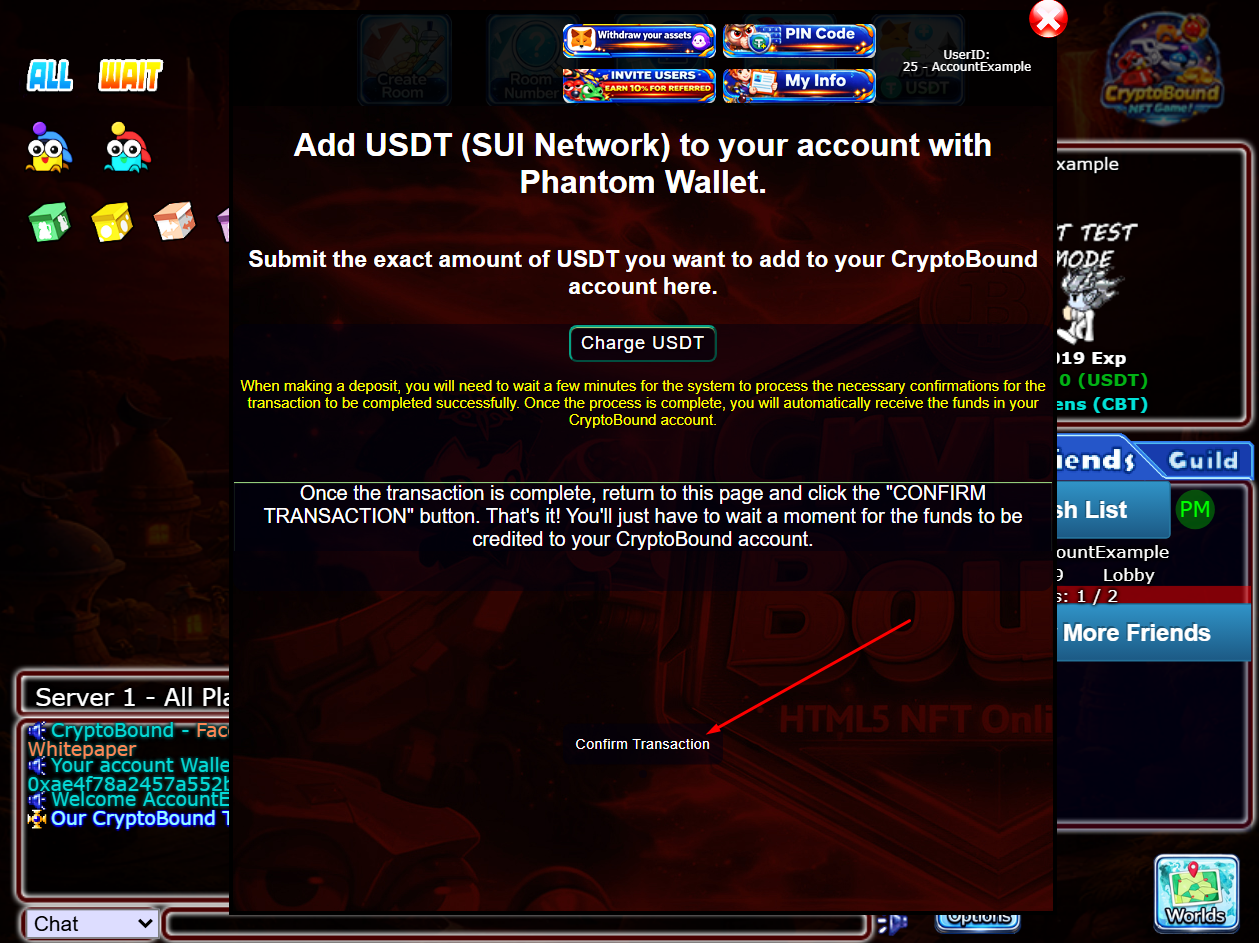
Now that we have the USDT ready in Slush and some SUI to cover the transaction, we're ready to log into the game and top up our account.
Android and iPhone: press Open in Slush App when prompted. CryptoBound uses the official Slush universal link to open this same authorized recharge inside the native wallet. Confirm that the account and full address shown by CryptoBound match the account holding your USDT before approving.
Desktop: CryptoBound uses the installed Slush browser extension and does not silently connect to a separate Slush web-wallet account.
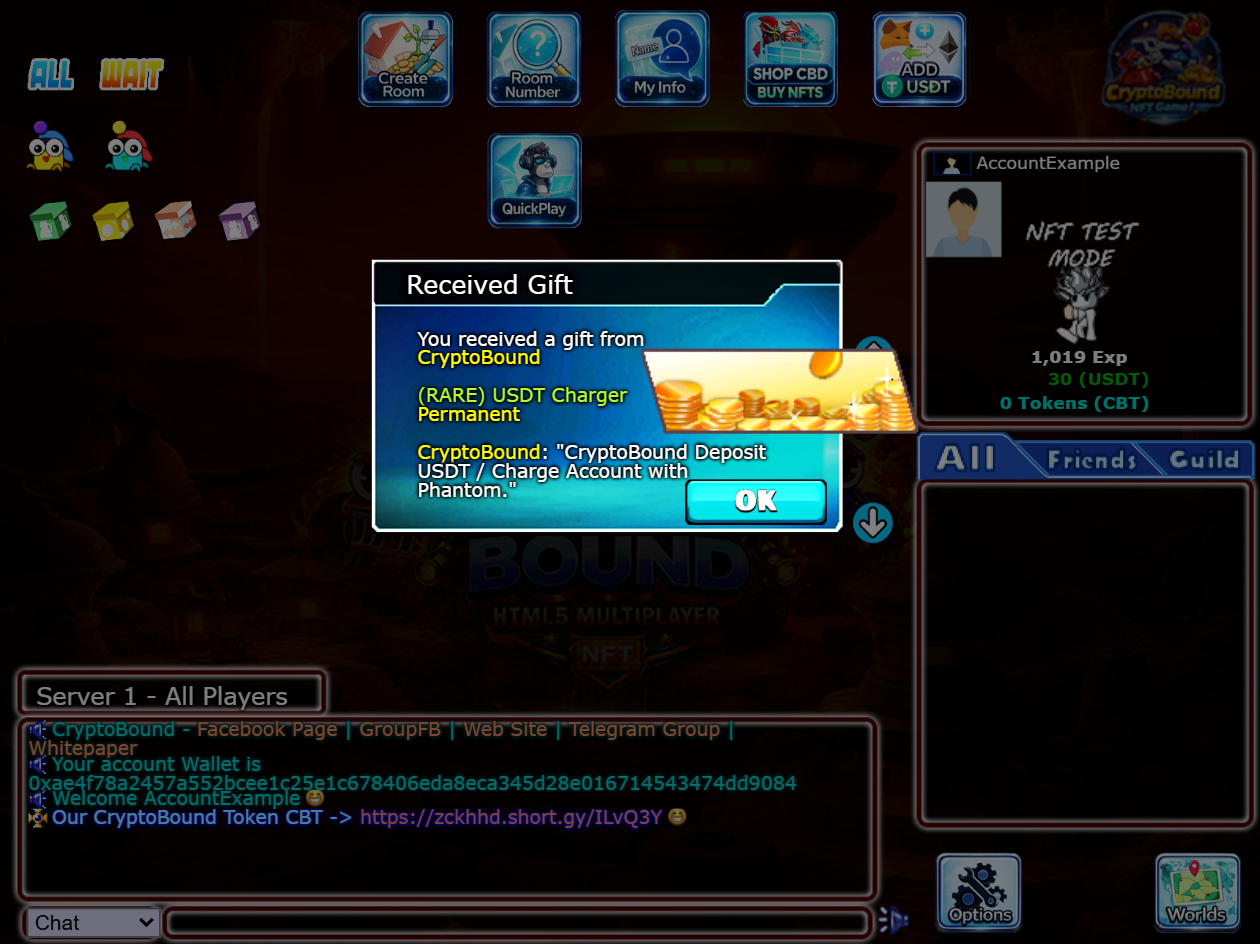
We log into our account, enter any server and press the "Add USDT" button.
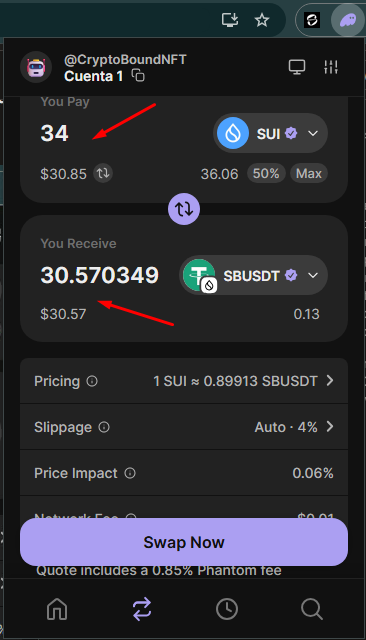
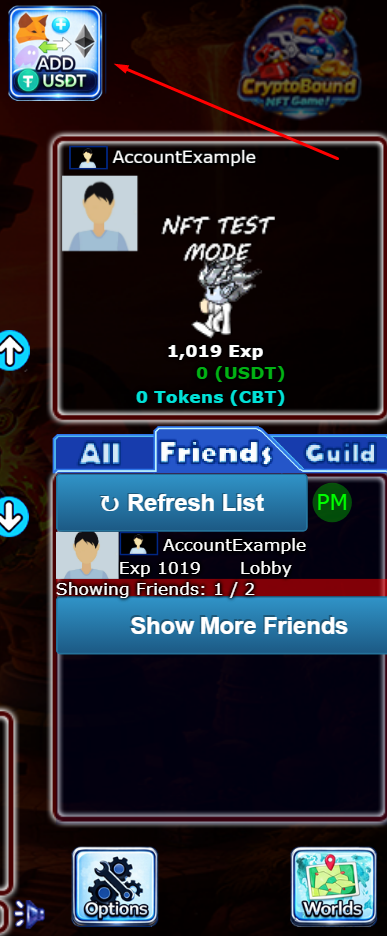
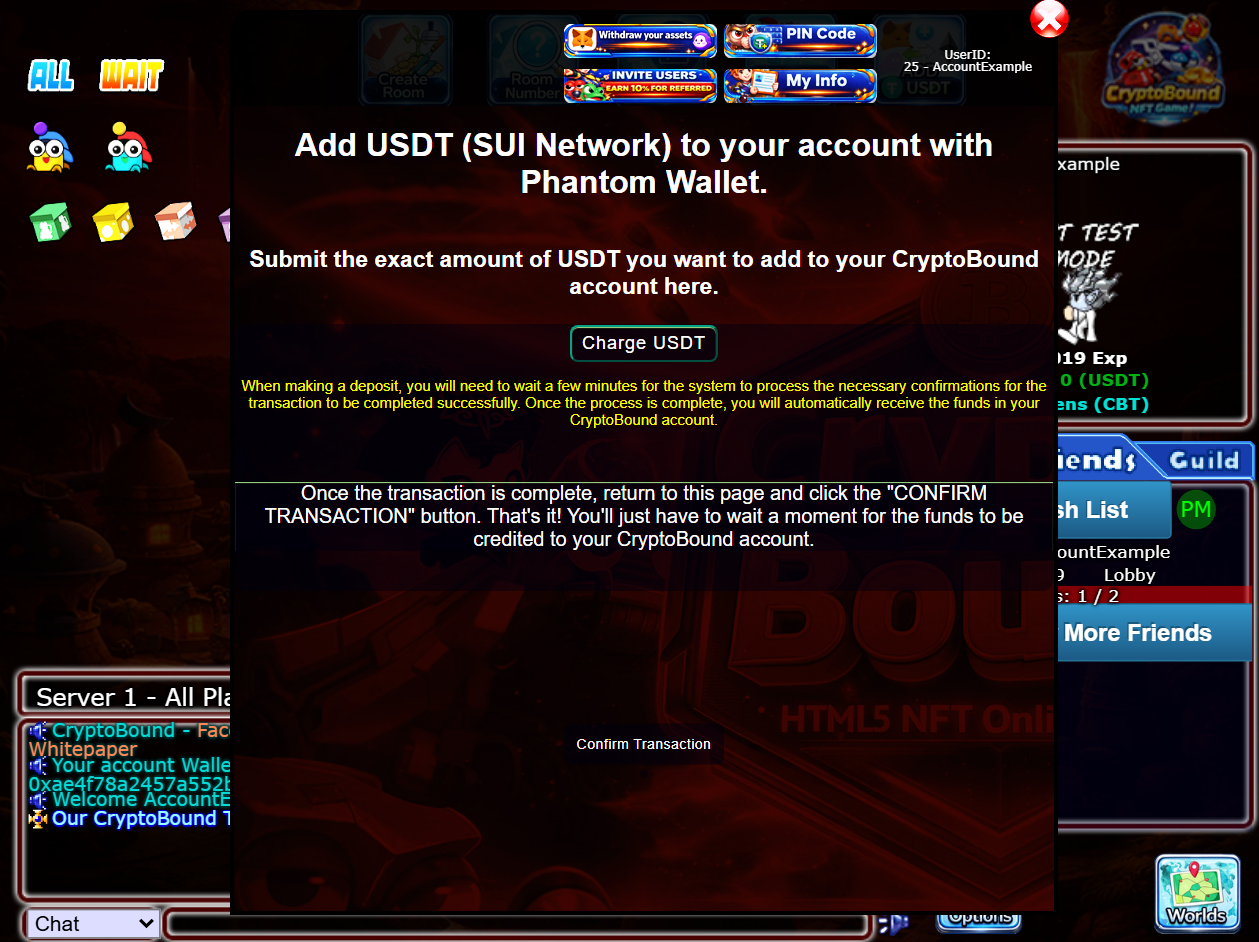
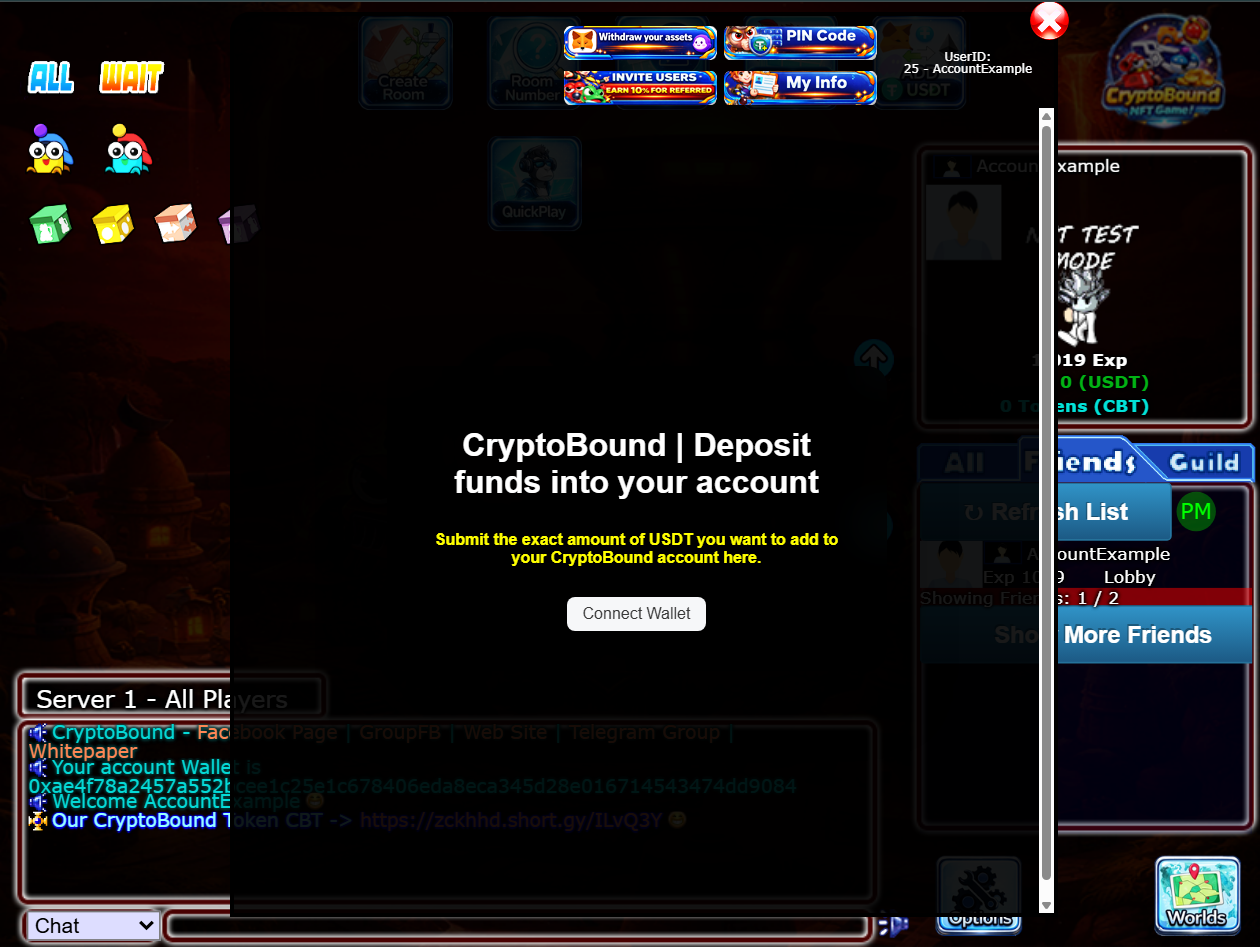
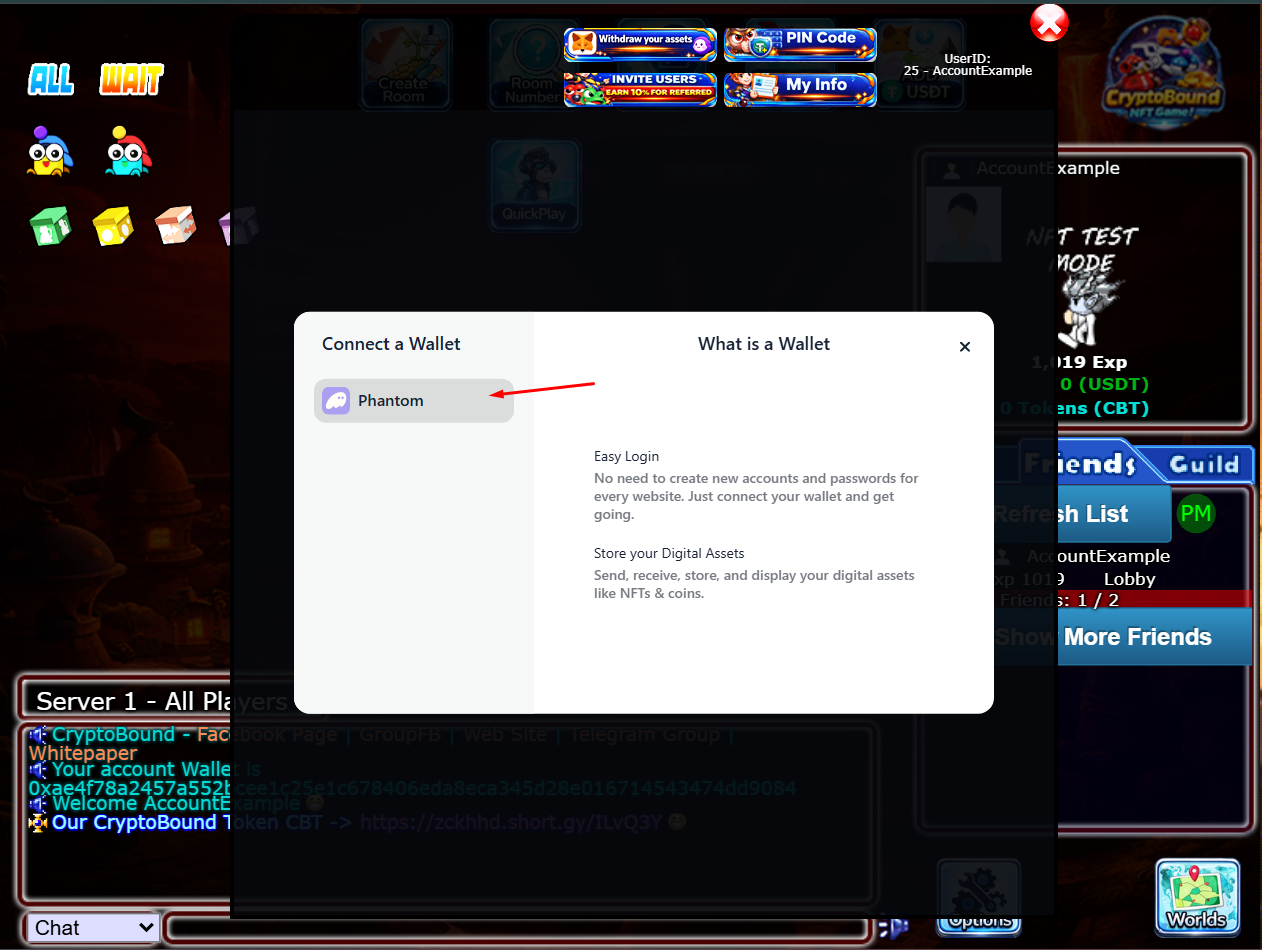
CONFIRM AMOUNT AND PROCCESS
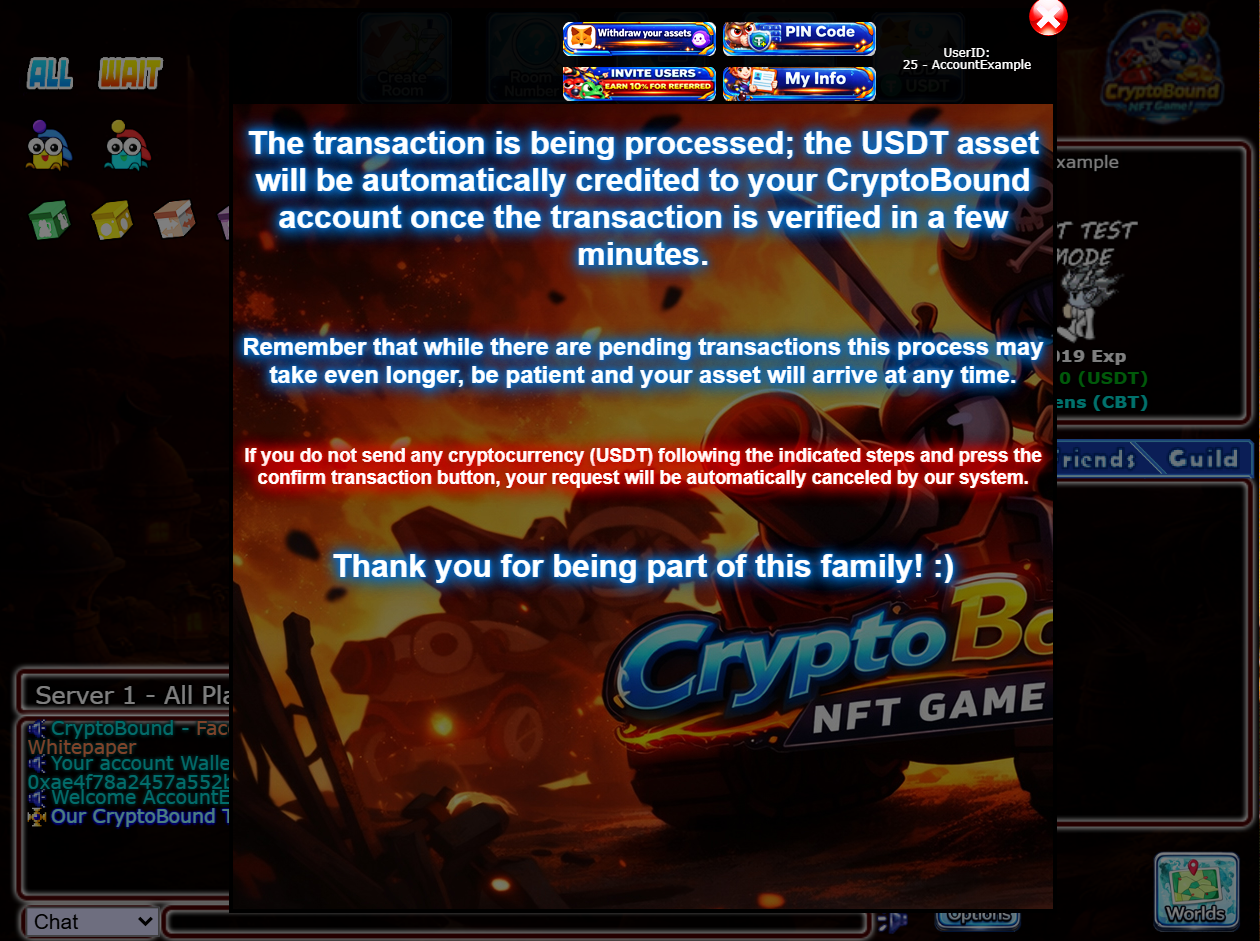
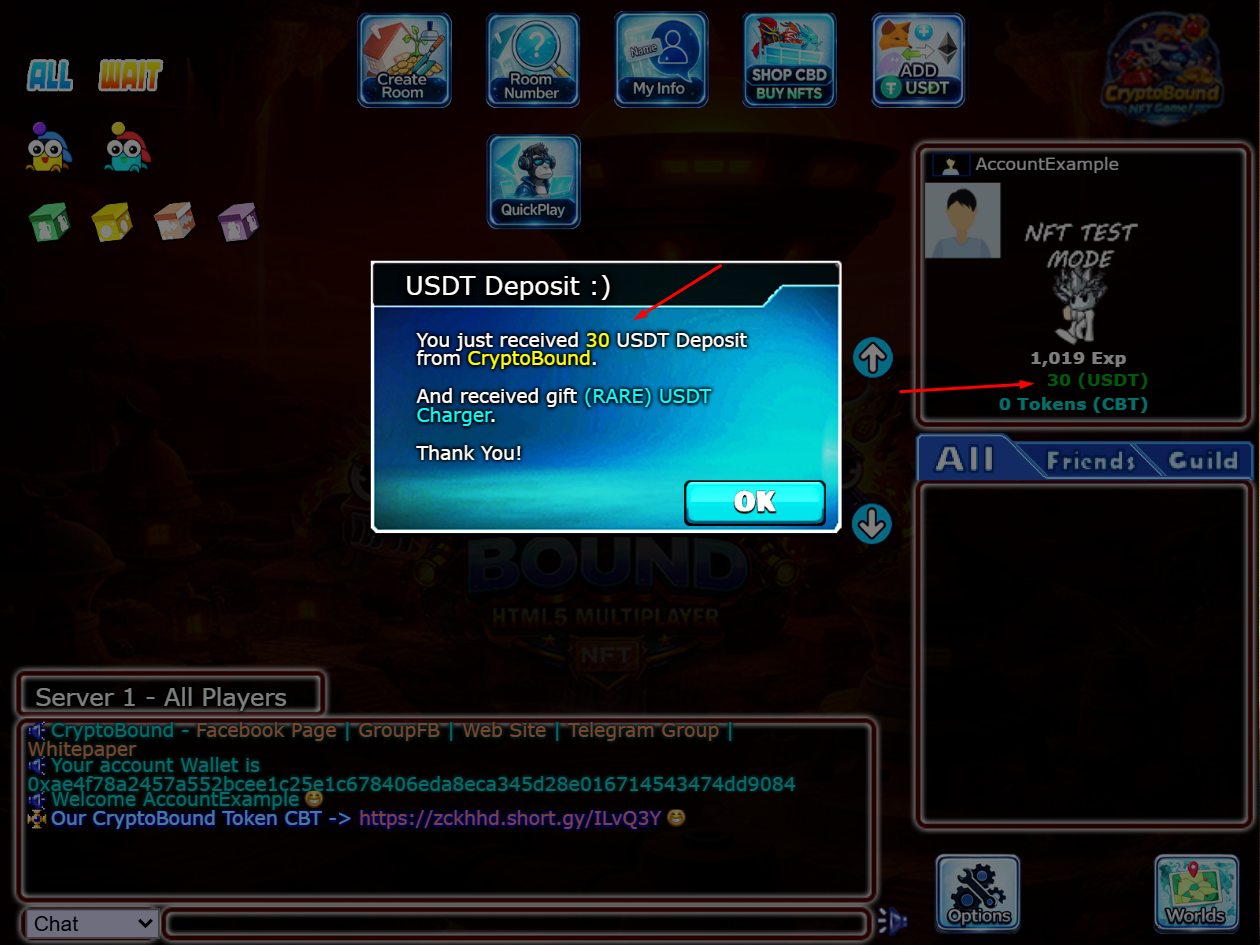
More informatión here
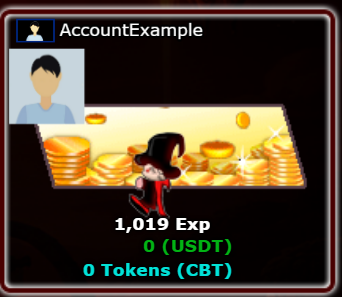

Enter the official game LINK, which you can find on our website https://cryptobound.net in the "PLAY NOW" section, Anyway, below you'll see the direct link to the GAME.

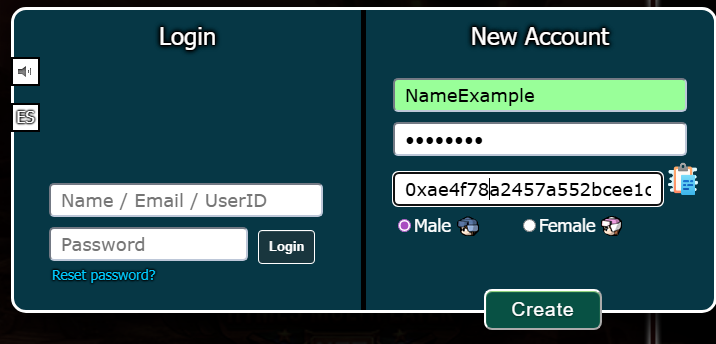
In the following fields you must enter the following information:
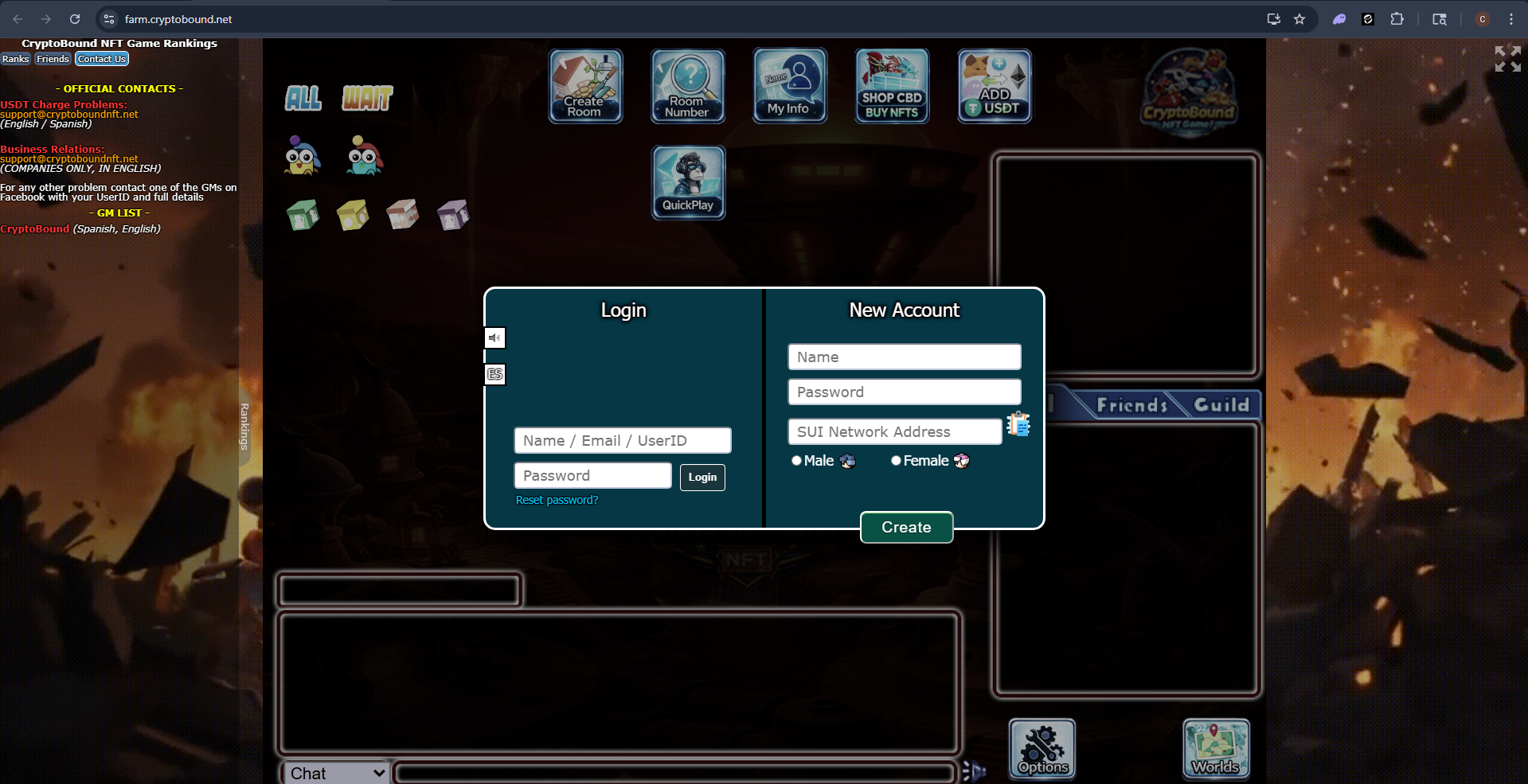
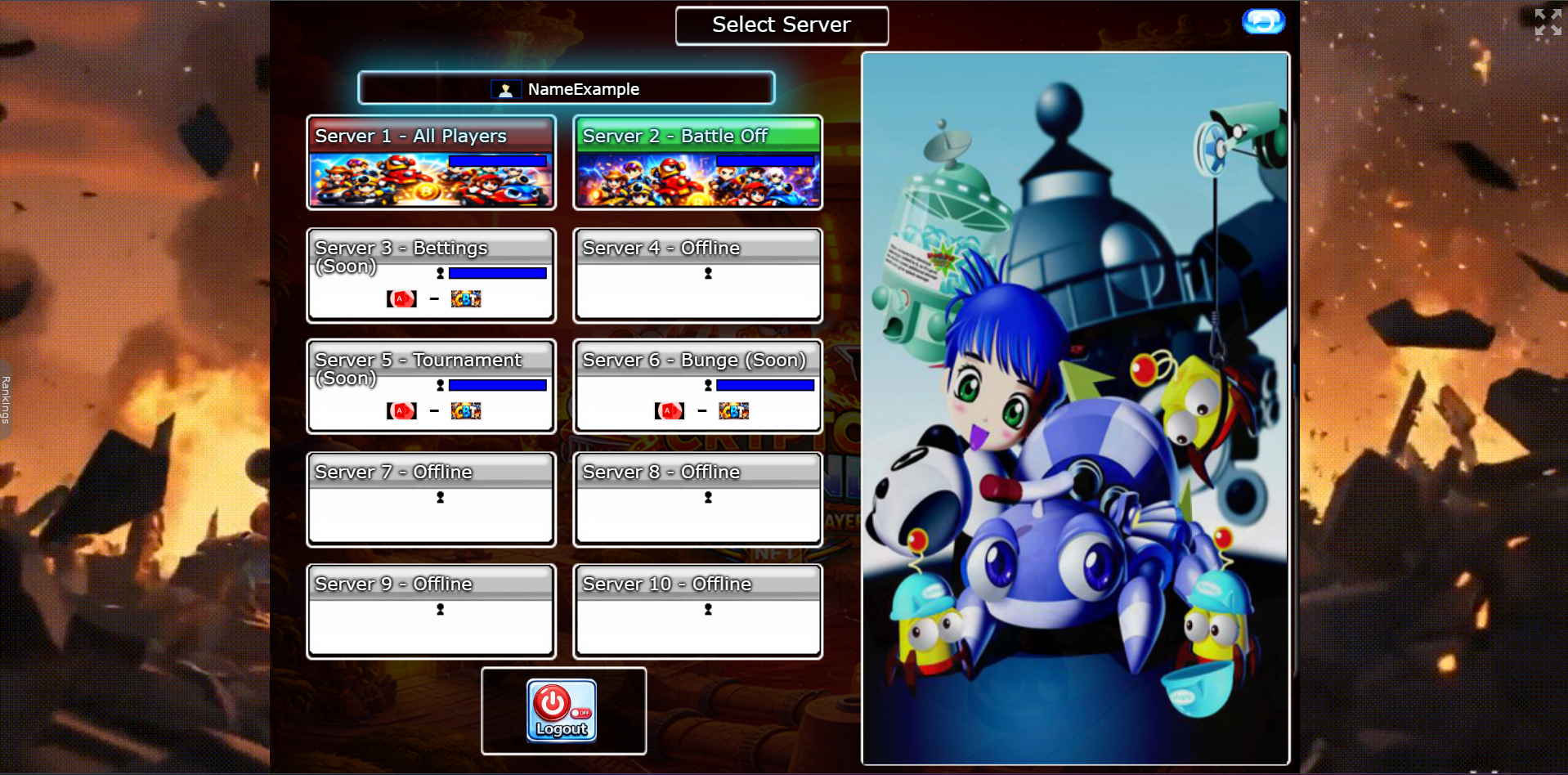
Once you have entered the required information, you can create your account by clicking the "CREATE" button.
This "All players" server is open to all users of any level. Here you can create rooms in different modes (1vs1, 2vs2, 3vs3, 4vs4). There is also a Players vs BOT mode (recommended for starting to practice gameplay and developing game strategies).
Upon entering, you will appear in a multiplayer room where you will see the game's structure and several buttons; here you will learn the function of each one.
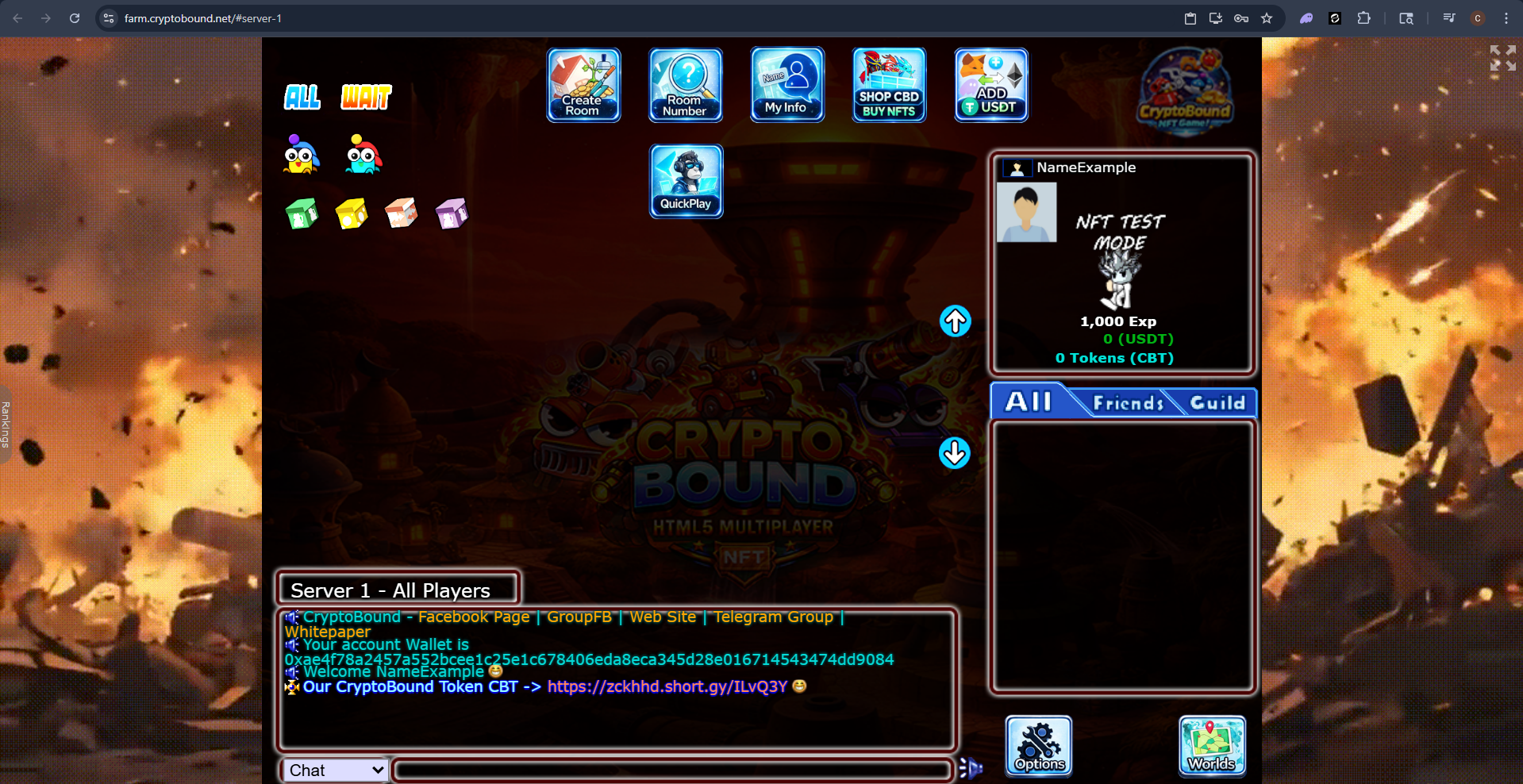
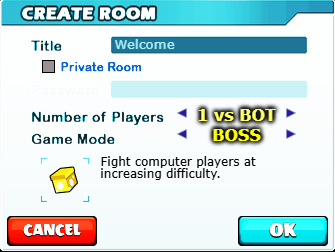
With this button you can create a room of any type so you can start a game.

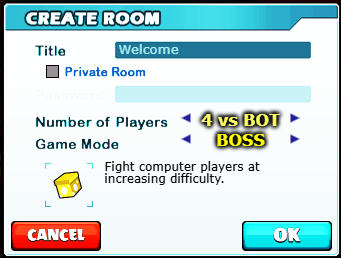
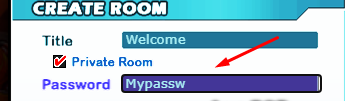
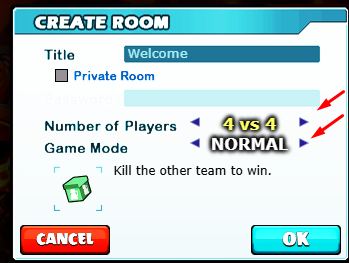
In this game mode, all players will copy the same mobile device as the room administrator; learn more about this in the SAME GAME MODE session.

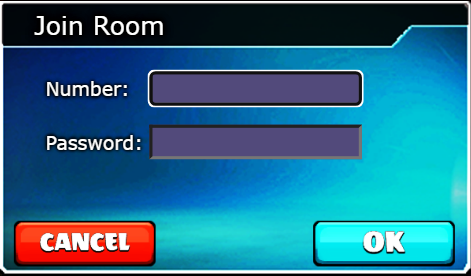

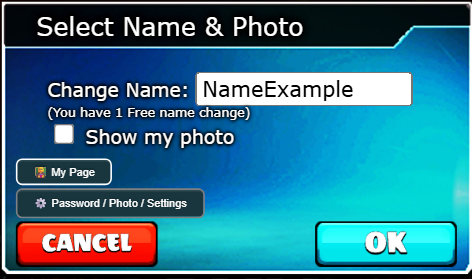
Here you can buy NTFS and features, add-ons for your NTFS, learn more in this session.


ALL BUTTON: Pressing this button will display all the rooms created.
WAIT BUTTÓN: Pressing this button will display the rooms that are waiting for users to enter.


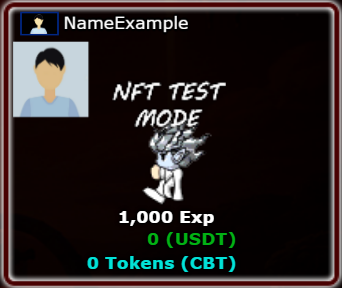
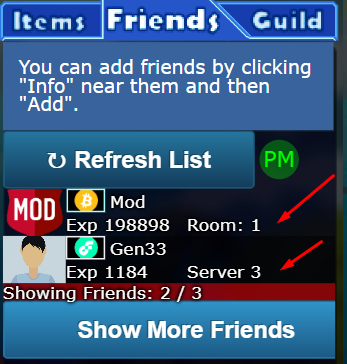
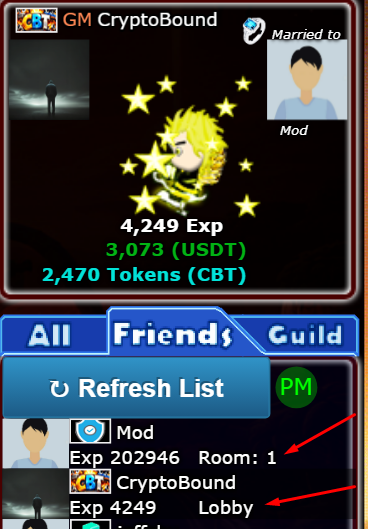
In this "Friends" section, You will be able to see your friends list; all the players you add to your friends list will appear in this section. There you can also see where your friend is located, whether in "LOBBY", "ROOM NUMBER", or "SERVER NUMBER".

More information here:
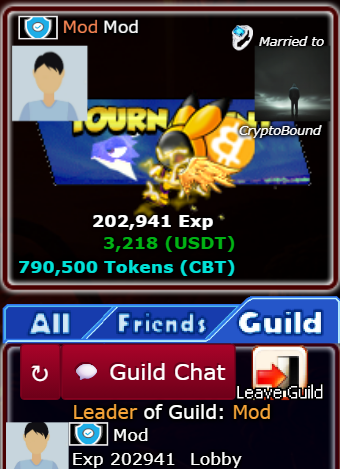
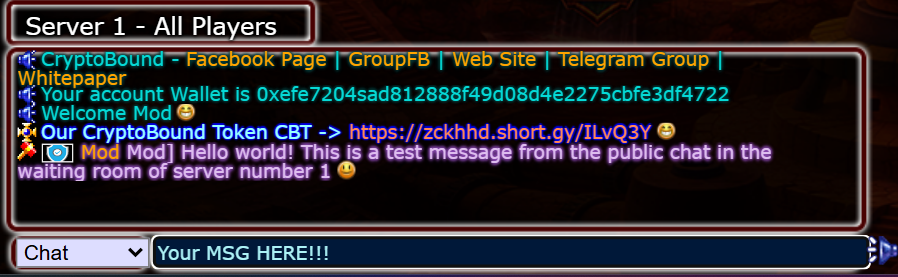
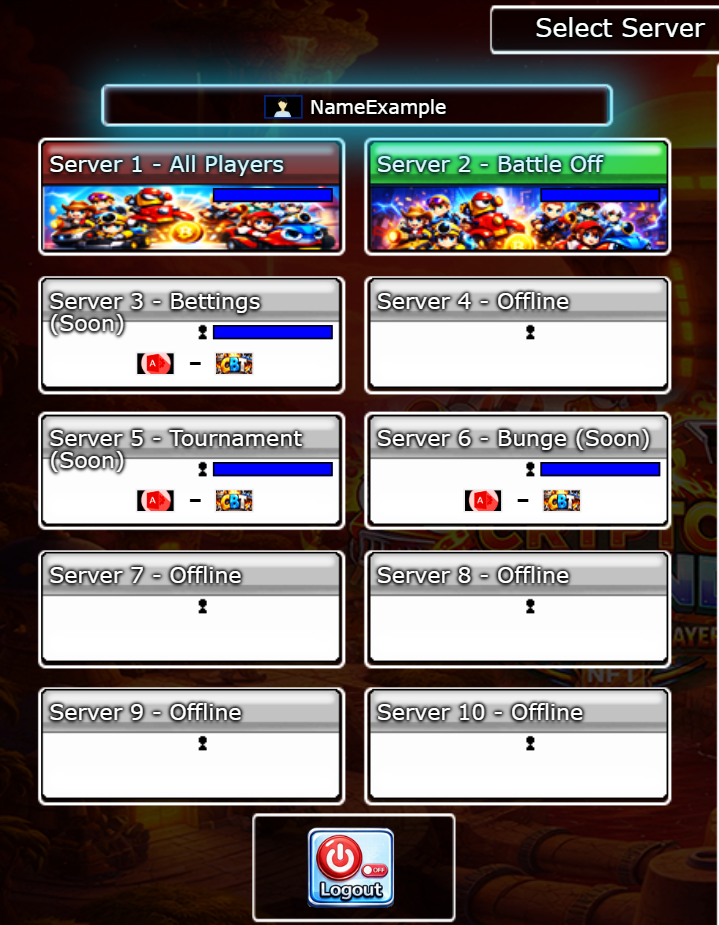
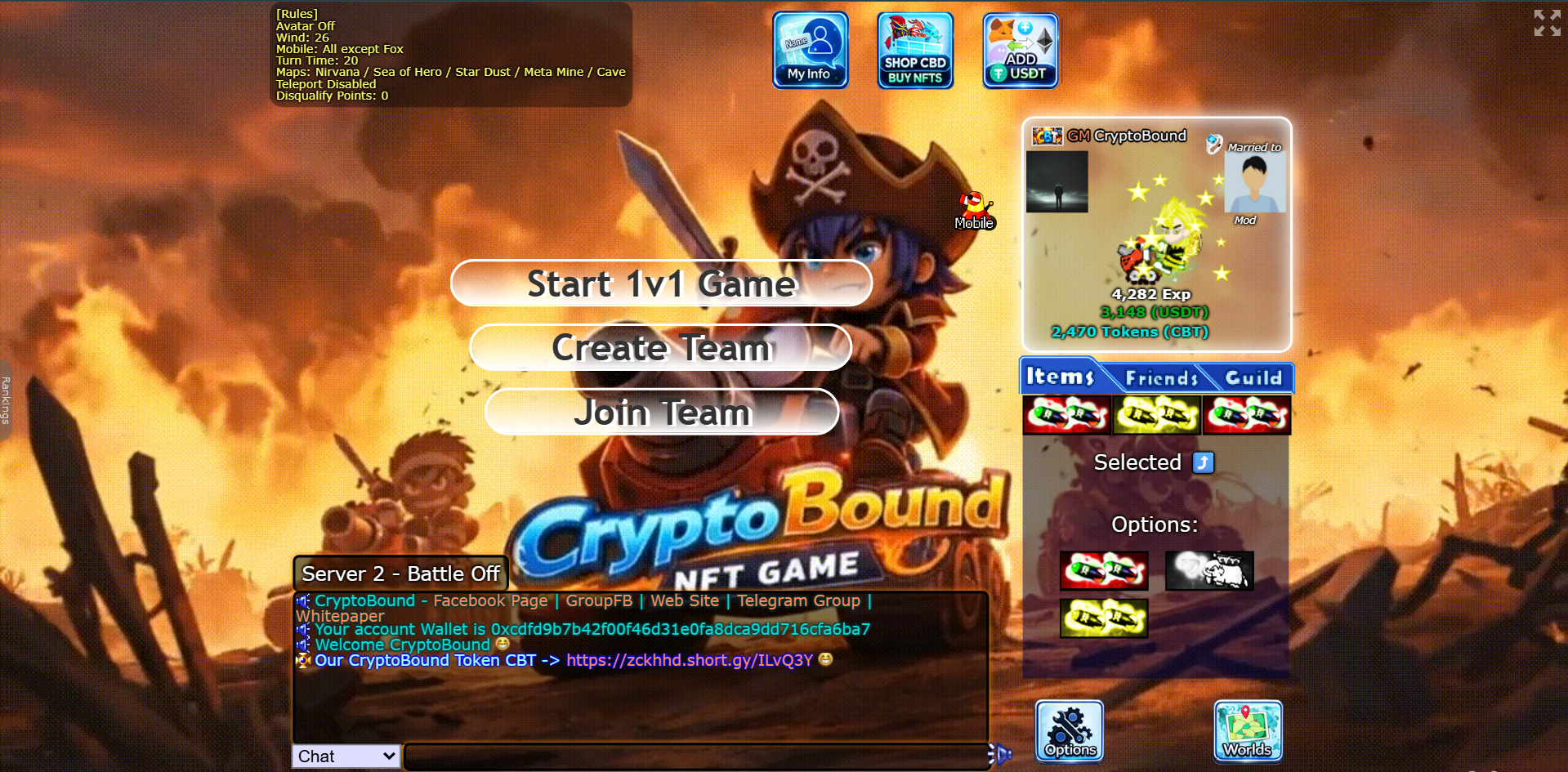
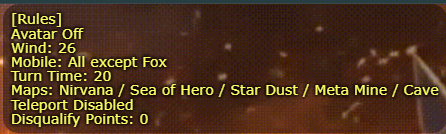
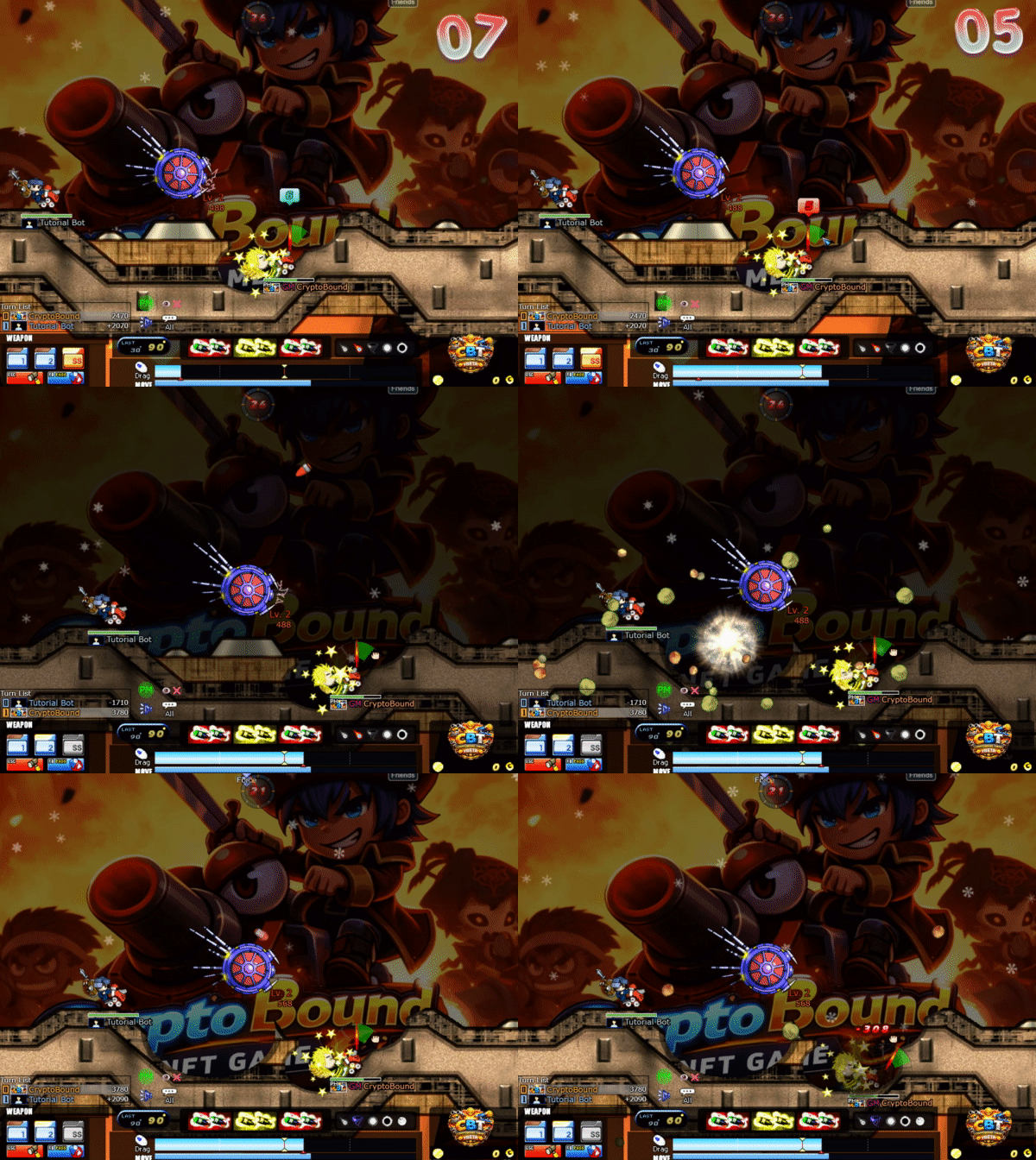
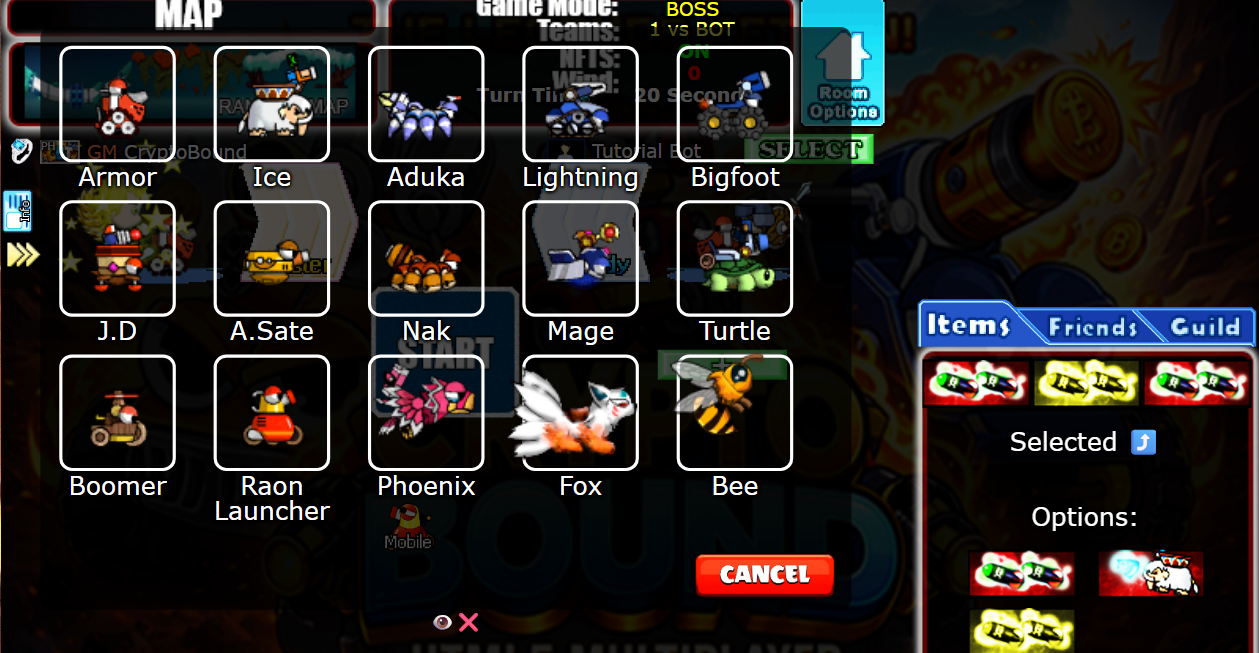
This is what the structure of the quick battles server looks like; at the top right we have the server rules.

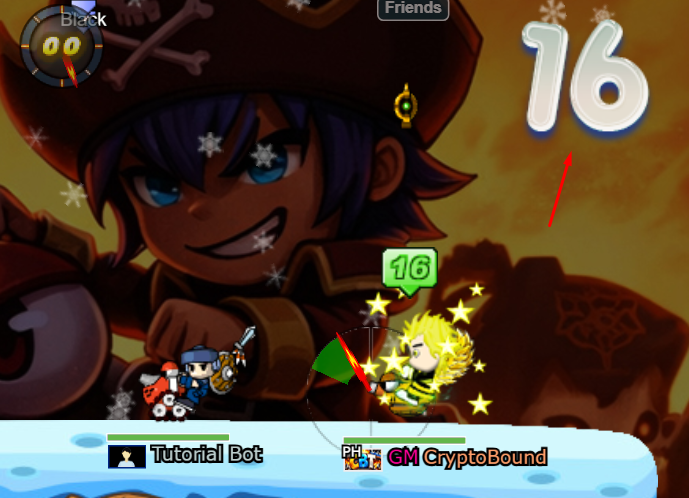
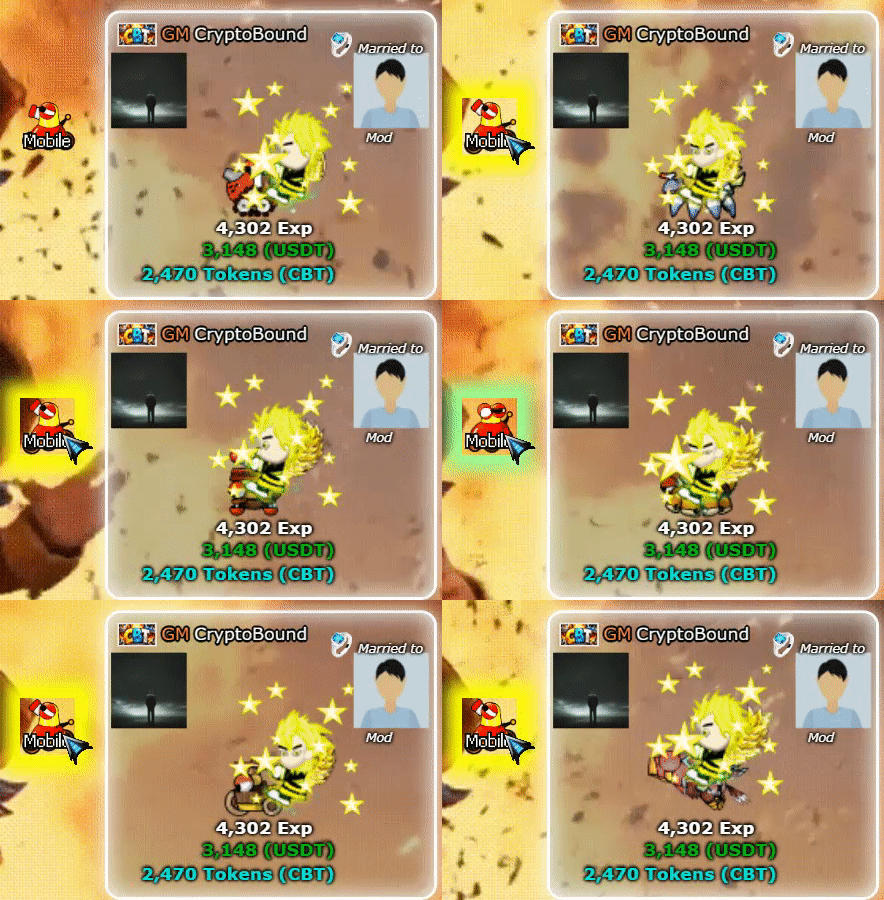
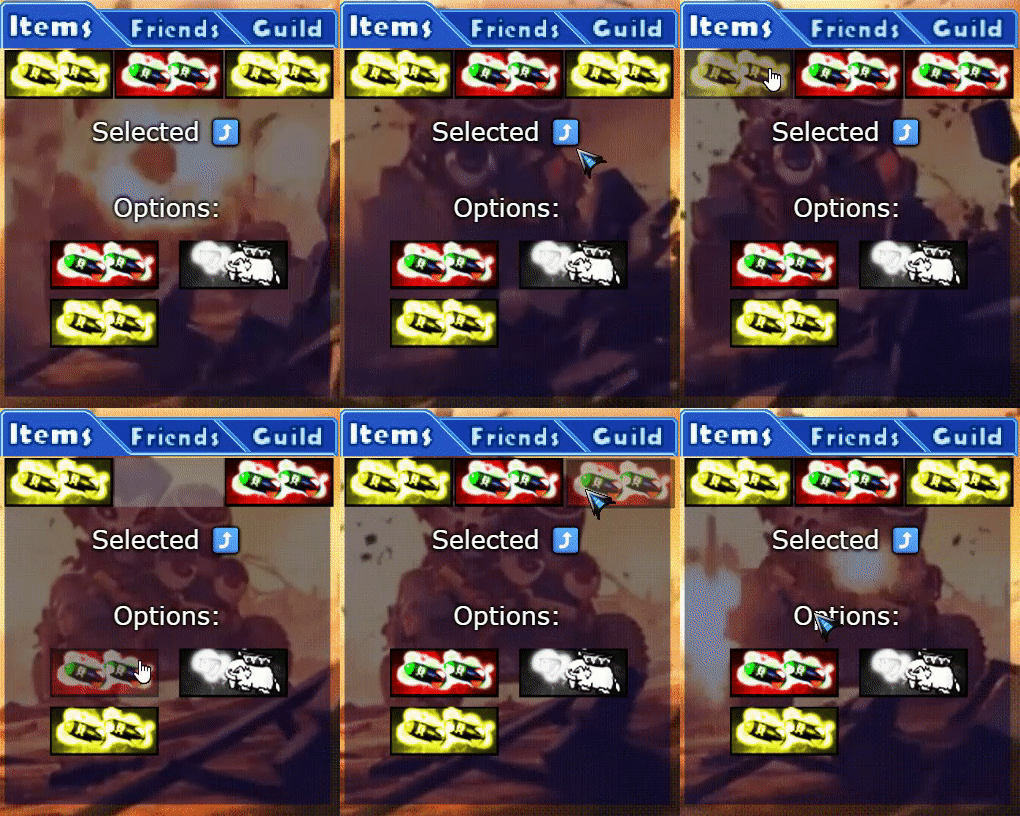
The advertising system will work like this...
Anyone who wants to collaborate with the server and help our community grow will get good benefits, for example.
These will get an NFT for 45 days. (The value will depend on the quality of the video and the visits obtained)
Social Media Advertising. --------------------------------------------------------------------------------------------------
People who advertise us on social networks will receive an NFT for 45 Days (This will also depend on the quality of your advertising)
